🚚 Miễn phí giao hàng toàn quốc

✅ Tặng Gói Hỗ trợ online trọn đời

✅ Giá cạnh tranh nhất thị trường

✅ Miễn phí tư vấn giải pháp

🚚 Miễn phí giao hàng toàn quốc

✅ Tặng Gói Hỗ trợ online trọn đời

✅ Giá cạnh tranh nhất thị trường

✅ Miễn phí tư vấn giải pháp

Hotline: 0943.199.449

Địa chỉ: Tầng 1, tòa nhà Deli, 75 Hoàng Văn Thụ, P. Cầu Kiệu

Bitrix24 Helpdesk

Website favicon

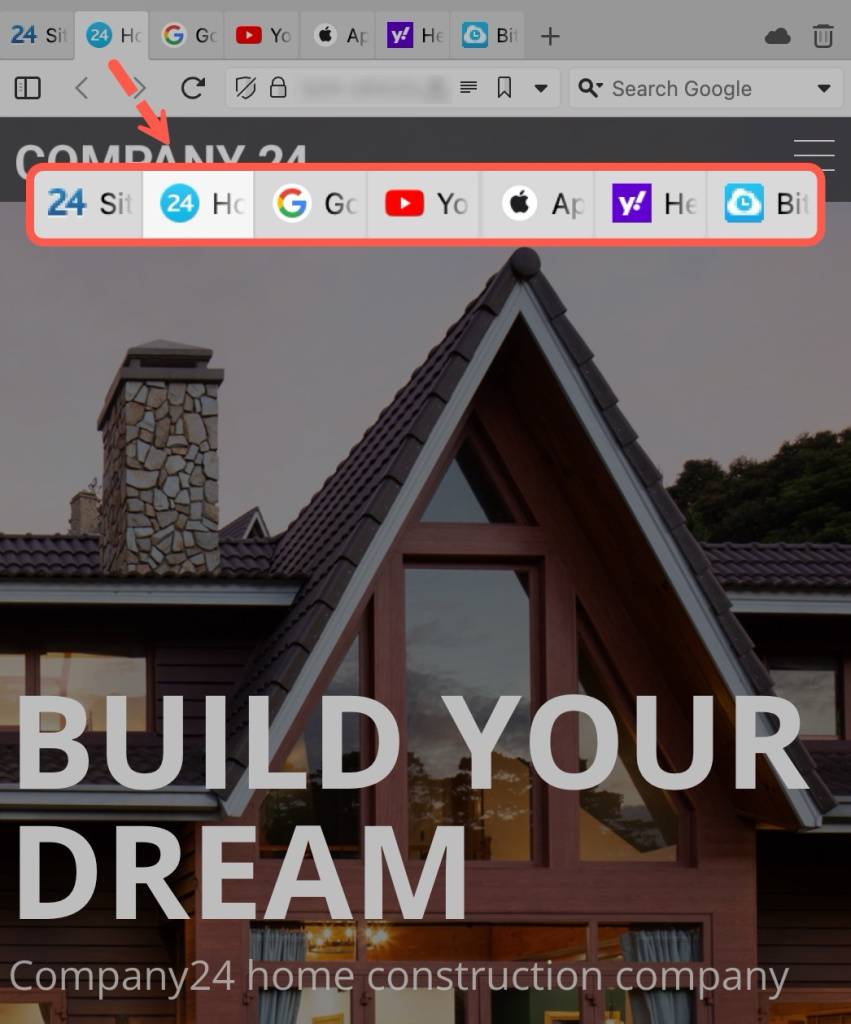
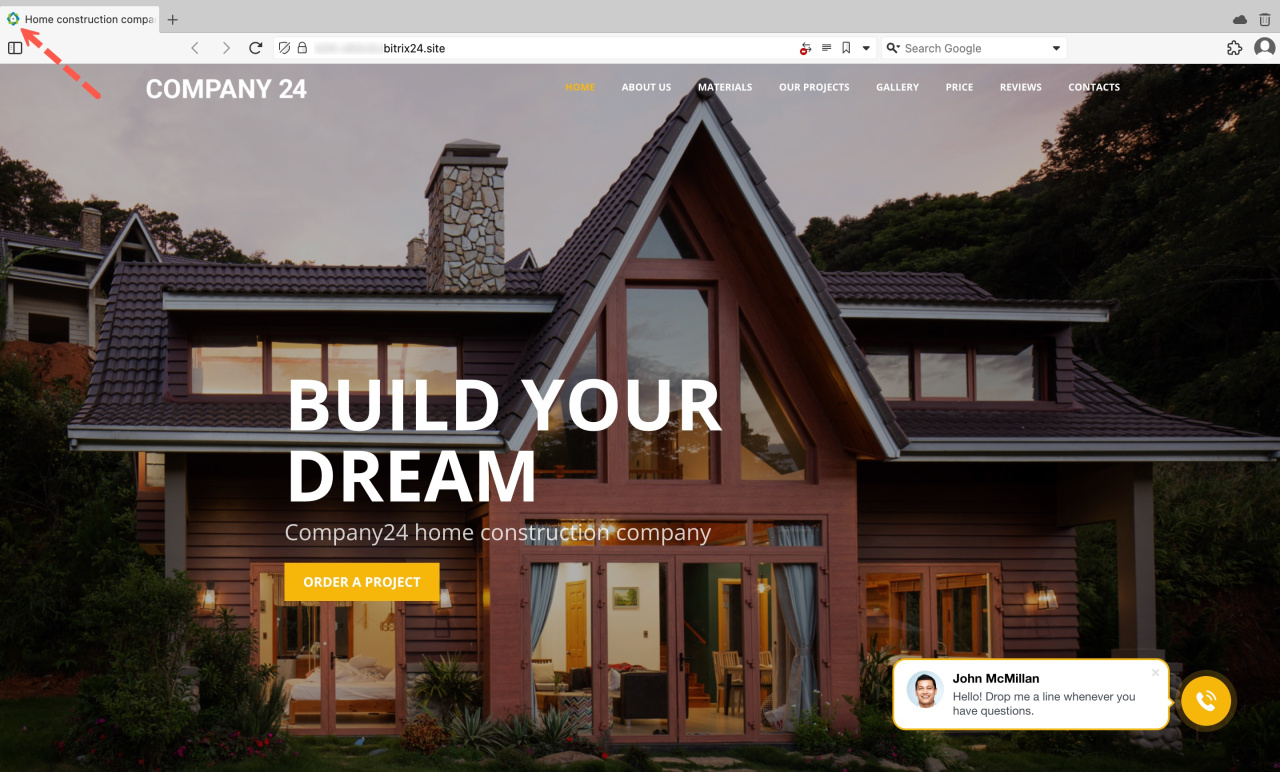
A favicon is a small icon that appears in the browser tab and bookmarks bar of a website. It represents your brand and website and makes them more recognizable.
You may have multiple tabs open in a single browser window. In this case, favicons help you identify the sites, even if the name is not visible. For example, in the screenshot on the right, it is easy to understand which tabs lead to YouTube, Google, Yahoo, and Apple sites.

When you create a site in Bitrix24, it uses a default favicon. You can replace it with a custom PNG file.

To change a favicon for your site in Bitrix24,

Using favicons
  1. Go to the Sites and stores section and open the Sites tab.

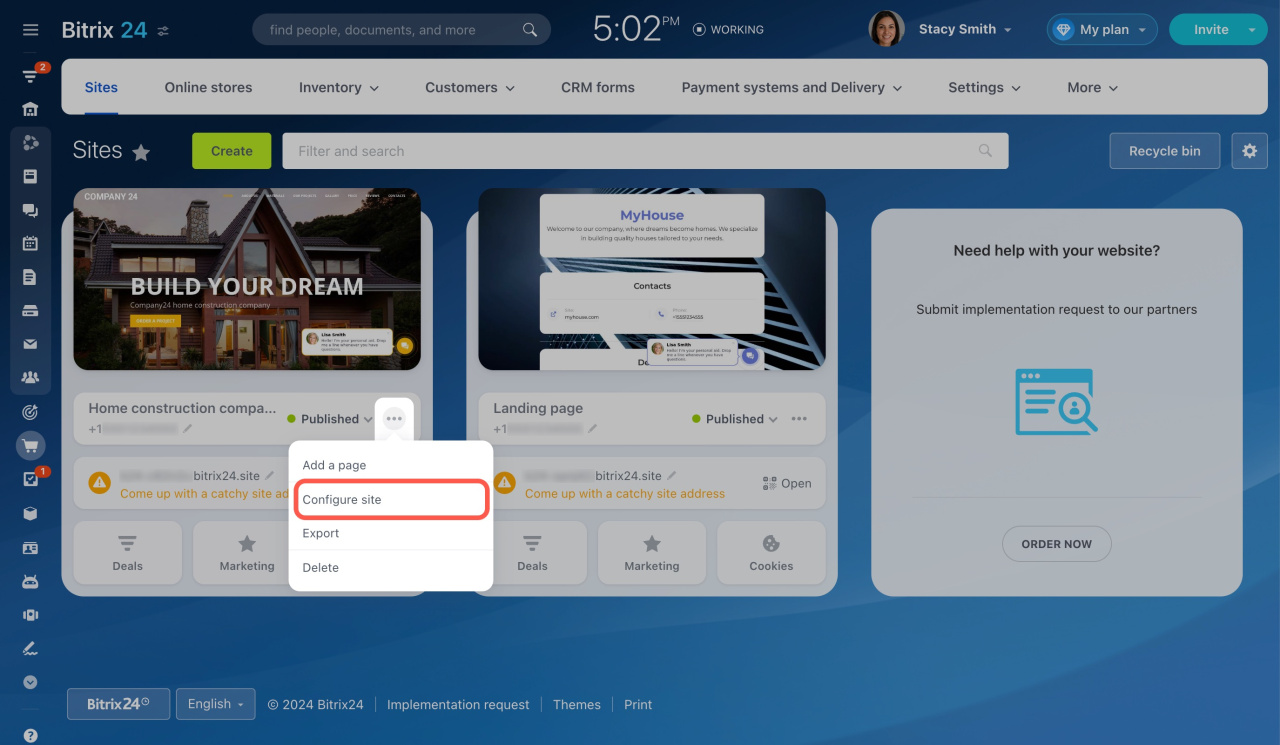
  2. Then click the three dots button on your site and select Configure site.

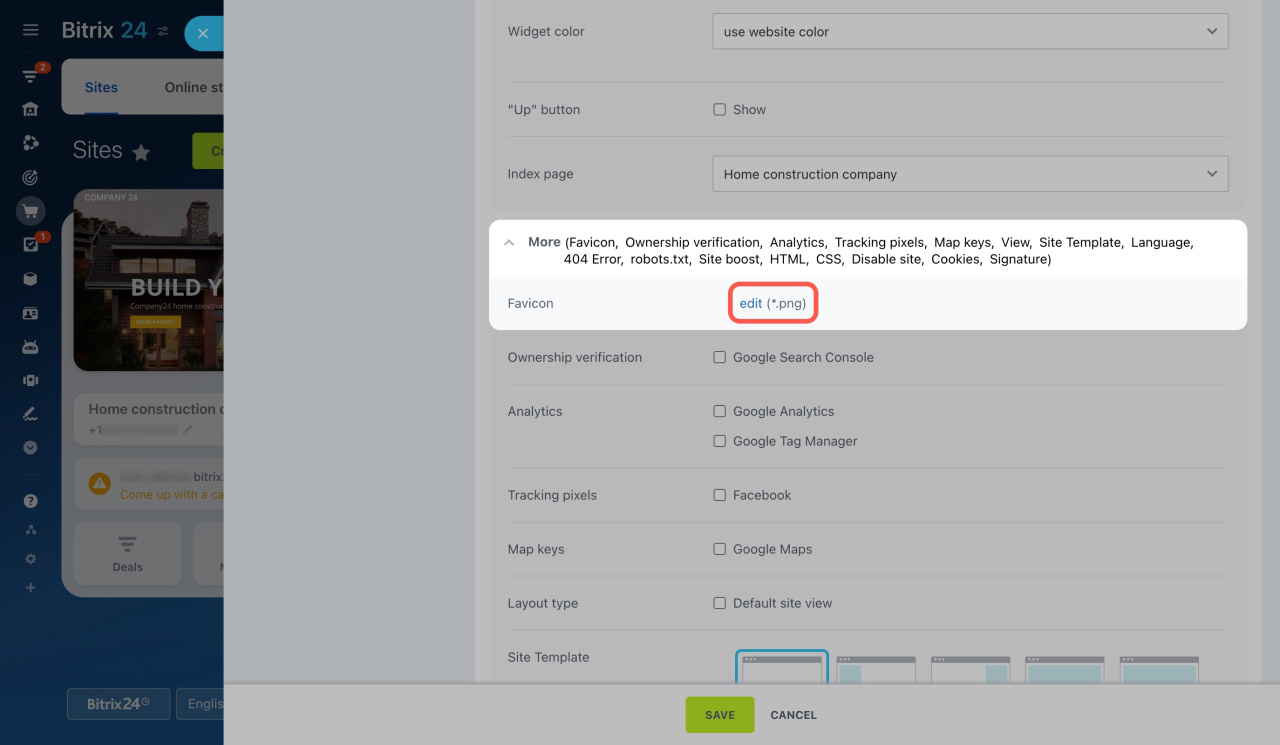
  3. Expand the More section, click edit next to Favicon, and select your image.

    The image must be in PNG format. The standard sizes are 16×16, 32×32, and 48×48 pixels.
  4. Click Save at the bottom.

  5. Publish your website to apply the changes. If you use the Auto publish option, just reload the page.
    Learn more about the Auto publish option
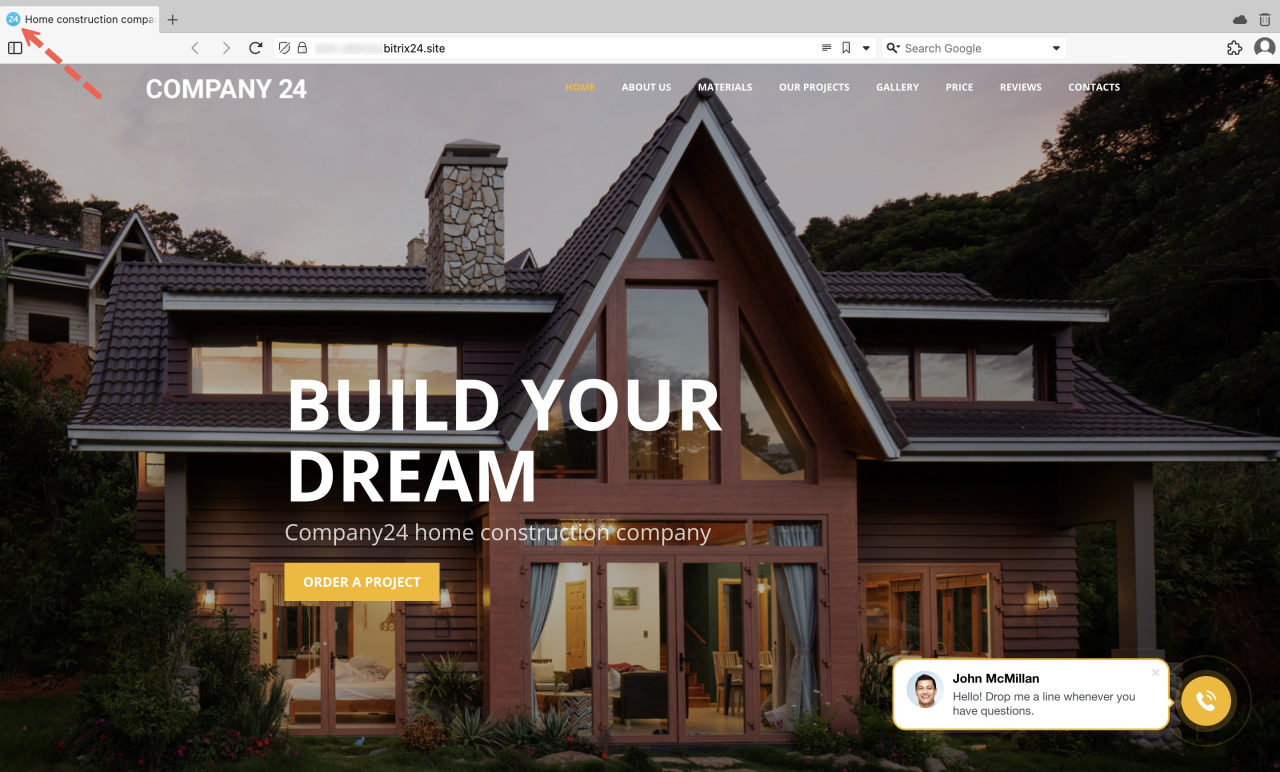
That's it! The new favicon should appear on the browser tab.

Was this information helpful?
Thank you for your feedback.
Get Implementation Help from a Partner
That's not what I'm looking for
Complicated and incomprehensible text
The information is outdated
It's too short. I need more information
I don't like the way this tool works
Get your Bitrix24 set up by local professionals
FIND BITRIX24 PARTNER NEAR ME
implementation_helper_man
Go to Bitrix24
Don't have an account? Create for free
Related articles
YouTube videos and Shorts in Bitrix24 Sites Change design in Sites and Stores Site and page settings Tables in Bitrix24 Sites, Stores, and Knowledge bases Site access permissions Cookie processing Action on click in site block elements Website widget: advanced settings Automatic block transitions, FAQ blocks, and GIF images Site boost
Zalo
0943.199.449