You can add click actions to site elements such as buttons, images, icons, and text.
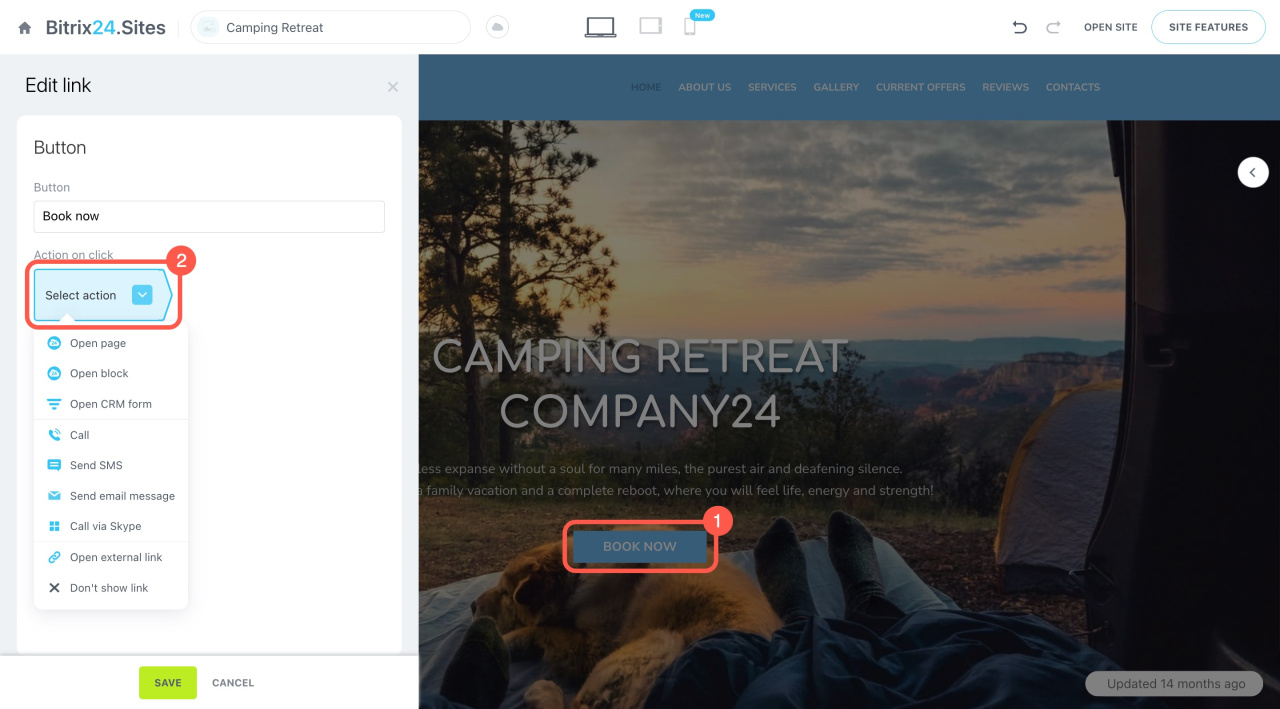
Add a link to a button. Open the button settings and choose what should happen when a user clicks it.
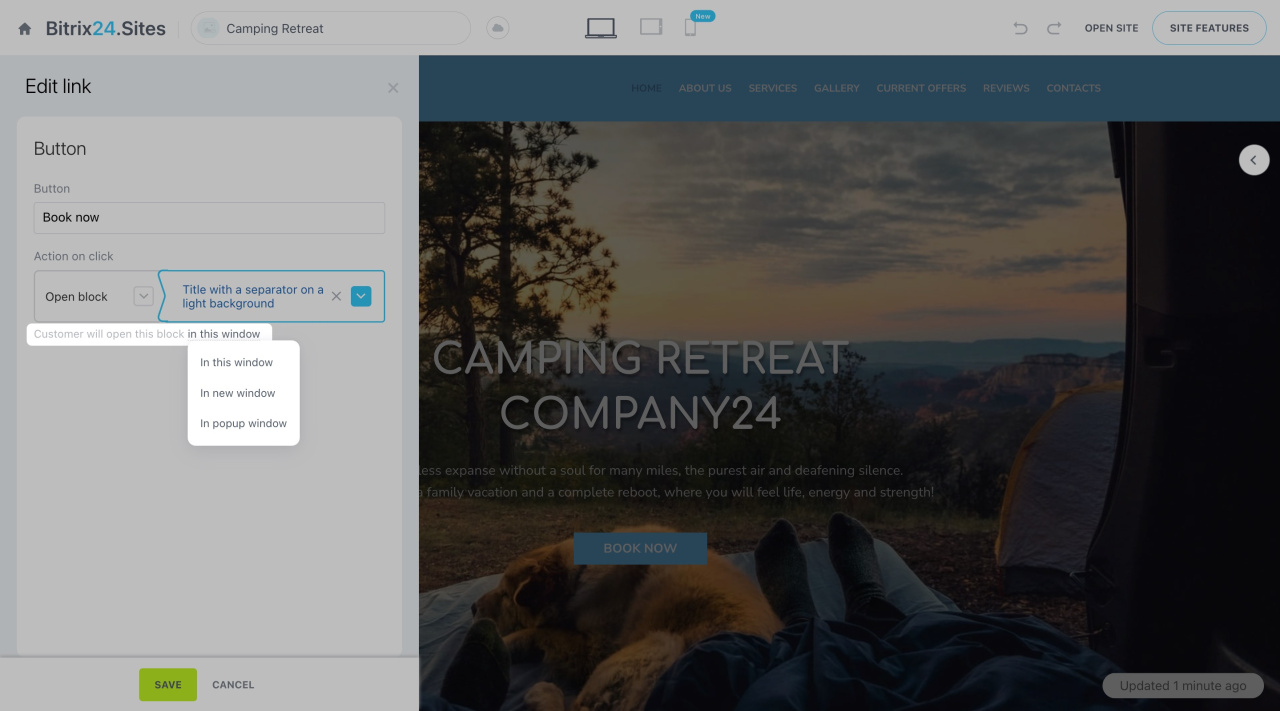
Also choose how the link opens: in the same window, a new window, or a pop-up.
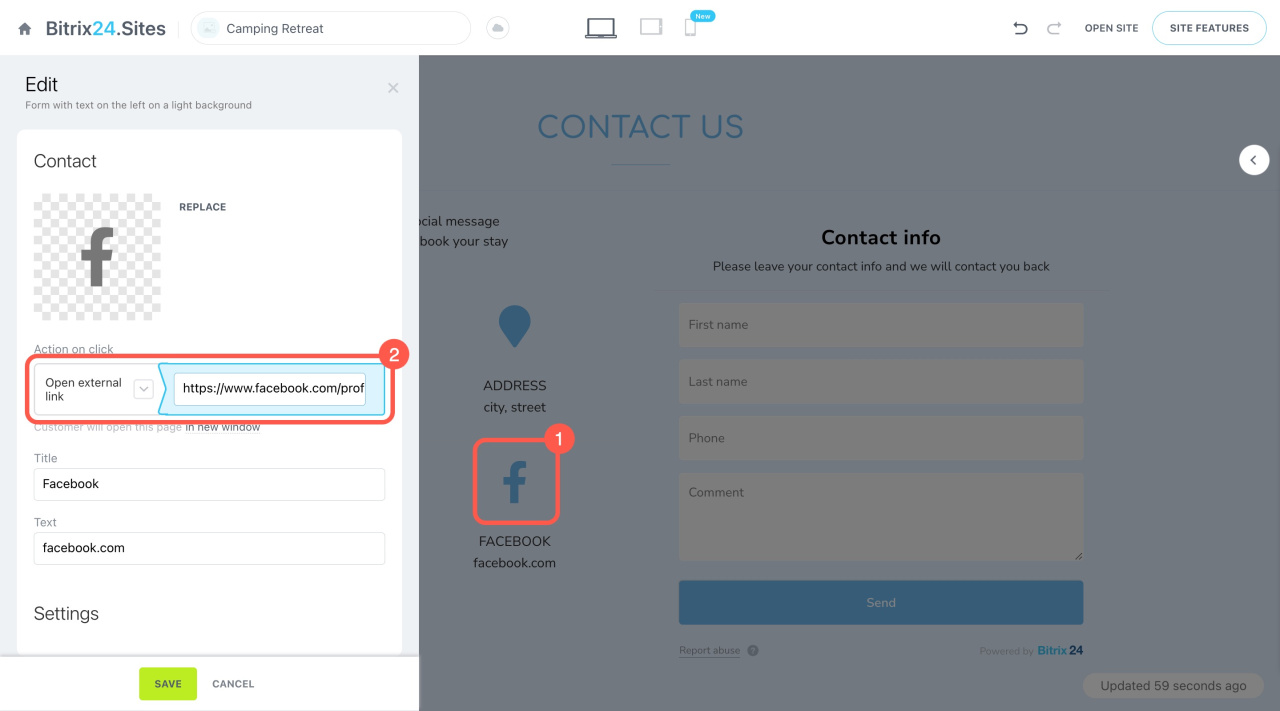
Add a link to an image or icon. Select the element and choose an action from the list.
Insert a link into the text. Highlight the text. In the pop-up panel, click the link icon.
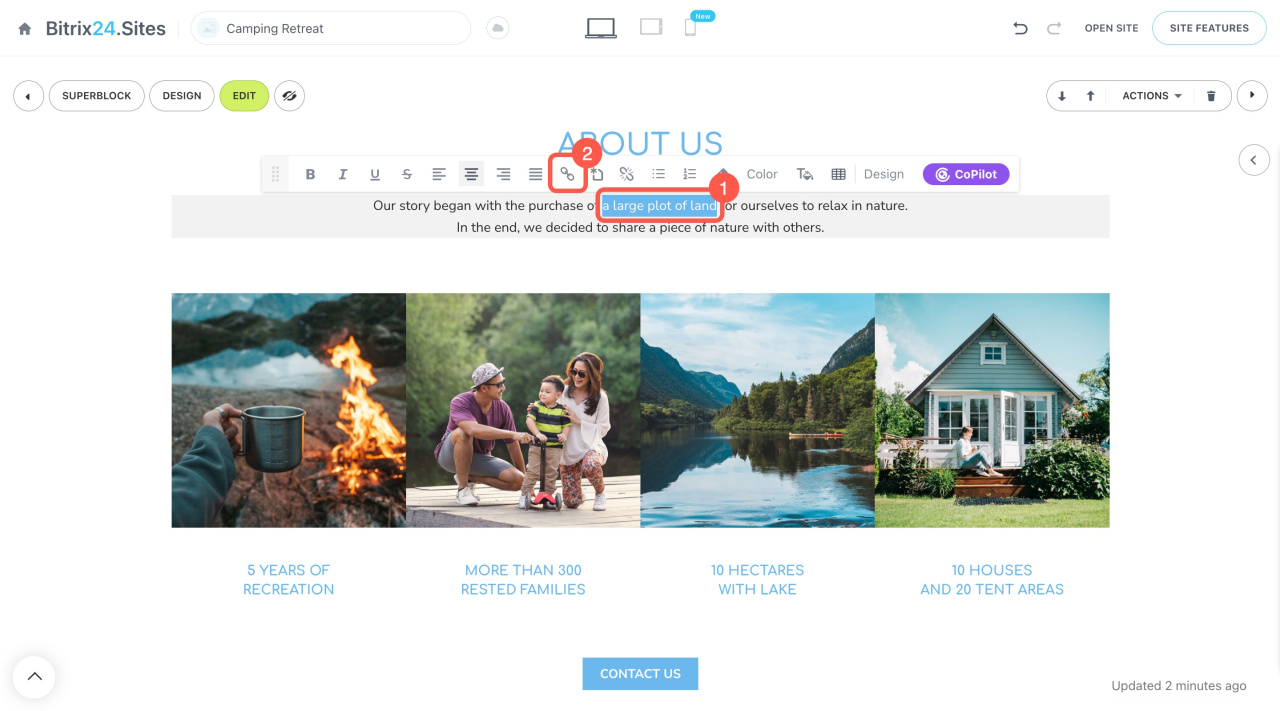
In the slider, choose what should happen when a user clicks the text.
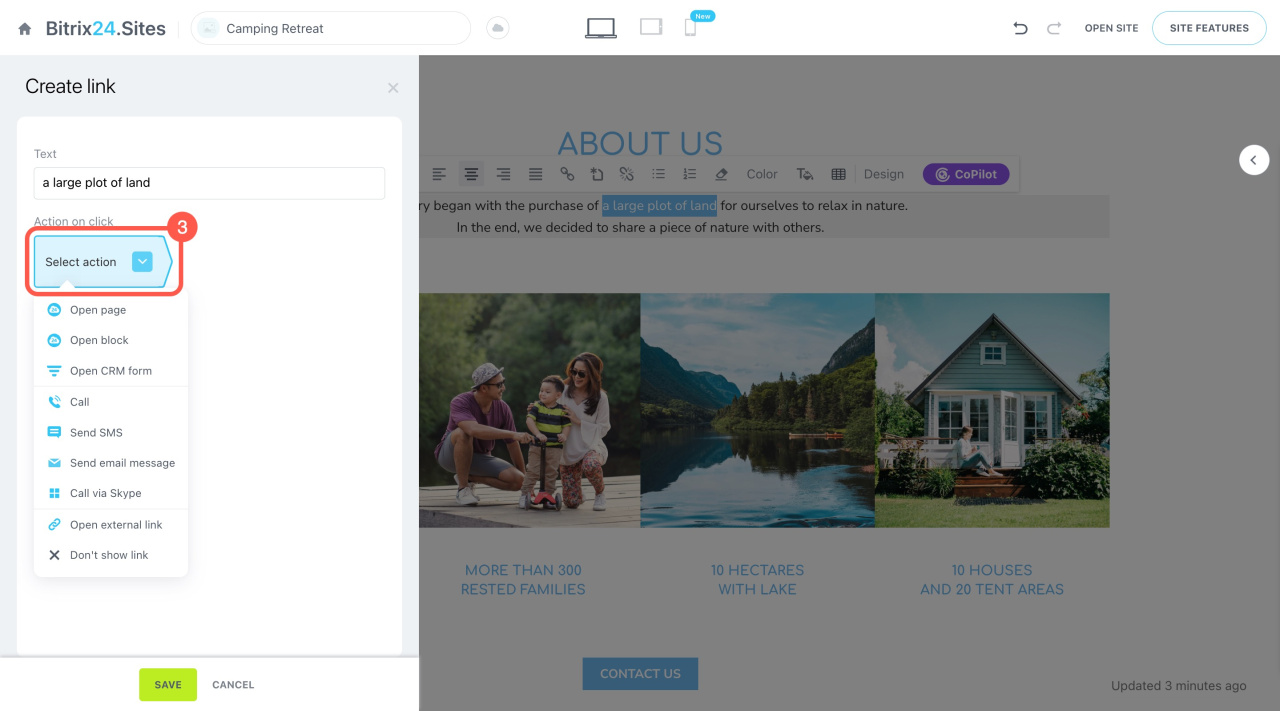
Available actions. When you add a click action, you can choose from the following:
-
Open page: Open any page from your sites.
-
Open block: Open a specific block on any site.
-
Open CRM form: Show a CRM form to the user.
-
Call: Enter a phone number. On mobile devices, the call starts right away. On desktops, a separate app is required.
-
Send SMS: Enter a phone number to receive text messages.
-
Send email message: Enter your email. The message opens in the user’s email app.
-
Call via Skype: Enter your Skype ID. The user is prompted to open Skype.
-
Open external link: Enter any URL.
-
Don't show link: Disable the button.
Online stores support the same actions as sites. You can also link to a product catalog or a specific item.
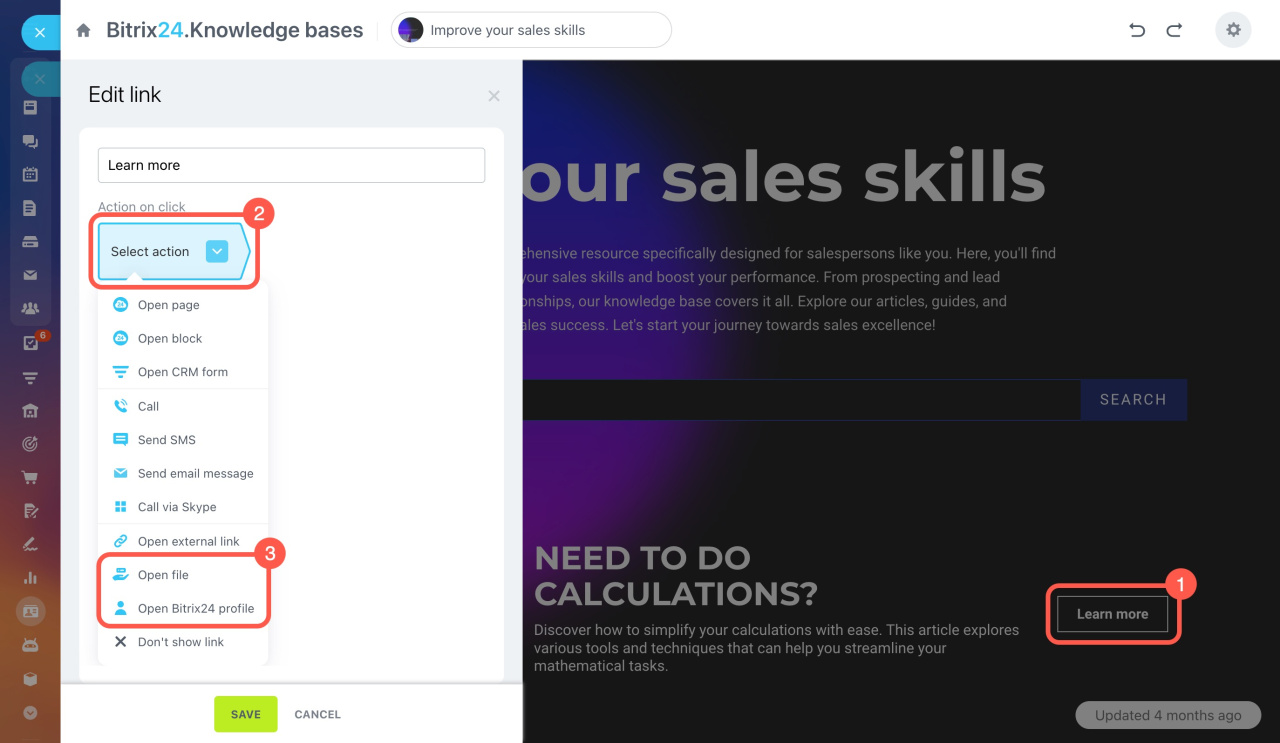
Knowledge bases include additional actions:
-
Open file: Select a file from Bitrix24 Drive.
-
Open Bitrix24 profile: Select an employee profile.
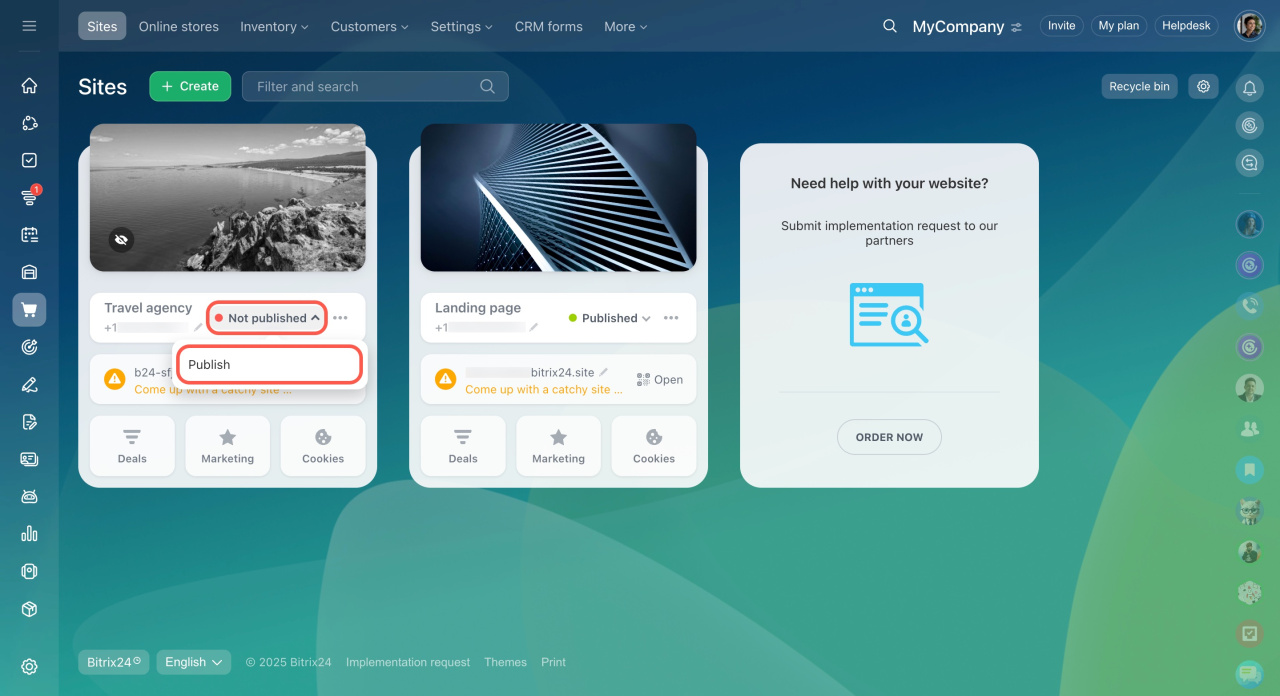
Changes are saved automatically when you edit a site. If updates don’t appear, click the arrow next to the site status. Unpublish the site, then publish it again.