🚚 Miễn phí giao hàng toàn quốc

✅ Tặng Gói Hỗ trợ online trọn đời

✅ Giá cạnh tranh nhất thị trường

✅ Miễn phí tư vấn giải pháp

🚚 Miễn phí giao hàng toàn quốc

✅ Tặng Gói Hỗ trợ online trọn đời

✅ Giá cạnh tranh nhất thị trường

✅ Miễn phí tư vấn giải pháp

Hotline: 0943.199.449

Địa chỉ: Tầng 1, tòa nhà Deli, 75 Hoàng Văn Thụ, P. Cầu Kiệu

Bitrix24 Helpdesk

Enable workflows in Lists

Workflow is one of the key features of Bitrix24 Lists. It lets you automatically run actions for list items, such as approvals, notifications, or data updates.

Before using workflows, you need to enable them in the list settings.


Enable workflows in a list

  1. Open the list.
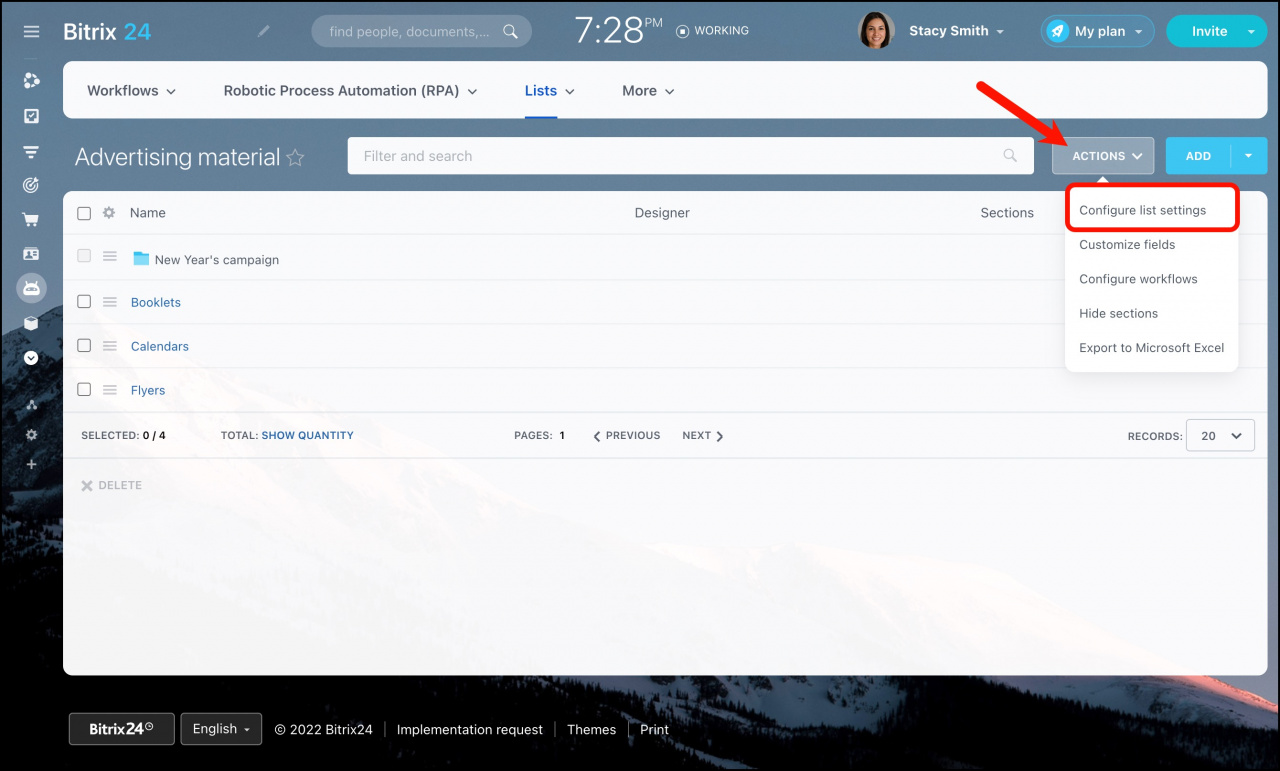
  2. Click Actions > Configure list settings.
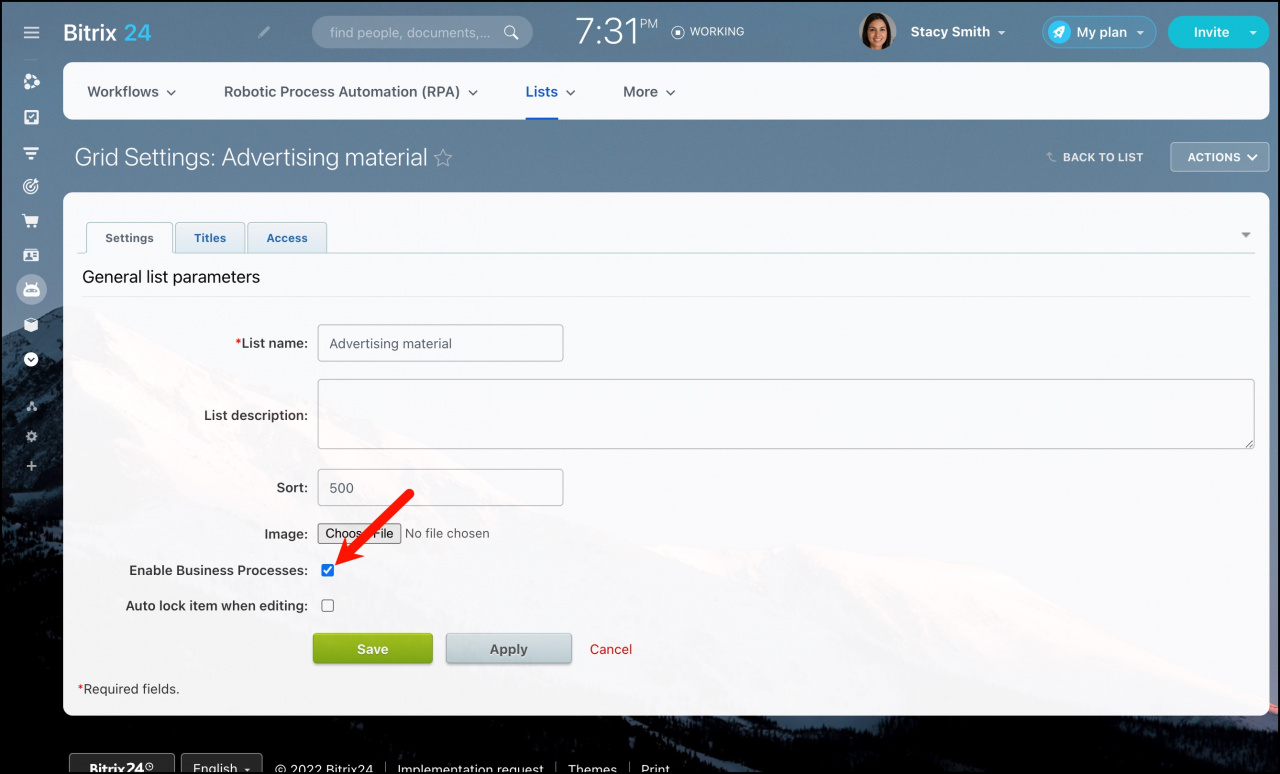
  3. Turn on the Enable Business Processes option.
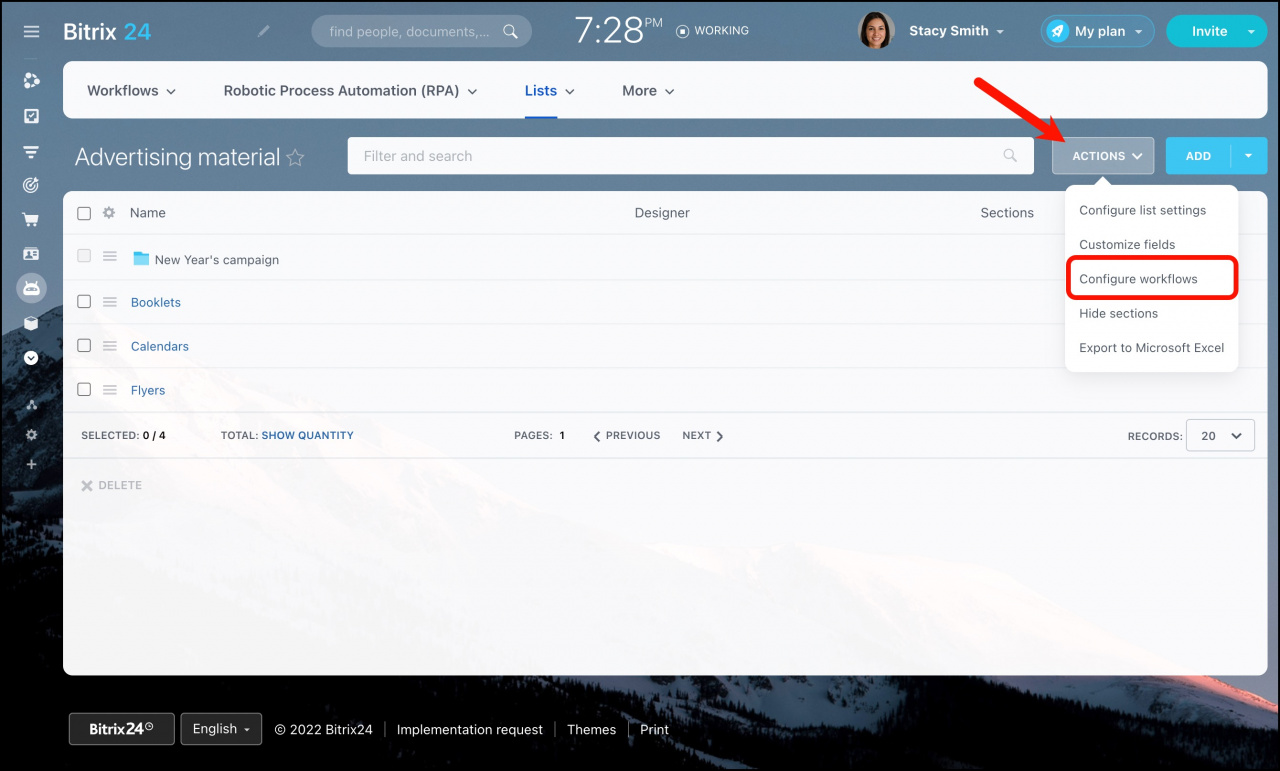
  4. Click Configure workflows to start creating or managing workflows.

After enabling this option, you can automate actions for list items.

Move a list to Workflows

If you use a list frequently, you can move it to the Workflows section. This makes it easier to create items directly from the Feed using a dedicated menu item.

No list items will be lost during the move.
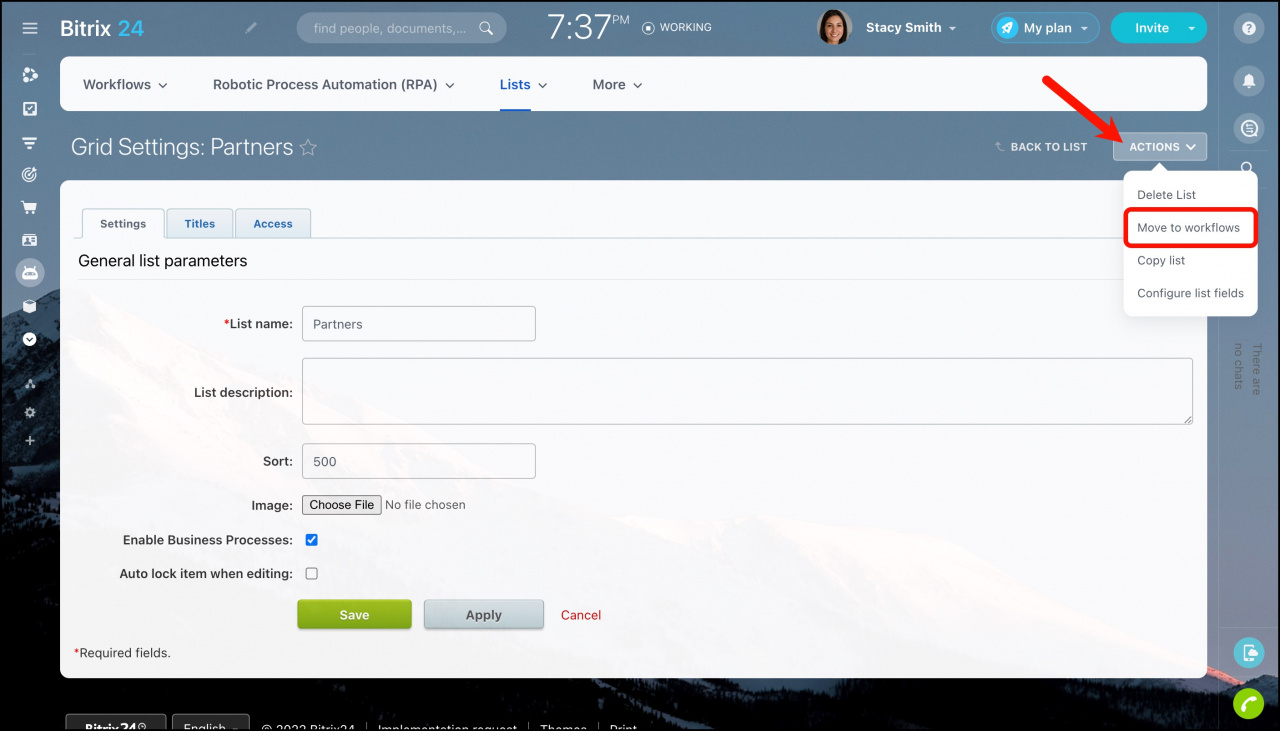
After moving the list to Workflows, you cannot move it back to Lists.

Was this information helpful?
Thank you for your feedback.
Get Implementation Help from a Partner
That's not what I'm looking for
Complicated and incomprehensible text
The information is outdated
It's too short. I need more information
I don't like the way this tool works
Get your Bitrix24 set up by local professionals
FIND BITRIX24 PARTNER NEAR ME
implementation_helper_man
Go to Bitrix24
Don't have an account? Create for free
Related articles
Filter and export lists Create and configure a list Delete a list Customize list fields Add new list items List view settings Example of using lists
Zalo
0943.199.449