
🚚 Miễn phí giao hàng toàn quốc

✅ Tặng Gói Hỗ trợ online trọn đời

✅ Giá cạnh tranh nhất thị trường

✅ Miễn phí tư vấn giải pháp

🚚 Miễn phí giao hàng toàn quốc

✅ Tặng Gói Hỗ trợ online trọn đời

✅ Giá cạnh tranh nhất thị trường

✅ Miễn phí tư vấn giải pháp

Hotline: 0943.199.449

Địa chỉ: Tầng 1, tòa nhà Deli, 75 Hoàng Văn Thụ, P. Cầu Kiệu

Bitrix24 Helpdesk

Change project owner

All Bitrix24 updates are released gradually to users. Please wait. Everything will appear soon.

Quick answer

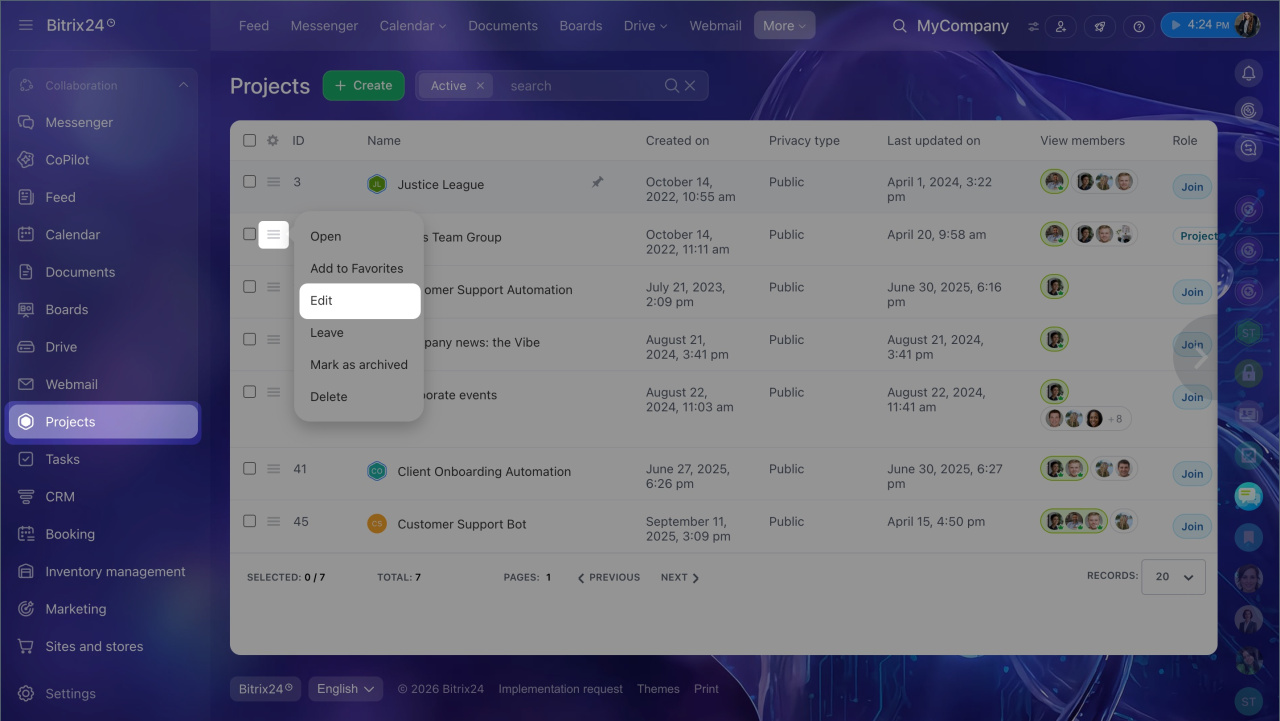
1. Go to Projects and click Menu (≡) next to the project and select Edit.
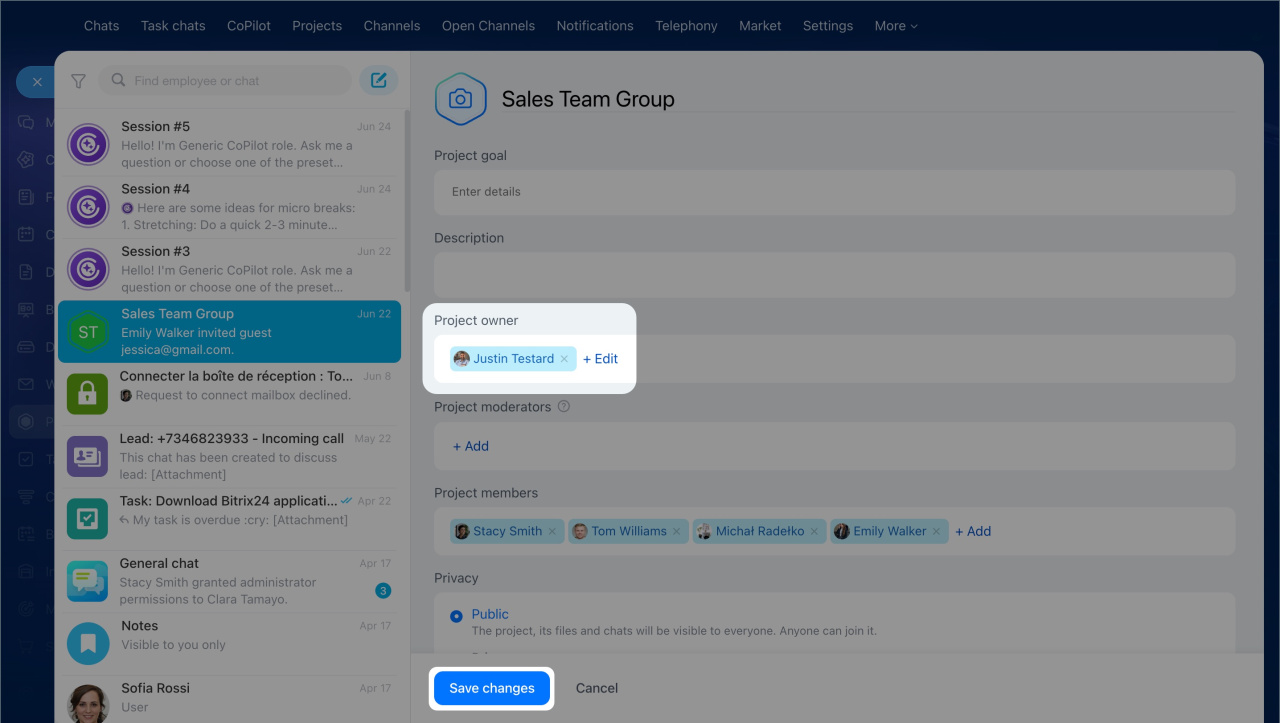
2. In the Project owner field, click Edit and select a new employee.
3. Click Save changes.


Detailed answer

The project owner is the main person responsible for the project who can edit the project, choose moderators, and use all project tools.

You may need to change the owner if the current owner leaves the company, goes on leave, or the project moves to another team. You can do this in the project settings.

The current owner, a moderator, or a Bitrix24 administrator in Administrator mode can change the owner.
Assign admin permissions

In the project list, click Menu (≡) next to the project and select Edit.

In the Project owner field, select a new employee and click Save changes. The new owner will get full access to the project. If needed, you can also assign moderators in the settings. They help manage the project.

Was this information helpful?
Thank you for your feedback.
Get Implementation Help from a Partner
That's not what I'm looking for
Complicated and incomprehensible text
The information is outdated
It's too short. I need more information
I don't like the way this tool works
Get your Bitrix24 set up by local professionals
FIND BITRIX24 PARTNER NEAR ME
implementation_helper_man
Go to Bitrix24
Don't have an account? Create for free
Related articles
What's new? July 2025 Task reports: How to analyze team performance Use chats in a project Copy project Bitrix24 project features Invite employees or guests to projects Bitrix24 Vibe FAQ: AI Projects Bitrix24 Projects Four levels of automation in Bitrix24
Zalo
0943.199.449
