


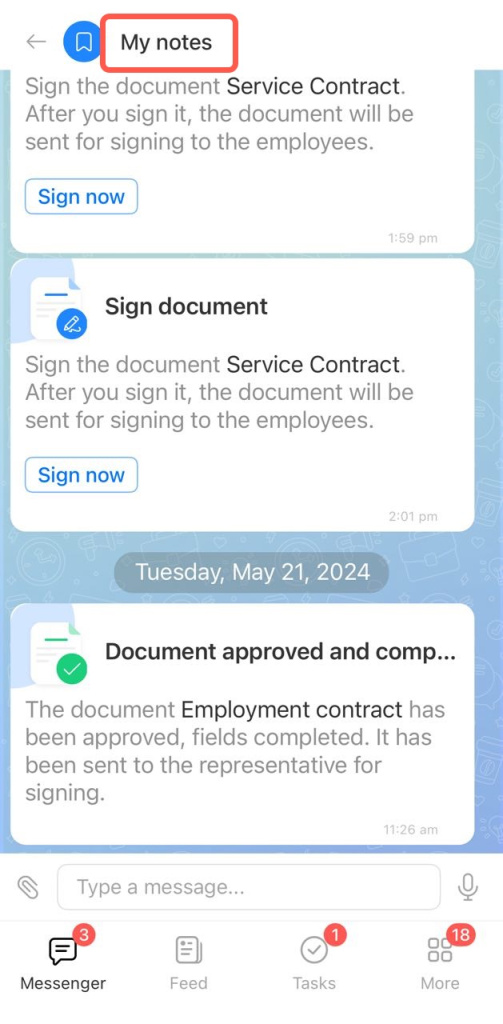
Notes is a personal chat in Bitrix24 that only you can see. Use it to store important information, save messages, and keep files in one place. This helps you quickly find what you need without searching through work chats.
Find notes
Notes are available in both the desktop and mobile apps.
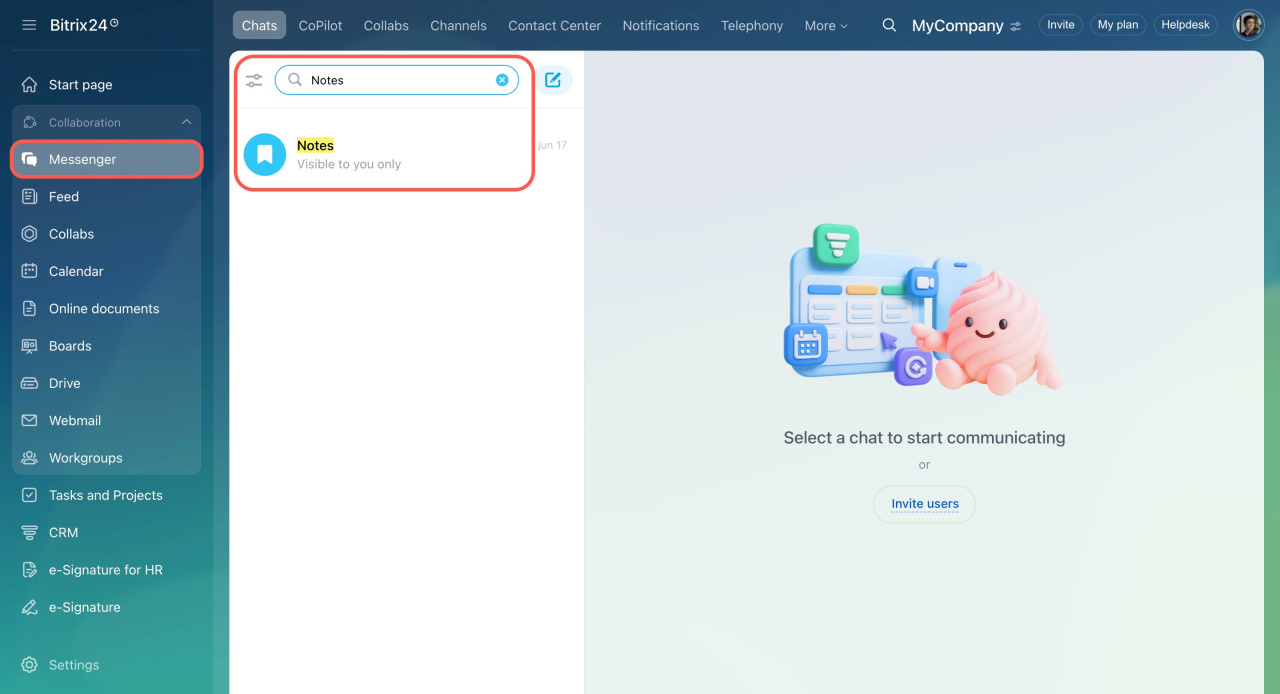
To open Notes:
- Open Messenger.
- Enter "Notes" in the search bar.
- Select the chat from the results.
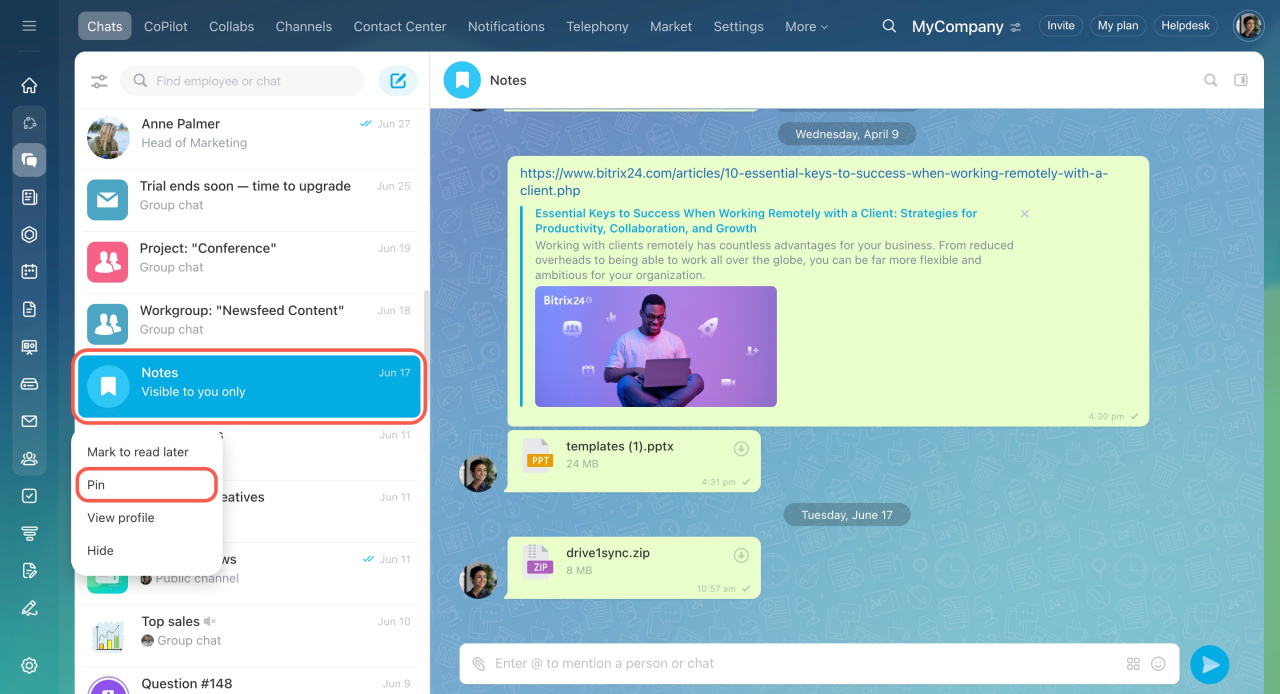
To keep Notes easy to access, right-click the chat name and select Pin.
To open Notes:
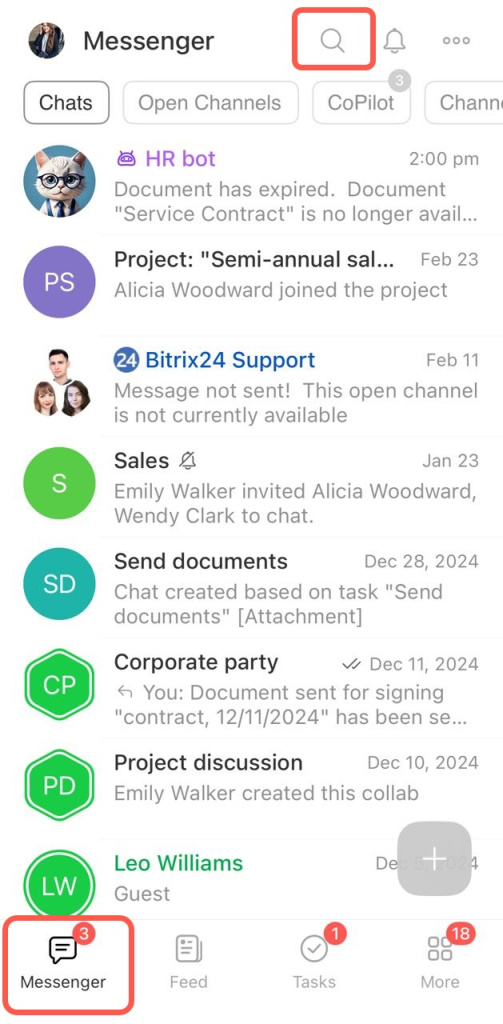
- Open Messenger and tap the magnifying glass.
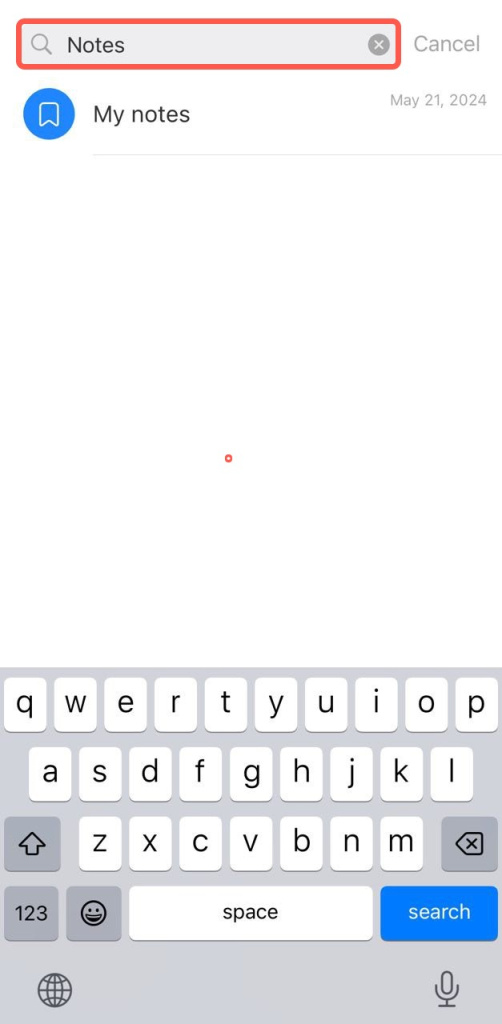
- Type "Notes" in the search bar.
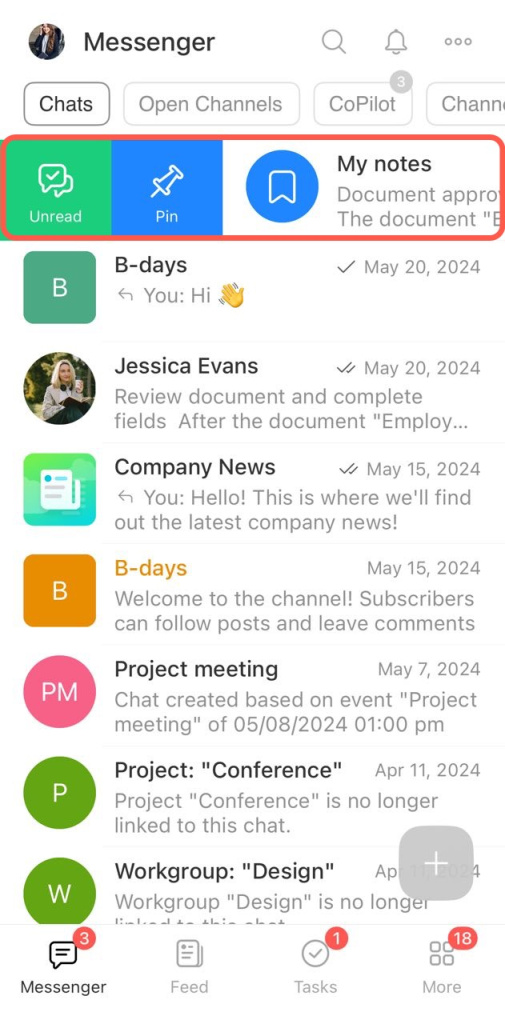
Pin notes to keep them from getting lost in the chat list:
- Find Notes manually in the chat list.
- Swipe the chat to the right and tap Pin.
Save and manage information
You can store different types of content in Notes:
- Text – type messages just like in any chat
- Files – upload documents, images, or videos
- Messages – forward messages from other chats
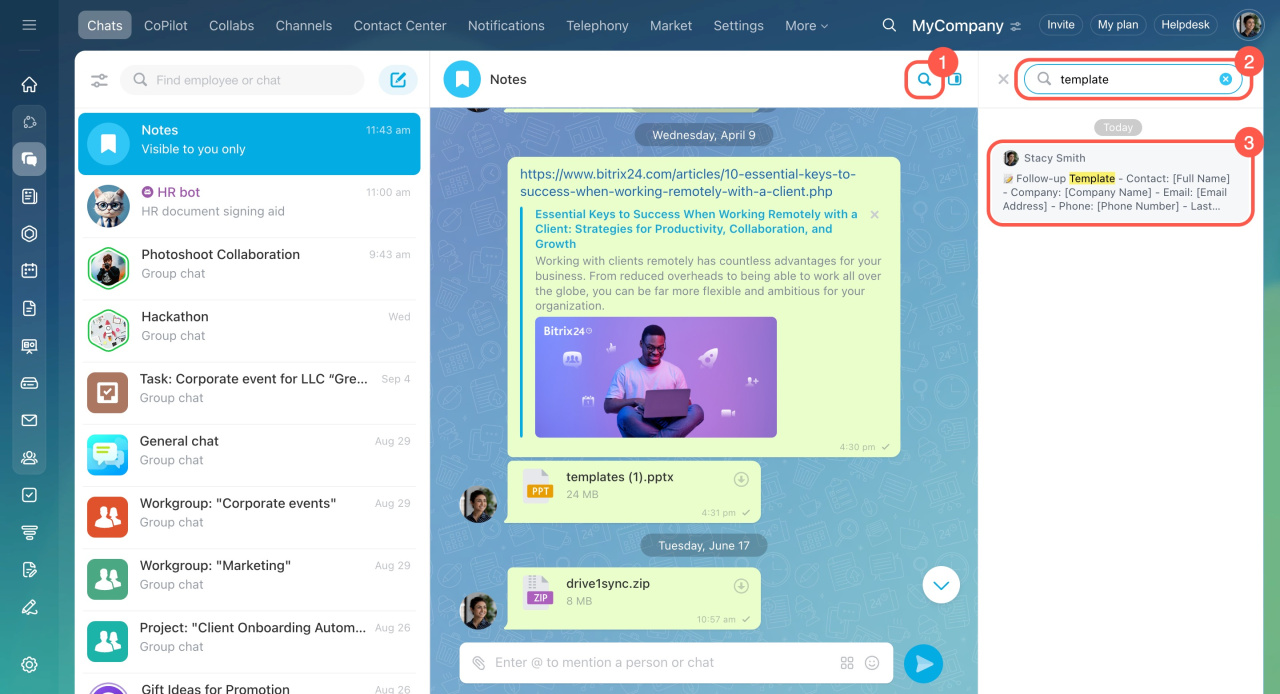
To find a message:
- Click the magnifying glass.
- Enter a word or a phrase from the message in the search bar.
- Click the fragment that appears in the sidebar to go to the message.
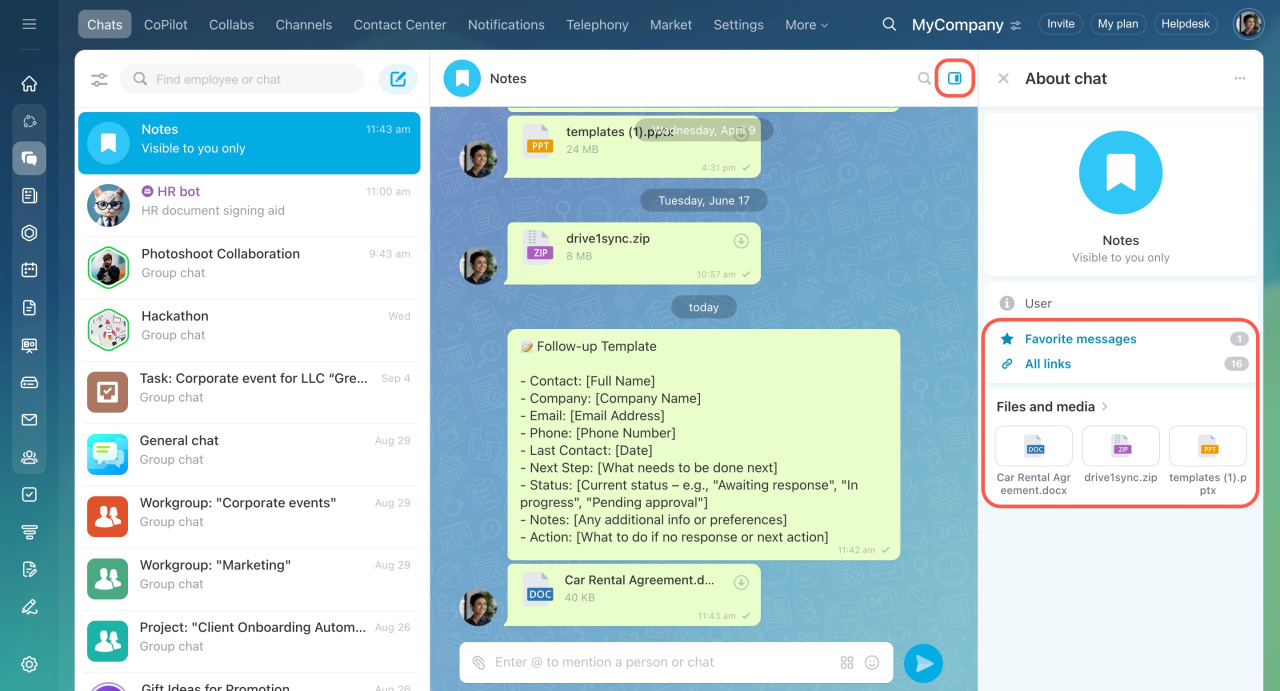
To quickly find documents, media files, and links, use the chat sidebar.
- Favorite messages
- Links from messages
- Media and files
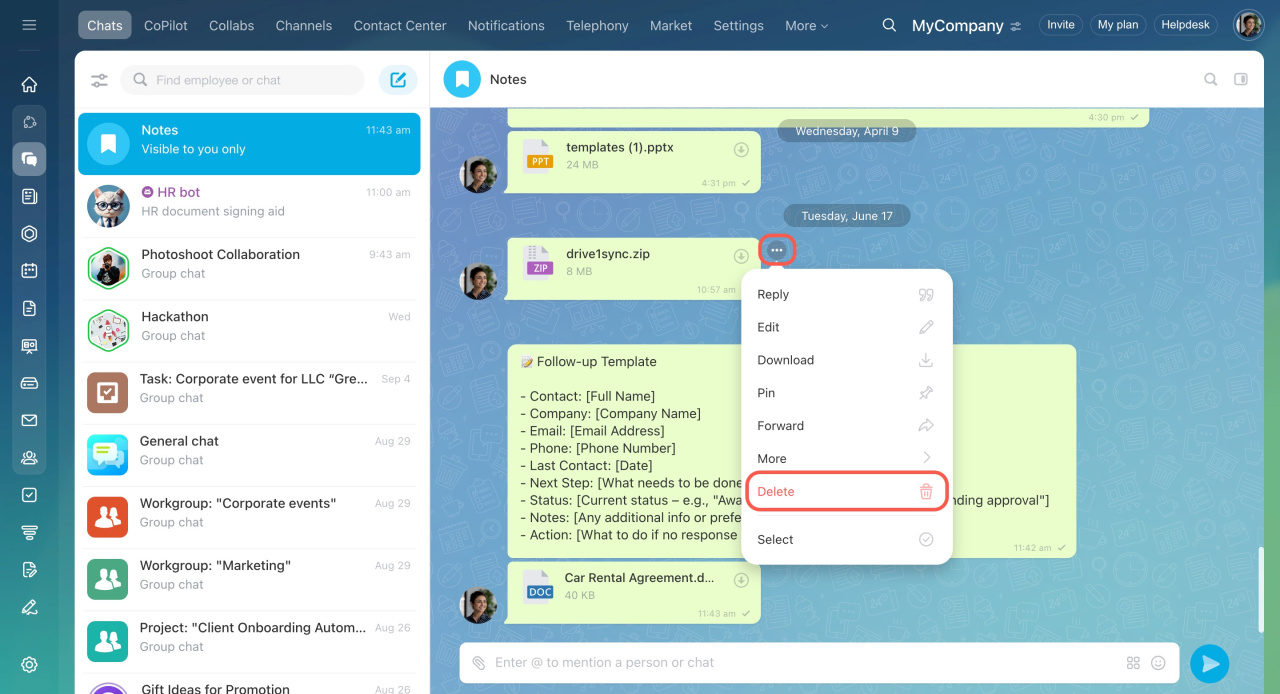
If a note is no longer needed:
- Click the three dots next to it.
- Select Delete.
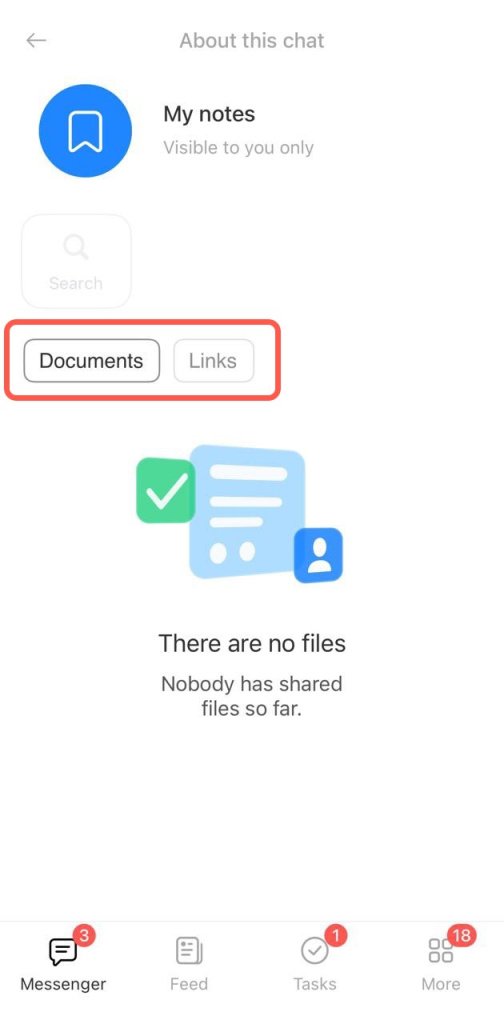
Tap the chat name to open the sidebar and view:
- Documents
- Links
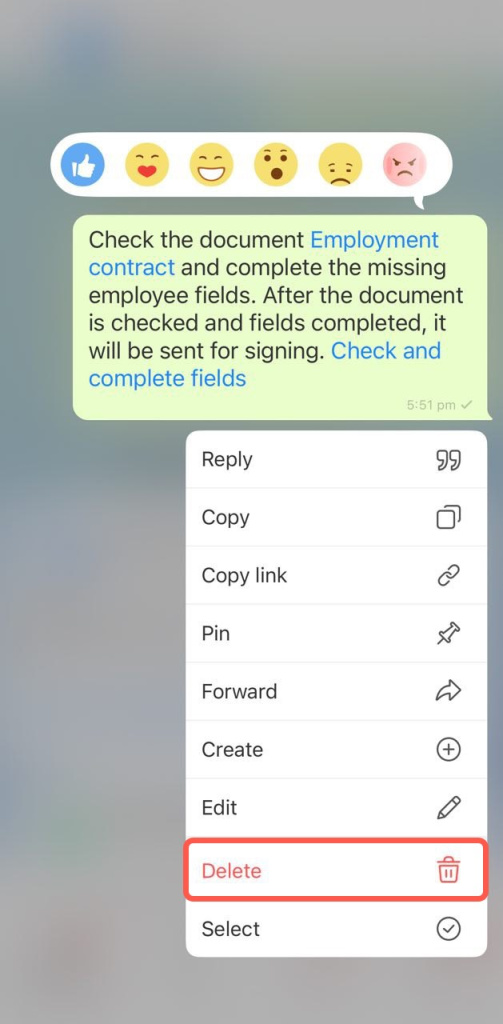
To delete an unnecessary message from Notes, press and hold it, then select Delete.
In brief:
- Notes are a personal chat in Bitrix24 visible only to you. Use it to jot down important information, save messages, or store files.
- Notes are available on both desktop and mobile apps.
- Enter "Notes" or your last name in the search bar to open the chat. Pin the chat to keep it easily accessible.
- Search in Notes works for text, files, and links.
- Unnecessary messages can be deleted.



