🚚 Miễn phí giao hàng toàn quốc

✅ Tặng Gói Hỗ trợ online trọn đời

✅ Giá cạnh tranh nhất thị trường

✅ Miễn phí tư vấn giải pháp

🚚 Miễn phí giao hàng toàn quốc

✅ Tặng Gói Hỗ trợ online trọn đời

✅ Giá cạnh tranh nhất thị trường

✅ Miễn phí tư vấn giải pháp

Hotline: 0943.199.449

Địa chỉ: Tầng 1, tòa nhà Deli, 75 Hoàng Văn Thụ, P. Cầu Kiệu

Bitrix24 Helpdesk

Install and use chatbots in Bitrix24

A chatbot is a virtual assistant that handles simple tasks. For example, it can send reminders, answer questions, or find information on request.

You can browse available chatbots in the Bitrix24 Market. Use the search bar to explore options.

Only Bitrix24 account administrators can install or remove chatbots.

In this article:


Install a chatbot from the Market

Follow these steps:

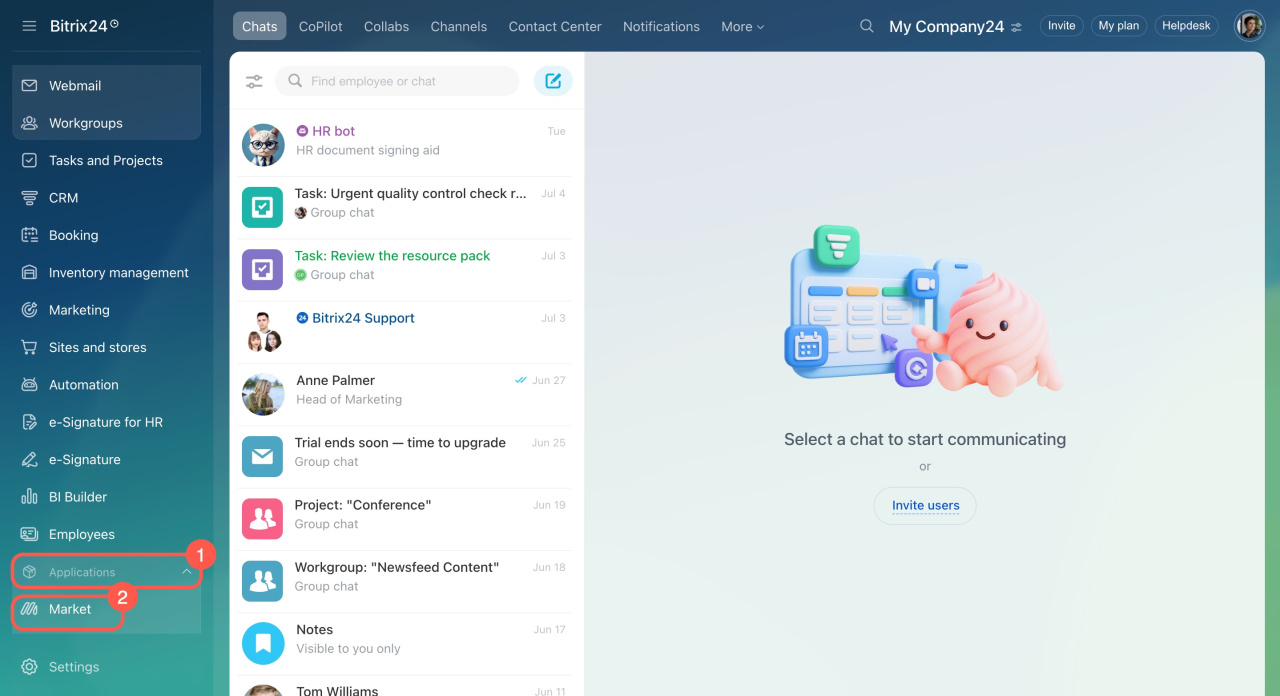
  1. Open the left menu and click Applications.
  2. Select Market.
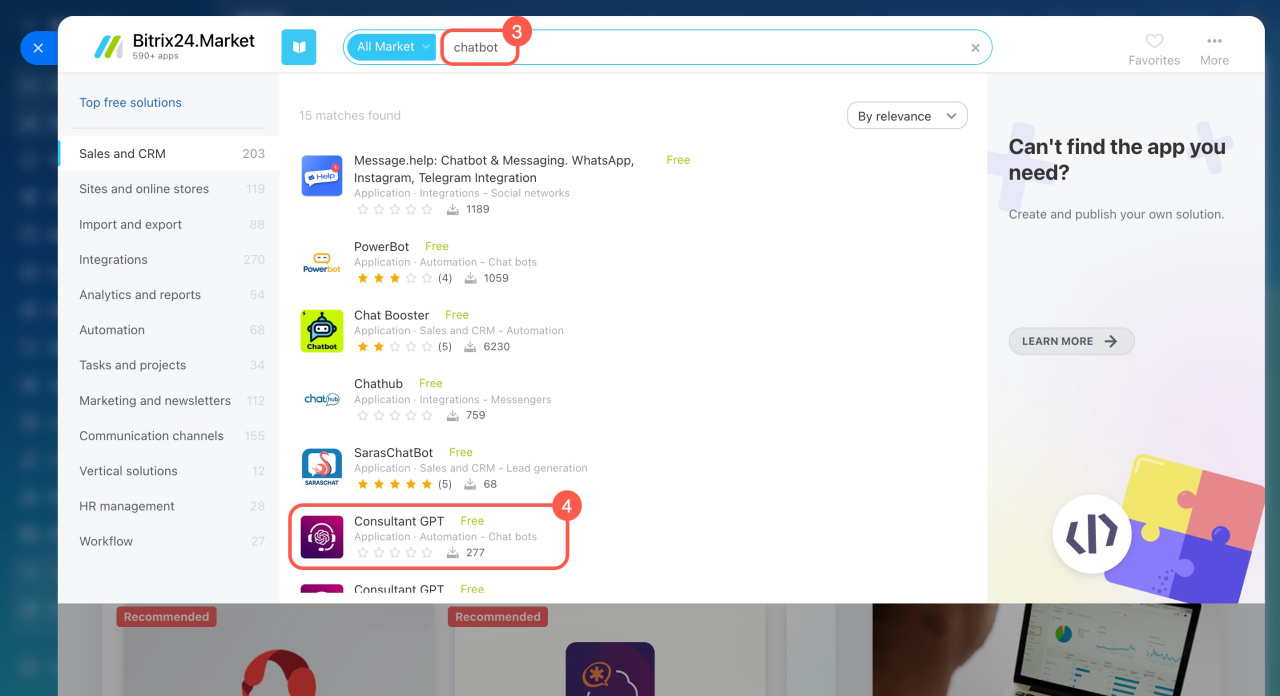
  3. Use the search bar to find a chatbot.
  4. Open the app page.
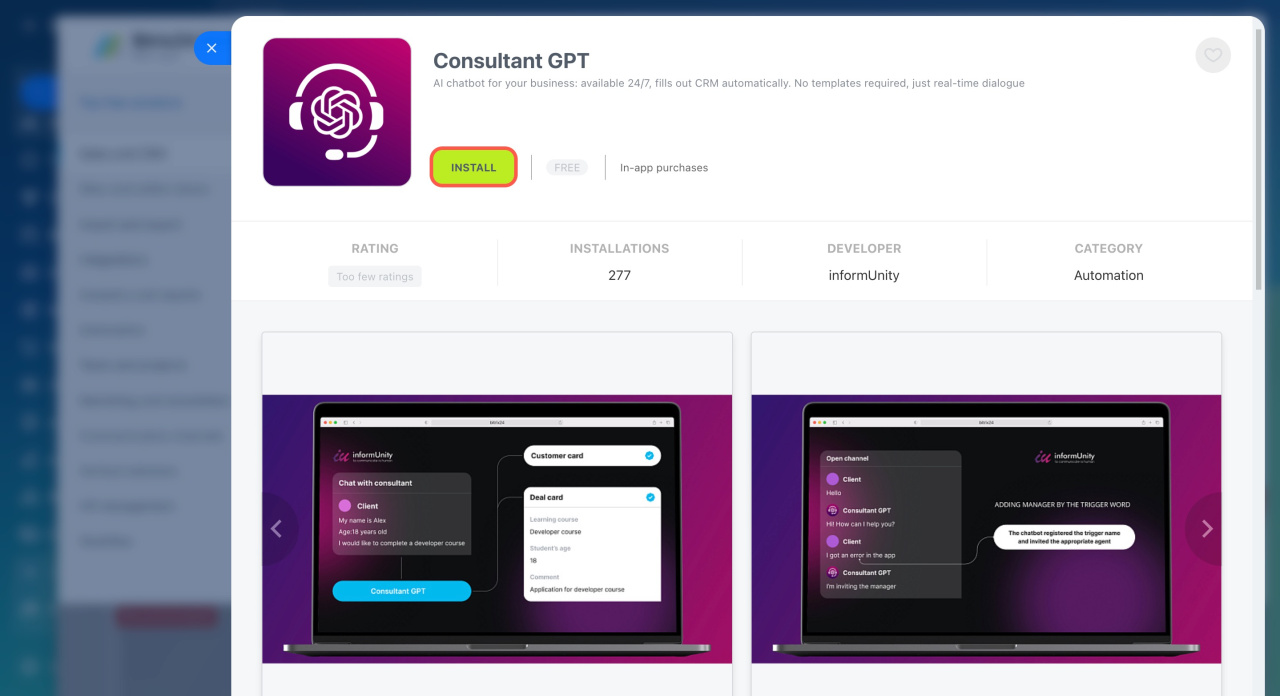
  5. Click Install.
  6. Review and accept the terms and conditions.
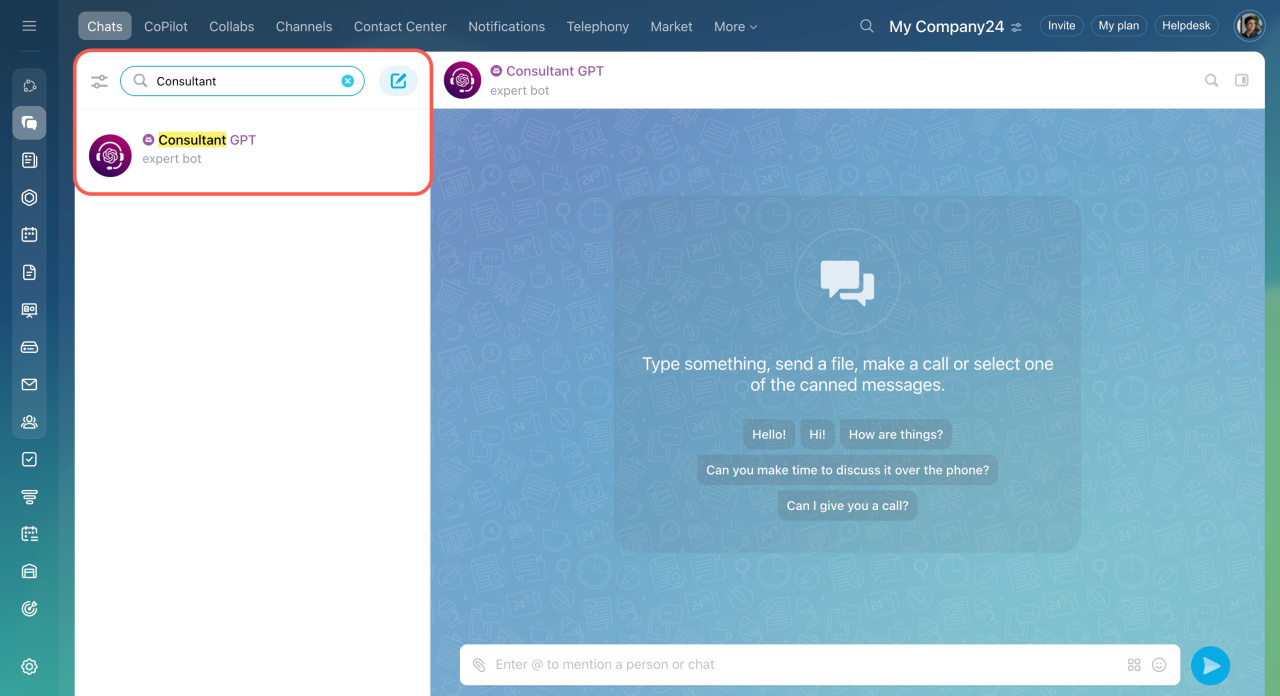
To start using the chatbot:

  1. Go to Messenger.
  2. Open the Chats section.
  3. Find your new chatbot in the list.

Create your own chatbot

You can build a custom chatbot and connect it to Bitrix24 using the REST API. If you prefer not to build it yourself, contact a certified Bitrix24 partner for help.
Bitrix24 REST API: Create a chatbot
Bitrix24 Partners


In brief

  • A chatbot is a virtual assistant that handles simple tasks like reminders, answers, and search.

  • You can find many chatbots in the Bitrix24 Market.

  • Only Bitrix24 administrators can install or remove chatbots.

Was this information helpful?
Thank you for your feedback.
Get Implementation Help from a Partner
That's not what I'm looking for
Complicated and incomprehensible text
The information is outdated
It's too short. I need more information
I don't like the way this tool works
Get your Bitrix24 set up by local professionals
FIND BITRIX24 PARTNER NEAR ME
implementation_helper_man
Go to Bitrix24
Don't have an account? Create for free
Related articles
Notes in Bitrix24 chats Polls in Bitrix24 chats Allow multiple downloads in Google Chrome Emoji in Bitrix24 Workgroup chat Copy a link to a group chat
Zalo
0943.199.449