🚚 Miễn phí giao hàng toàn quốc

✅ Tặng Gói Hỗ trợ online trọn đời

✅ Giá cạnh tranh nhất thị trường

✅ Miễn phí tư vấn giải pháp

🚚 Miễn phí giao hàng toàn quốc

✅ Tặng Gói Hỗ trợ online trọn đời

✅ Giá cạnh tranh nhất thị trường

✅ Miễn phí tư vấn giải pháp

Hotline: 0943.199.449

Địa chỉ: Tầng 1, tòa nhà Deli, 75 Hoàng Văn Thụ, P. Cầu Kiệu

Bitrix24 Helpdesk

Synchronize Bitrix24 calendar with iPhone

Sync your Bitrix24 calendar with your iPhone calendar to keep all events in one place. Events created in Bitrix24 appear on your iPhone, and events from your iPhone appear in Bitrix24.

  1. Go to Calendar.
  2. Click Connect calendar.
  3. Select Connect other calendars.
  4. In the Mobile calendars section, select iPhone Calendar.
  5. Click Connect your phone.

On your iPhone, follow these steps:

  1. Scan the QR code to open the setup instructions.
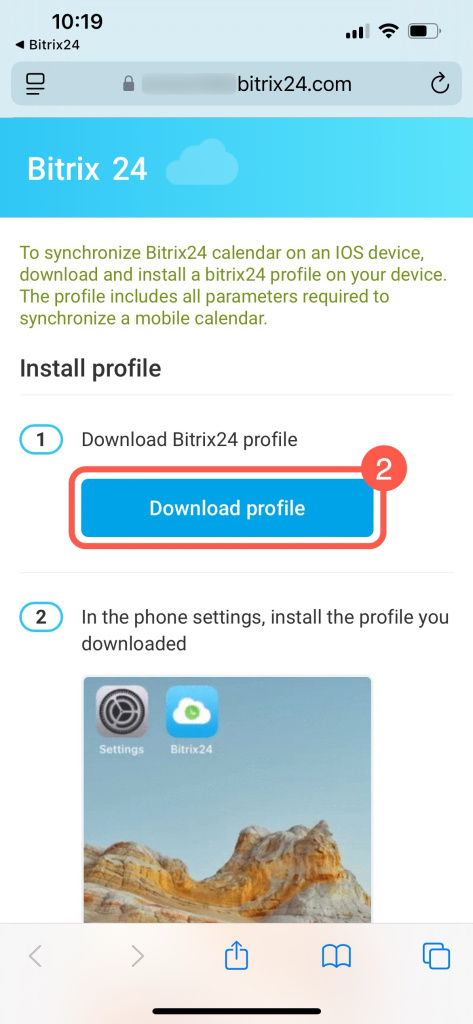
  2. Tap Download profile.
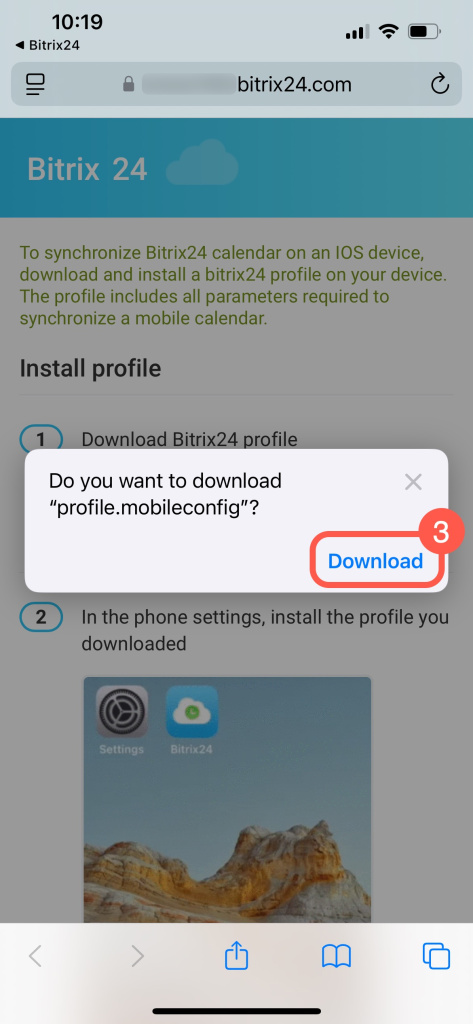
  3. Select Download to save the file to the Files folder.
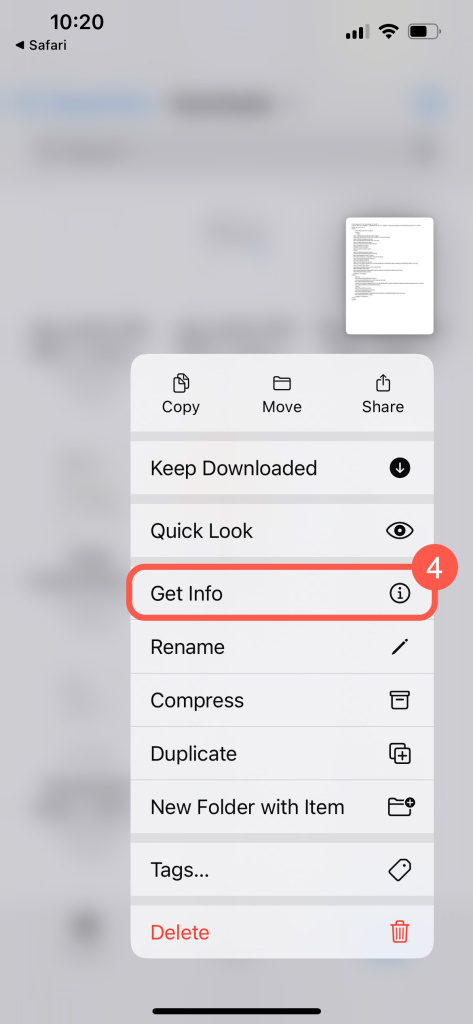
  4. Find the file, tap and hold it, then select Get info.
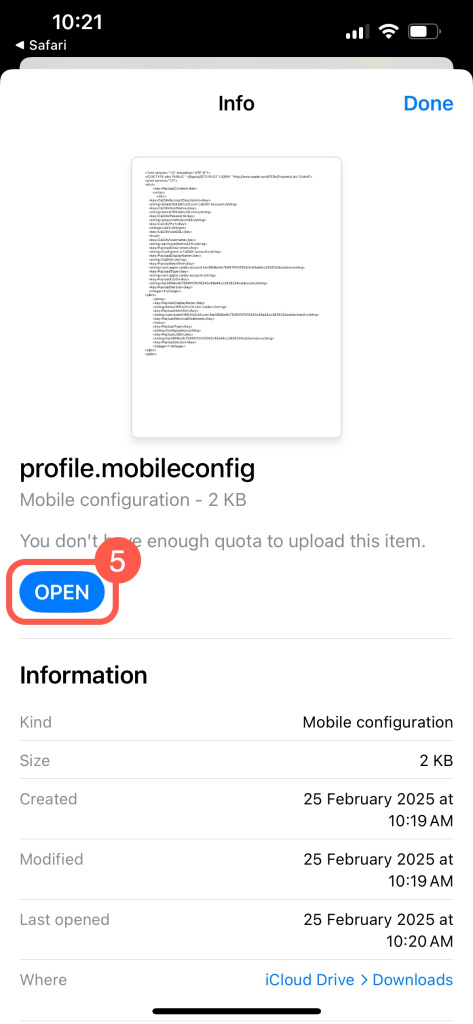
  5. Tap Open.
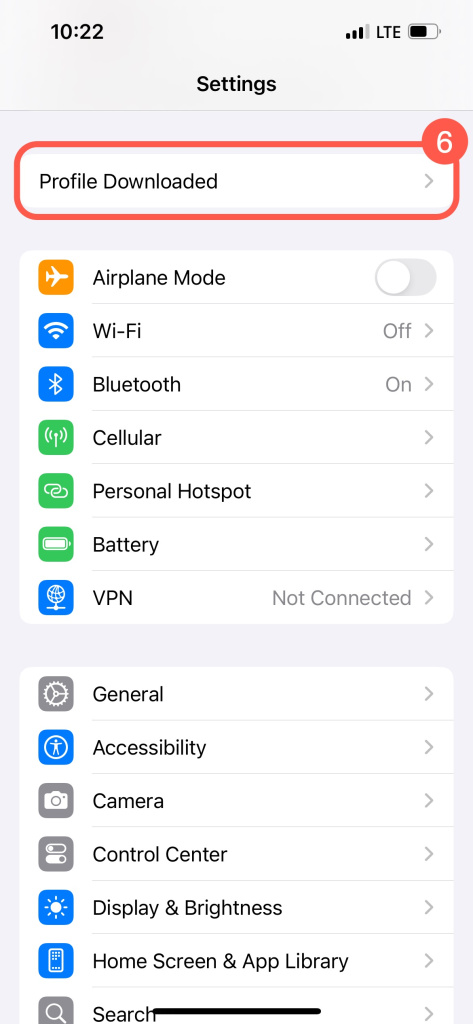
  6. Go to Settings and open the Profile Downloaded section.
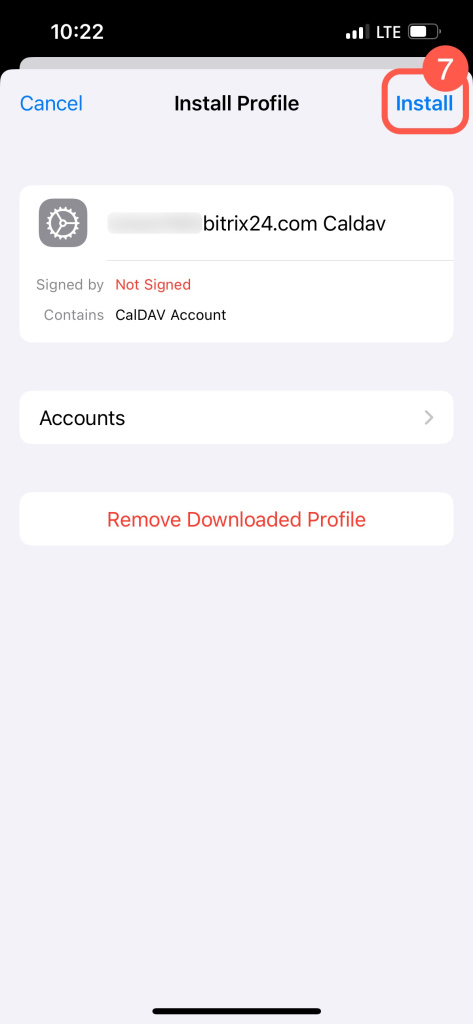
  7. Tap Install.
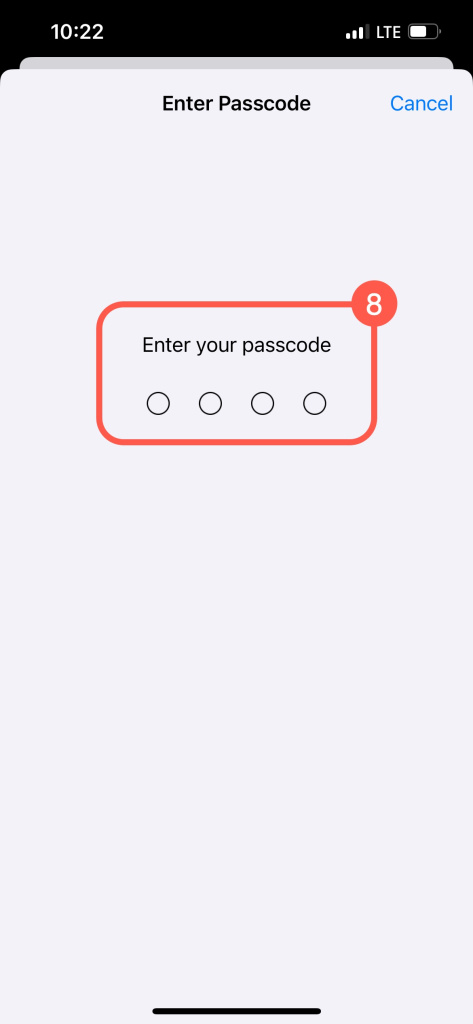
  8. Enter your device passcode.
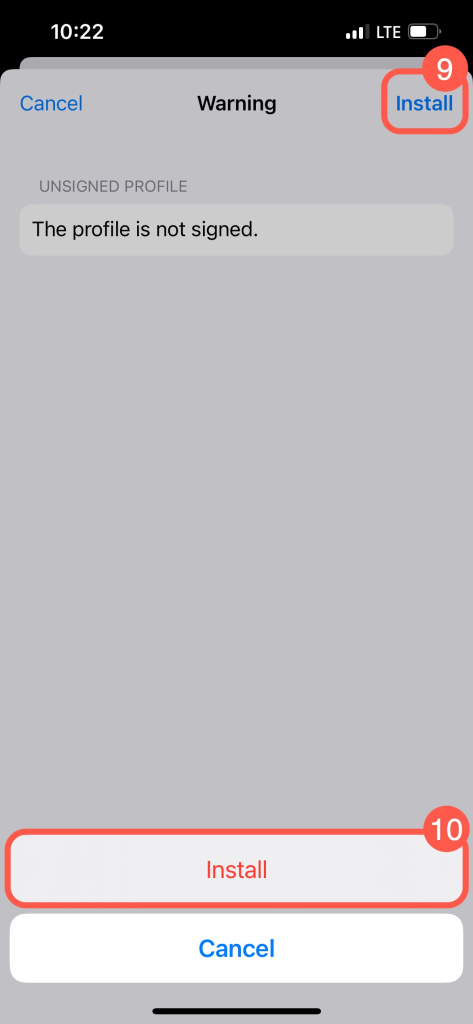
  9. Tap Install again to confirm.

After you install the profile, the calendars start syncing. The connection status updates in Bitrix24.

For a smoother experience across all Apple devices, connect your iCloud calendar.
Synchronize Bitrix24 calendar with iCloud

You can turn off sync in your iPhone settings. Bitrix24 events will stop appearing. The sync status remains visible for 24 hours.
Disable synchronization with iPhone


In brief

  • Sync your Bitrix24 and iPhone calendars to keep all events in one place.

  • Scan the QR code, download the profile, and install it on your iPhone.

  • Use iCloud to sync your calendar across all Apple devices.

  • Turn off sync anytime in your iPhone settings.

Was this information helpful?
Thank you for your feedback.
Get Implementation Help from a Partner
That's not what I'm looking for
Complicated and incomprehensible text
The information is outdated
It's too short. I need more information
I don't like the way this tool works
Get your Bitrix24 set up by local professionals
FIND BITRIX24 PARTNER NEAR ME
implementation_helper_man
Go to Bitrix24
Don't have an account? Create for free
Related articles
Synchronize Bitrix24 calendar with macOS calendar Synchronize Bitrix24 calendar with Office365 Synchronize Google Calendar with Bitrix24 on mobile devices Fix Bitrix24 Android app sync issues Sync Bitrix24 Calendar with an Android device Synchronize Bitrix24 calendar with iCloud Synchronize Bitrix24 with external calendar via CalDAV protocol Synchronize Bitrix24 and Google calendars Get an application password for your iCloud calendar Calendar synchronization in Bitrix24
Zalo
0943.199.449