


The Online Documents section stores all documents you work with, including files shared in Bitrix24 chat. You can create and edit text documents, spreadsheets, and presentations together with your colleagues.
Each employee can only access their own documents.
In this article:
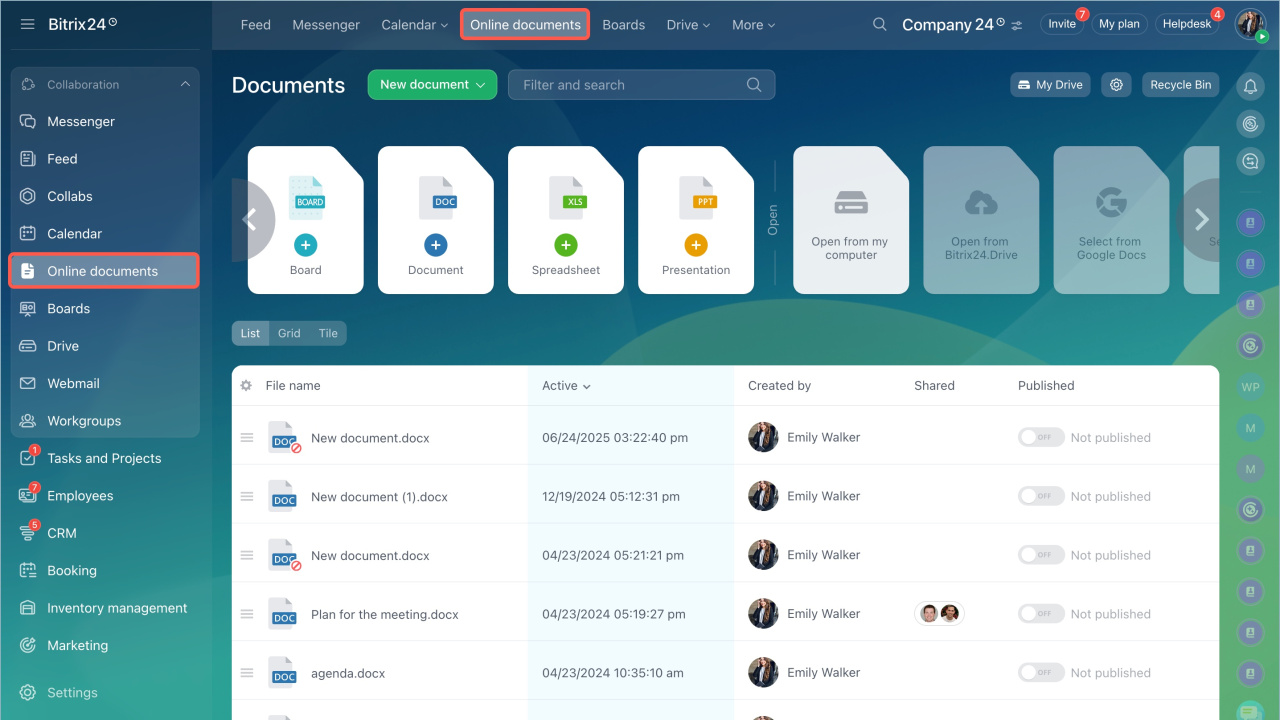
Open the Online Documents section from the left menu.
Work with documents
Use the built-in editor to work with text documents, spreadsheets, and presentations in different formats. Changes appear in real time and save automatically when you close the file.
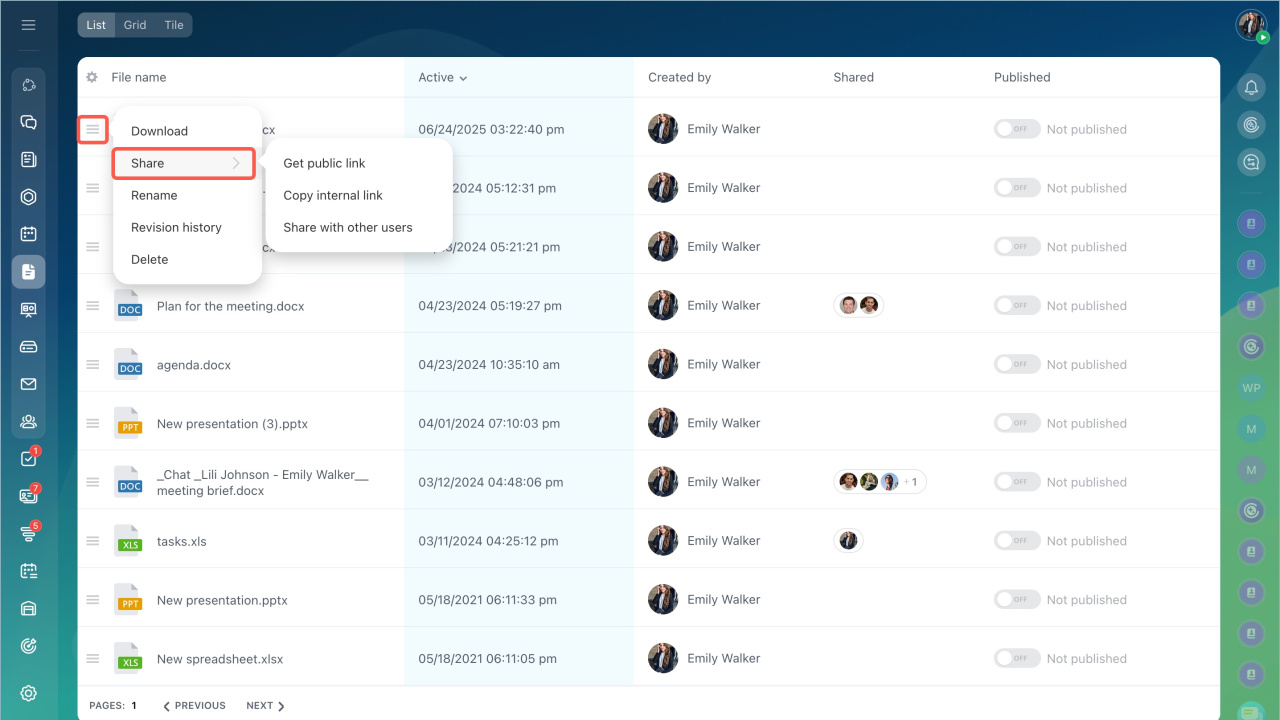
To manage a document:
- Click the menu icon next to the file name.
- Choose an action:
- Download
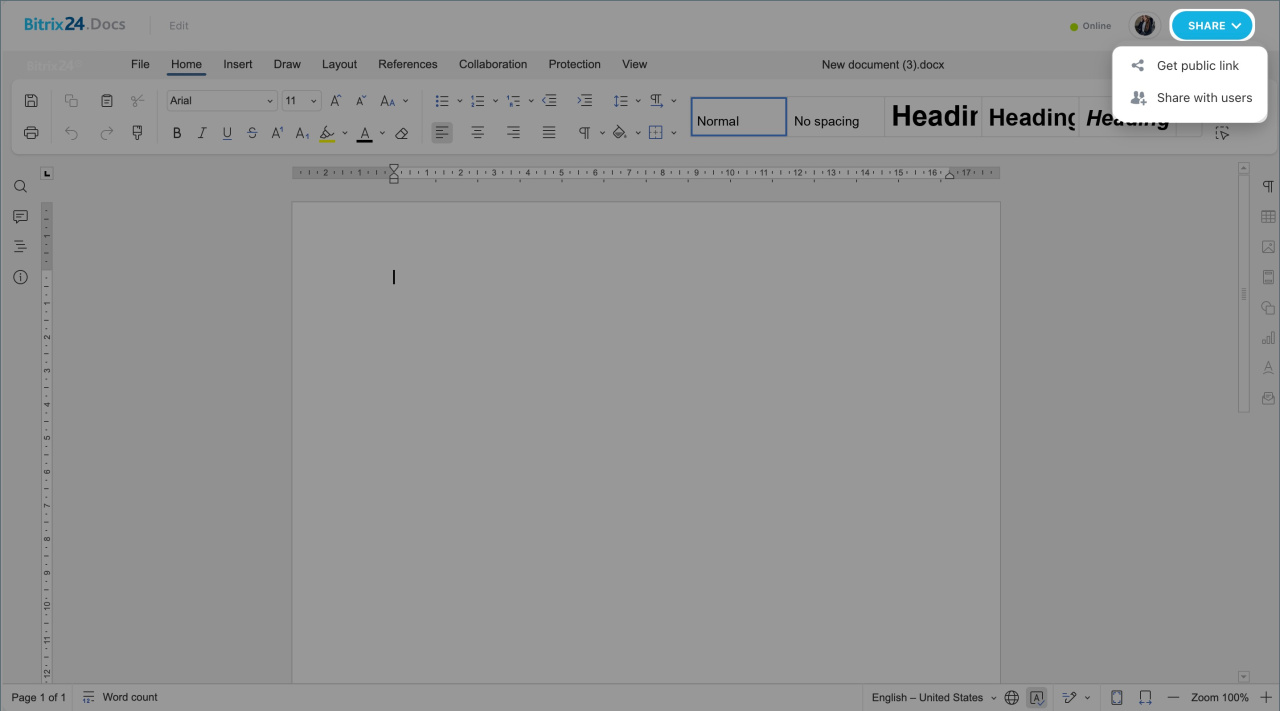
- Share
- Rename
- View revision history
- Delete
You can also configure access permissions for documents and boards in Bitrix24.
Deleted files move to the Recycle Bin in Bitrix24 Drive.
Sort documents
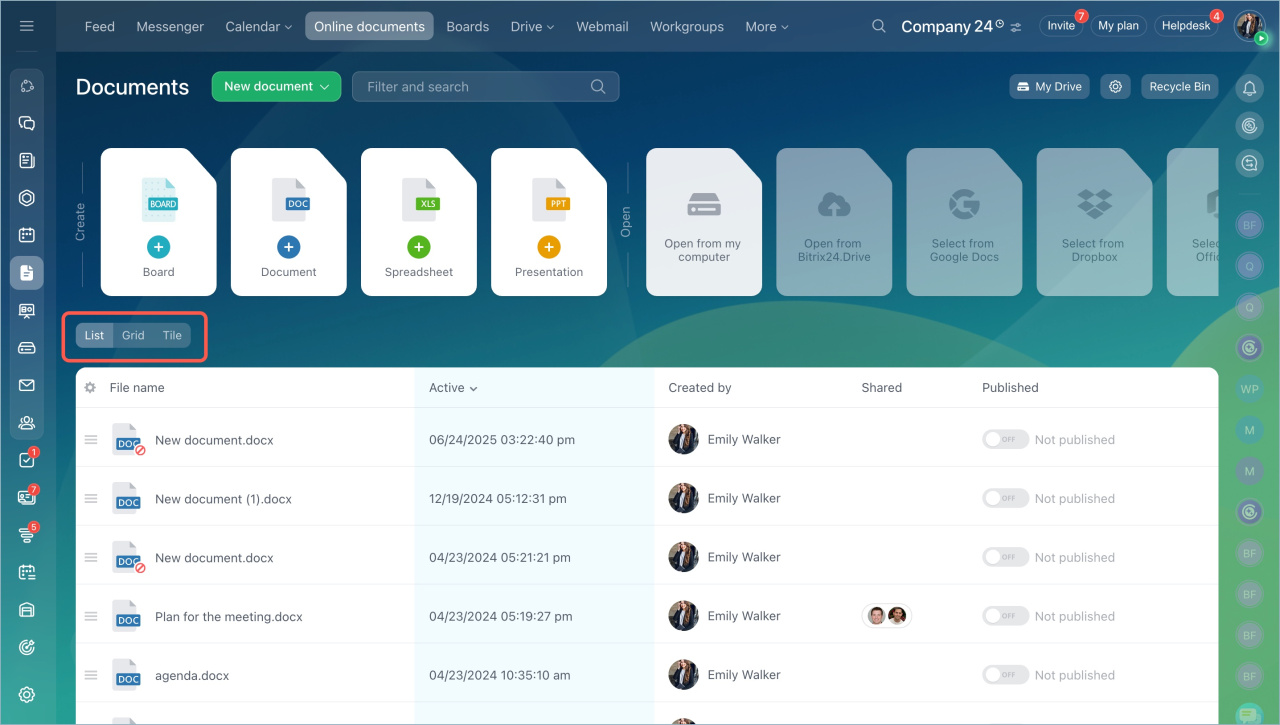
Choose how to display documents:
- List
- Grid
- Tiles
Documents are sorted by recent activity.
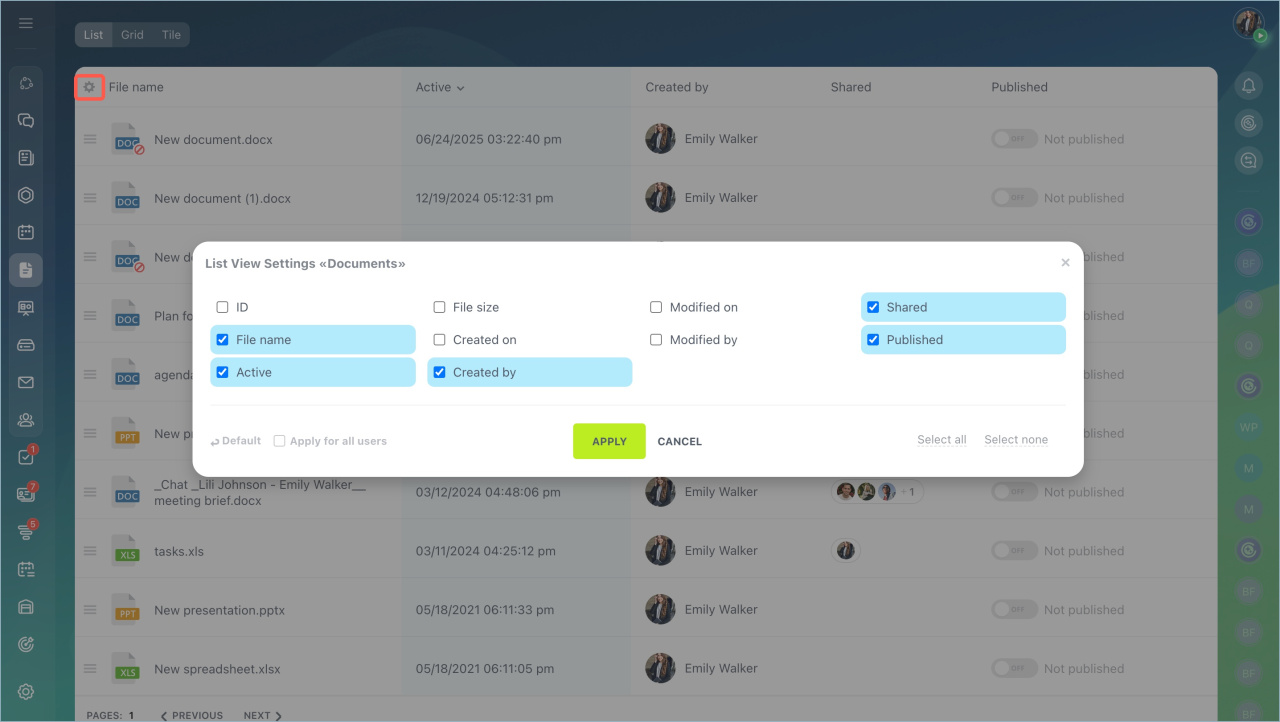
Use the List view to see more details about each document.
To customize the list view:
- Click the settings icon.
- Select the fields you want to display.
- Click Apply.
In brief
- The Online Documents section stores all documents you work with, including files shared in Bitrix24 chat.
- Changes appear in real time and save automatically.
- The number of users who can edit documents at the same time depends on your Bitrix24 plan.



