


When you work on a document in Bitrix24, you can restore an earlier version if someone deletes content by mistake. Bitrix24 creates a new version each time you save the document and keeps previous versions. How long versions are stored in Drive depends on your plan.
File revision history is available on Standard, Professional, and Enterprise plans. Unused file versions are stored in Bitrix24.Drive for 90 days. Versions of files used in Tasks, Feed, and Calendar are stored indefinitely on all plans.
Learn more about Bitrix24 plans
Learn more about Bitrix24 plans
To restore a previous file version:
-
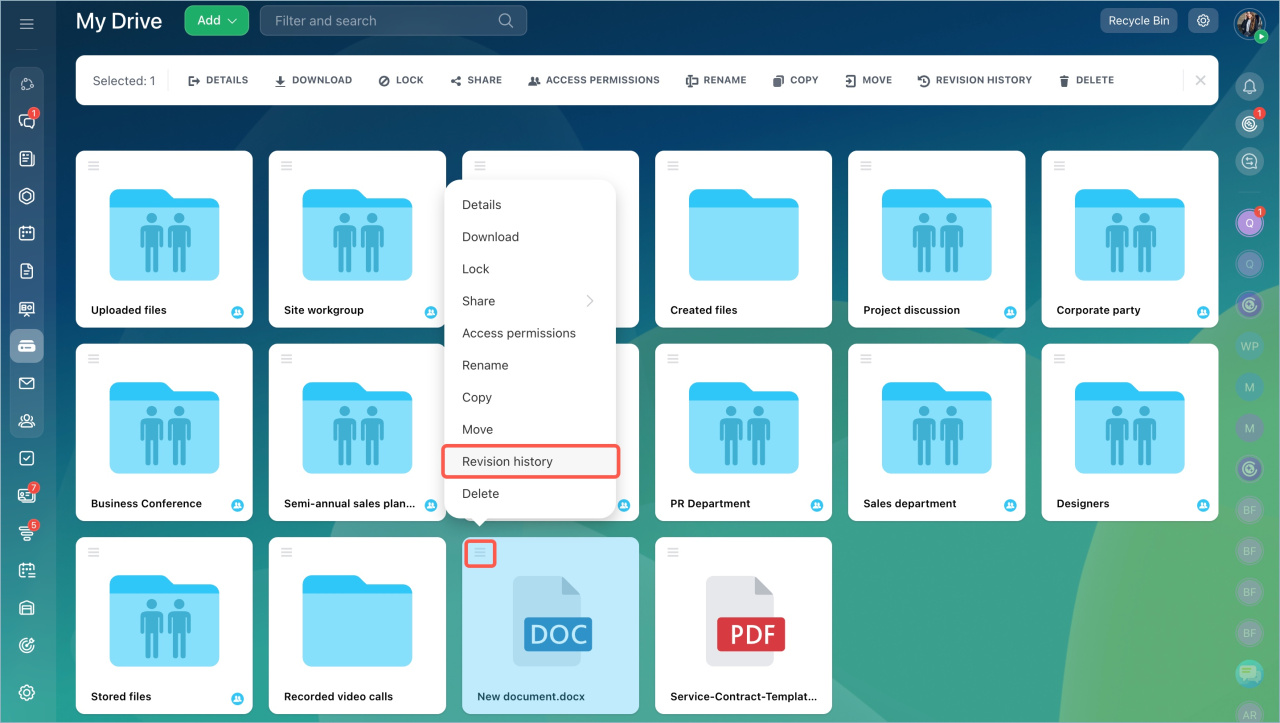
Go to Drive and find the file.
-
Open the menu (≡) and select Revision history.
-
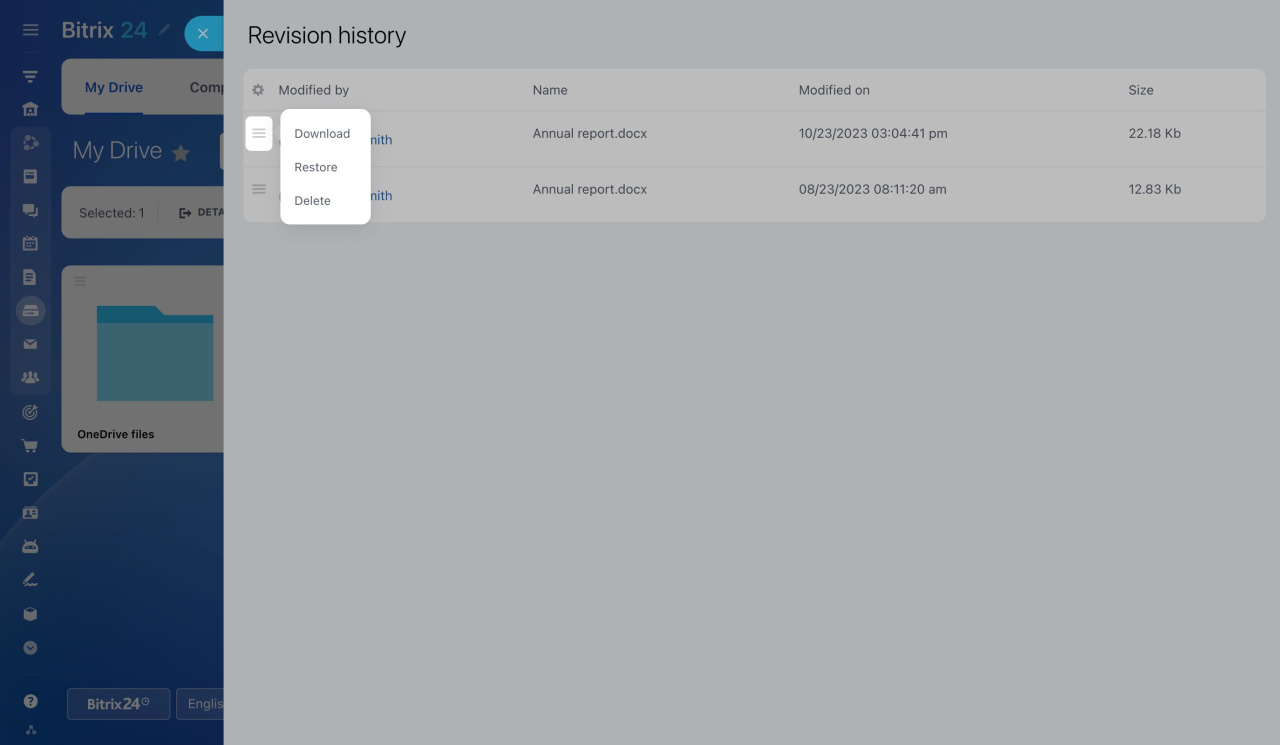
Review the saved document versions. You can see who made each change and when. Open the menu (≡) next to the version you need and choose an action:
- Restore the version
- Download it to your computer
- Delete it permanently
You can set the maximum number of records in the document history in Bitrix24 settings. When the limit is reached, the oldest file versions are deleted automatically.
Bitrix24 account settings
Bitrix24 account settings



