


You can connect a phone number to Bitrix24 in two ways:
- Use a cloud or office SIP PBX
- Use the REST API
With the REST API, your PBX handles call routing and voice traffic. This setup reduces connection time and improves call quality.
Difference between SIP connection and REST applications
REST apps are prebuilt integrations for telephony. You can install them from the Bitrix24 Market.
To install a telephony app:
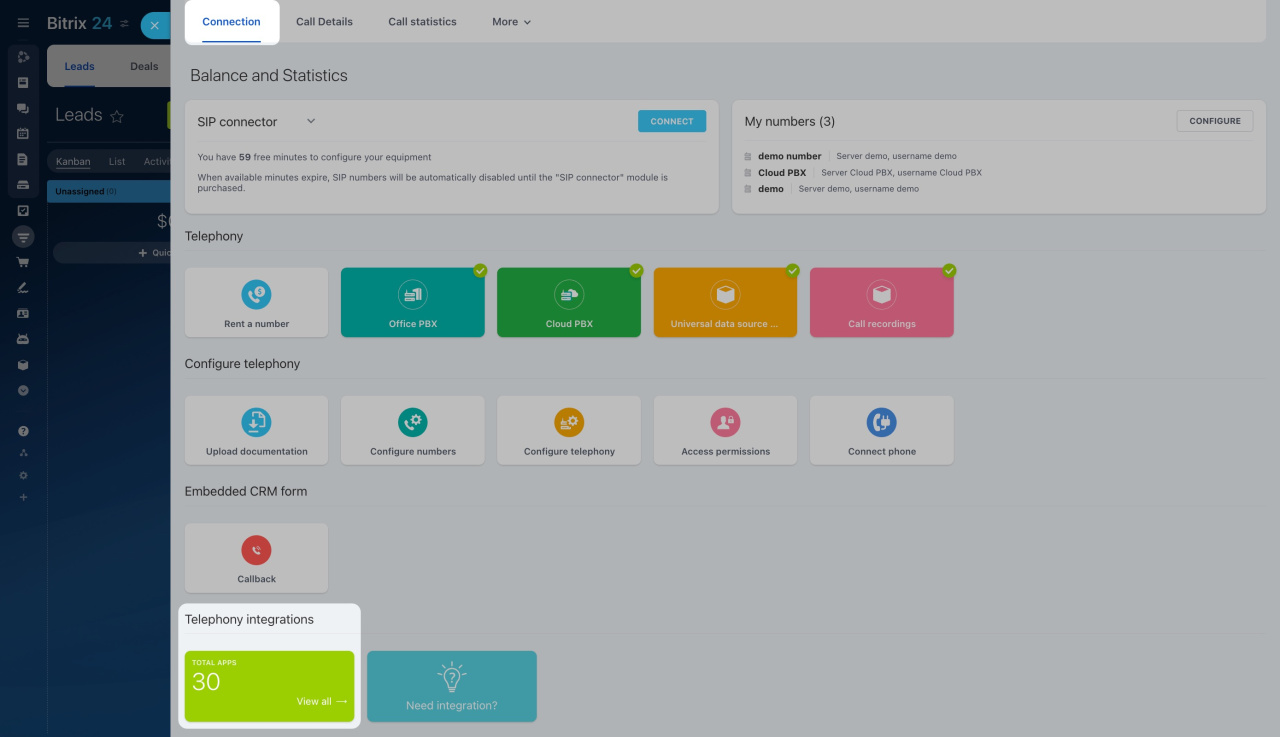
- Go to CRM > Sales > Sales channels > Telephony.
- On the Connection page, scroll to Telephony integrations.
- Click View all.
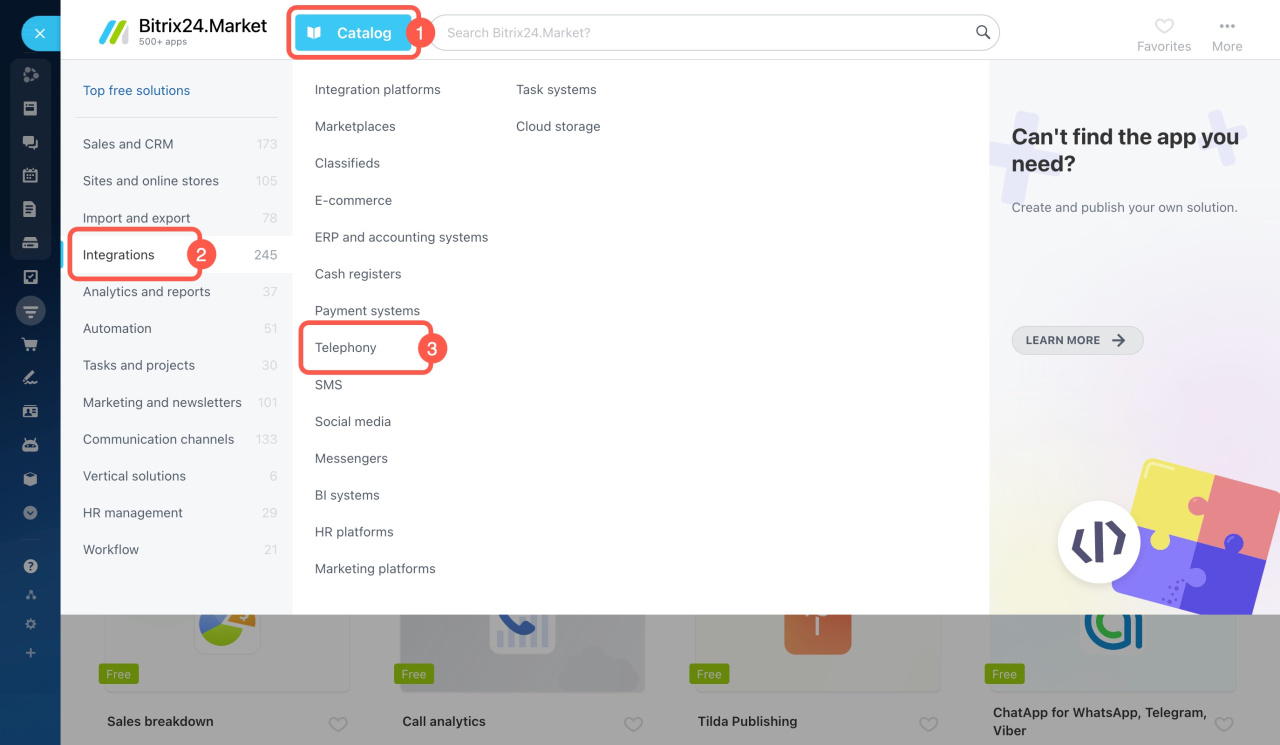
- In the Bitrix24 Market, browse apps or search the catalog.
- Select an app and click Install.
REST API telephony: key details
Bitrix24 supports multiple telephony connection types at the same time. However, avoid using both a REST app and a SIP connection from the same provider. This can cause errors.
If you want a custom setup, build your own app with the REST API.
Telephony Integration Tips
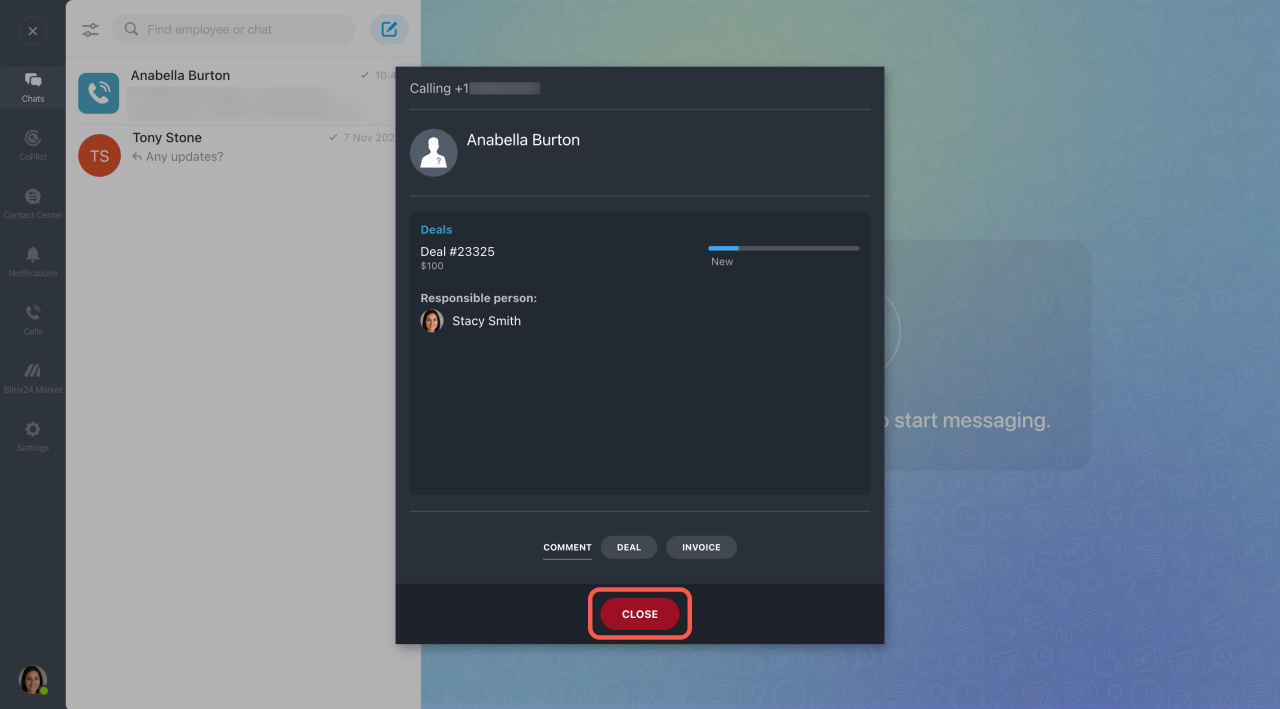
If you connect a phone number through a REST app, you may not be able to answer calls directly from the call window. This depends on whether the app supports the feature.
If supported, the call window displays the Answer button. Otherwise, you'll see only the Close button and will need a SIP phone or softphone to answer calls.
In brief
- You can connect a number using a SIP PBX or the REST API.
- REST apps are ready-made integrations available in the Bitrix24 Market, or you can build your own.
- The PBX handles call routing and voice traffic, which improves speed and quality.
- If you connect a phone number through a REST app, you may not be able to answer calls directly from the call window. This depends on whether the app supports the feature.



