
🚚 Miễn phí giao hàng toàn quốc

✅ Tặng Gói Hỗ trợ online trọn đời

✅ Giá cạnh tranh nhất thị trường

✅ Miễn phí tư vấn giải pháp

🚚 Miễn phí giao hàng toàn quốc

✅ Tặng Gói Hỗ trợ online trọn đời

✅ Giá cạnh tranh nhất thị trường

✅ Miễn phí tư vấn giải pháp

Hotline: 0943.199.449

Địa chỉ: Tầng 1, tòa nhà Deli, 75 Hoàng Văn Thụ, P. Cầu Kiệu

Bitrix24 Helpdesk

Process orders in CRM

Your online store connects to Bitrix24 CRM automatically. You do not need to set up anything else.

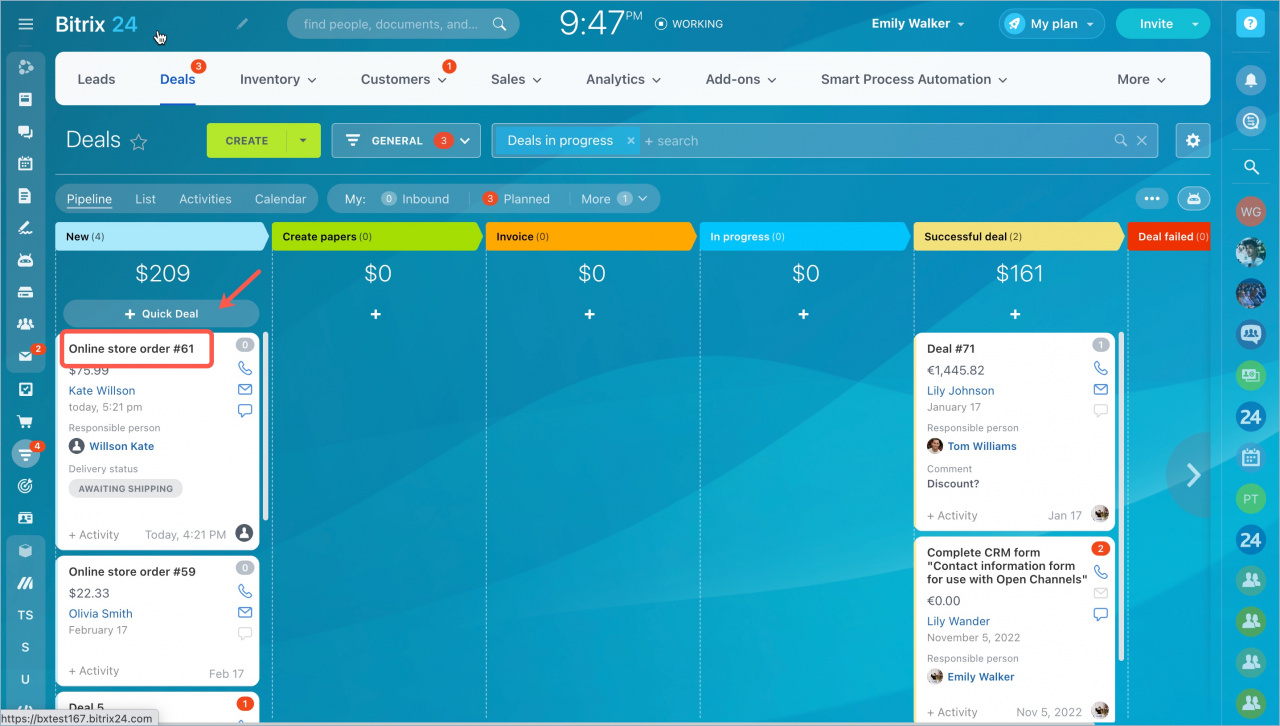
When a customer places an order on your website, the order appears in the Deals section.

Read also: Work in online store without orders.
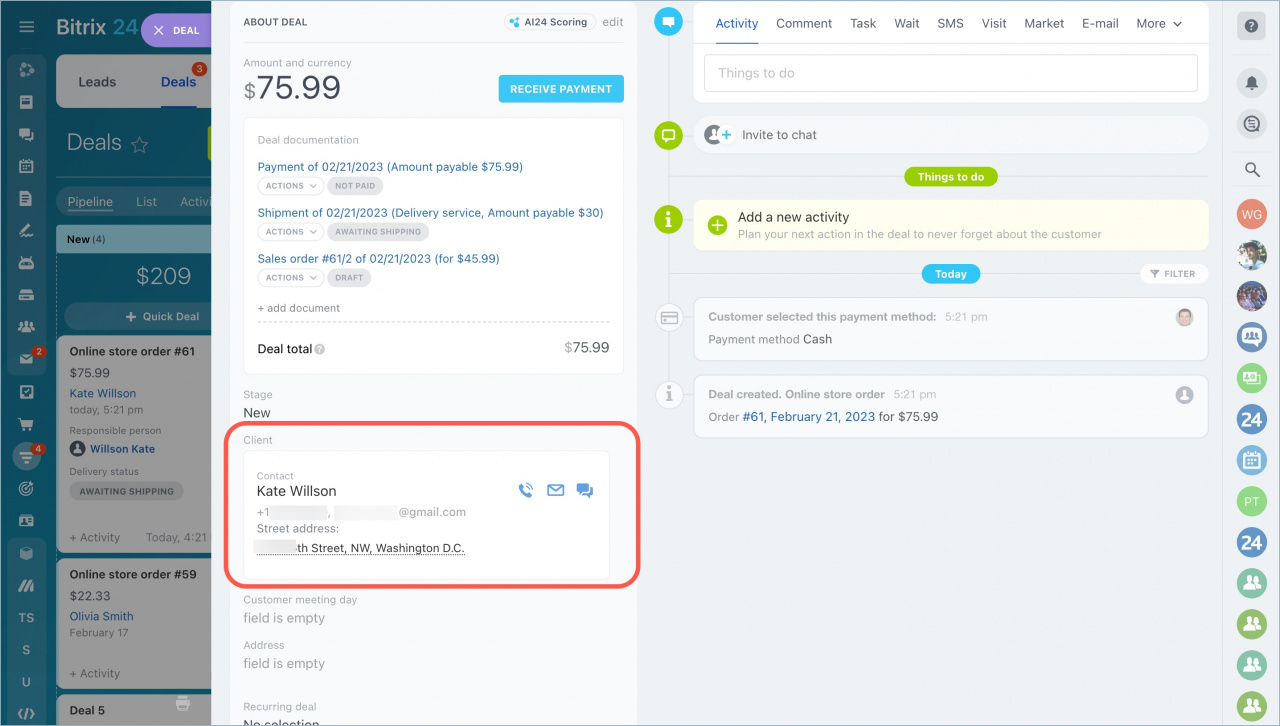
In the deal form, you can view customer details. Bitrix24 creates either a contact or a company record based on the customer type.
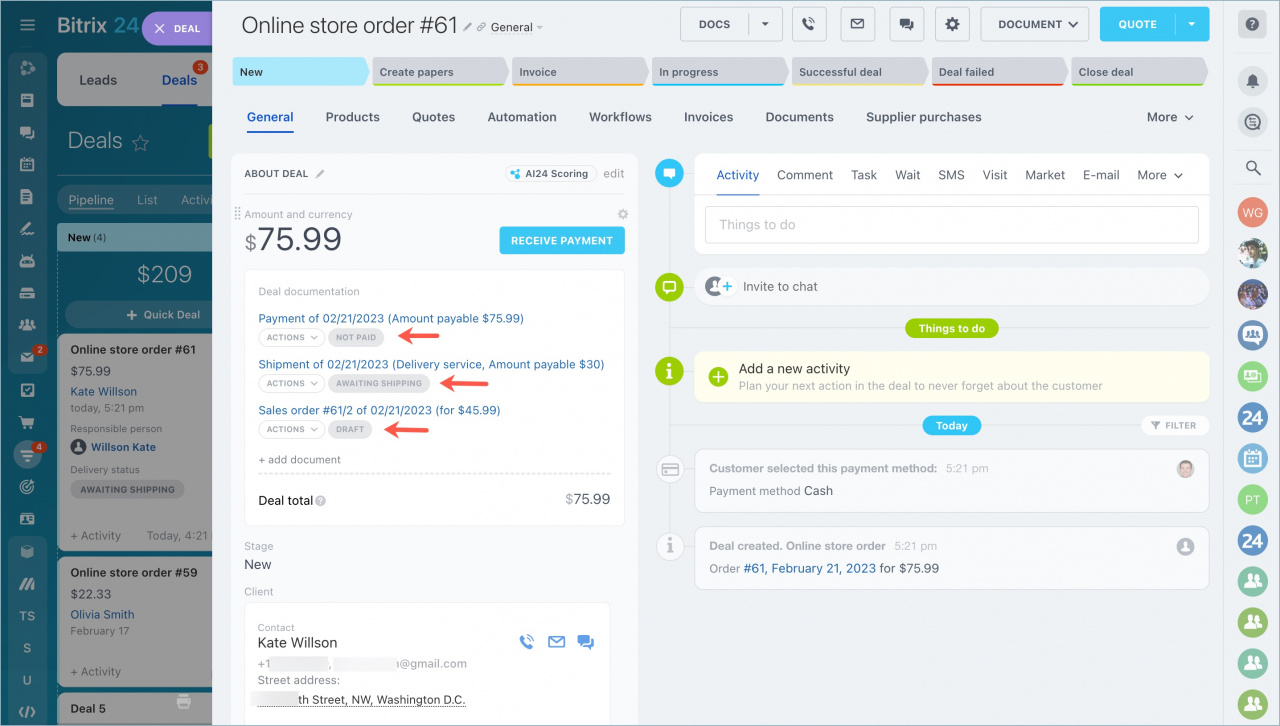
The order form also shows payment and delivery statuses.

Was this information helpful?
Thank you for your feedback.
Get Implementation Help from a Partner
That's not what I'm looking for
Complicated and incomprehensible text
The information is outdated
It's too short. I need more information
I don't like the way this tool works
Get your Bitrix24 set up by local professionals
FIND BITRIX24 PARTNER NEAR ME
implementation_helper_man
Go to Bitrix24
Don't have an account? Create for free
Related articles
Configure order and delivery statuses in Bitrix24 Create an order in CRM Online store: Personal account Place an order on the website
Zalo
0943.199.449
