


The Vibecode bot is a system bot for the Alaio Vibecode platform. It sends important notifications to your Bitrix24 account.
The bot appears automatically the first time you open the Alaio Vibecode dashboard. Each Bitrix24 account can have one active bot. When the bot starts for the first time, it sends a welcome message to the employee who connected the platform. Other employees receive a welcome message the first time they interact with the bot.

The Vibecode bot sends notifications when:
- Your balance runs out or your trial period is about to end. The bot sends reminders 7, 3, and 1 day before expiration.
- Bitrix24 switches to restricted mode because of insufficient funds, or returns to normal after payment.
- A server goes offline or becomes unavailable. This notification goes to the owner of the API key used to connect the server.
- The bot is disabled automatically because of errors. This notification goes to the owner of the bot API key.
The Vibecode bot does not:
- Read employee or customer conversations
- Send messages to employees or customers in Bitrix24
- Appear in the Market app catalog
- Send two-factor authentication codes or secret tokens. These are sent by email only.
Buttons in bot messages open the related section in Alaio Vibecode. For example, To the Vibecode platform opens the DashboardDashboard — this is the main Alaio Vibecode page where you manage servers, bots, and billing.. You can turn off some notifications, such as billing reminders, directly in the chat with the bot.

Disable the Vibecode bot
The Vibecode bot is disabled automatically if you disconnect Bitrix24 from the Alaio Vibecode platform.
You can also delete the bot manually in Bitrix24.
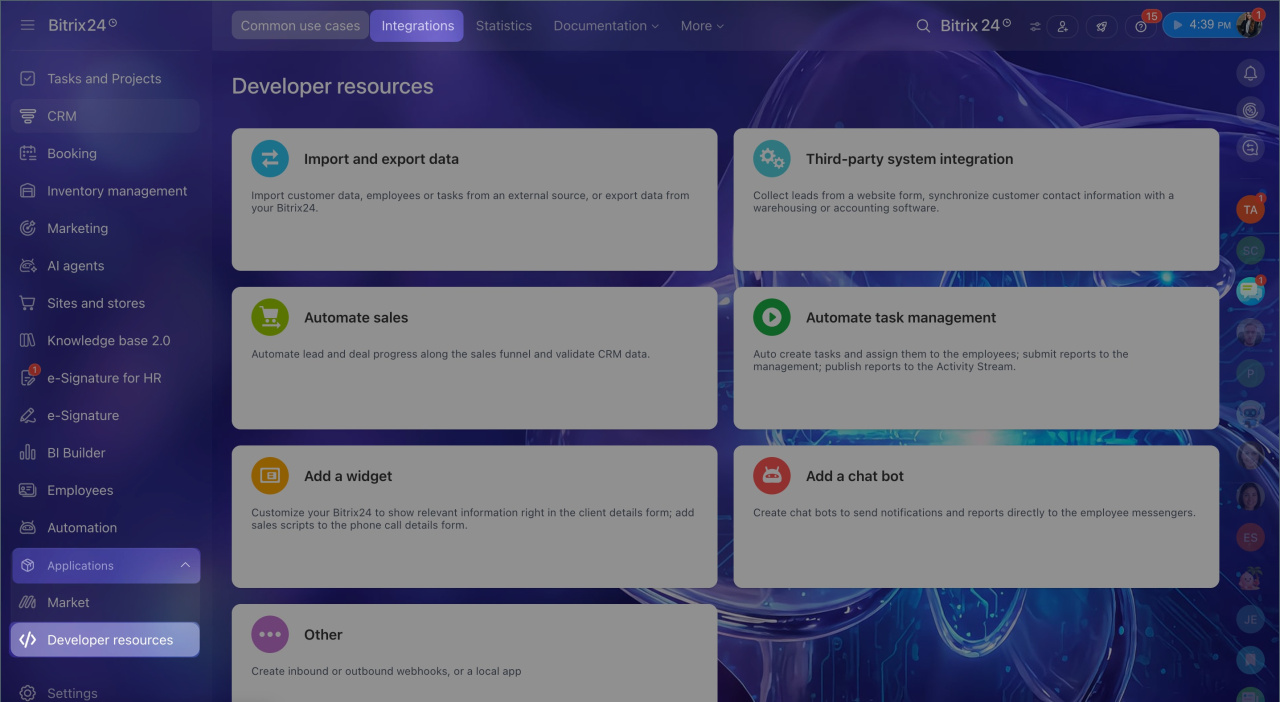
1. Go to Applications > Developer resources.
2. Select Integrations.
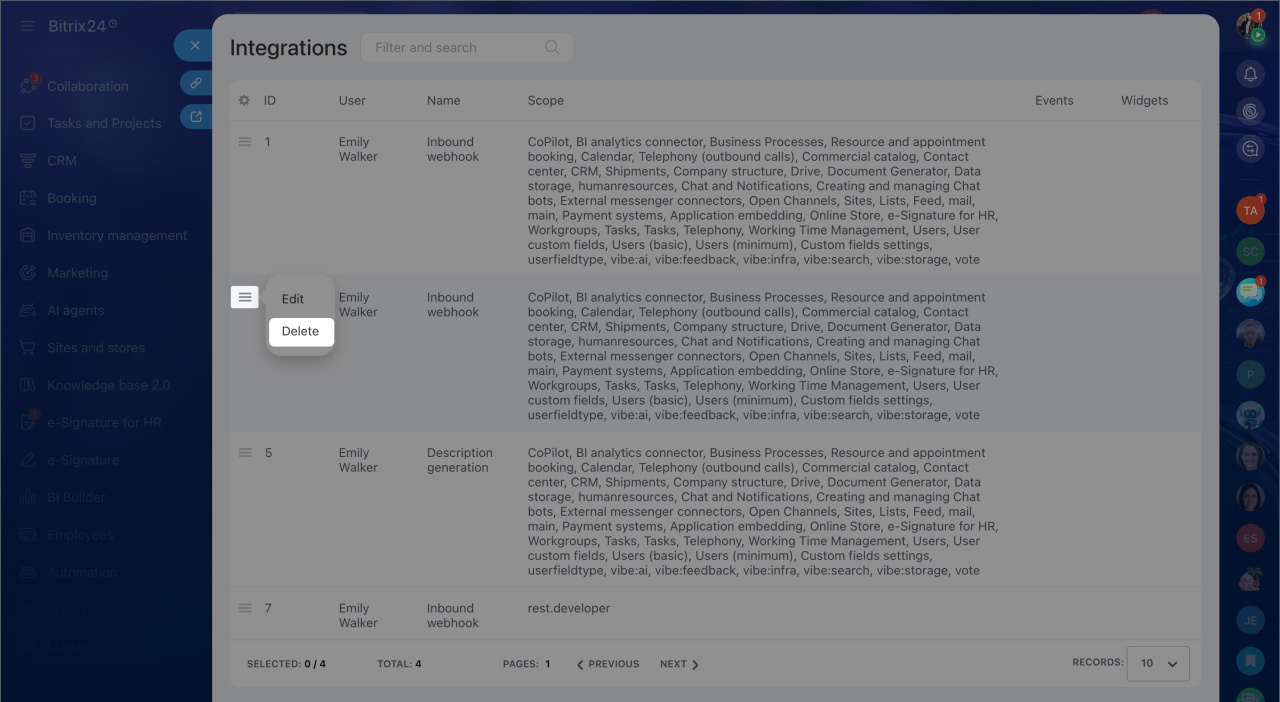
3. Click Menu (≡) next to the Vibecode bot.
4. Select Delete.
Create your own Vibecode bot
The Vibecode bot sends system notifications only. You cannot use it for custom tasks. To build your own bot in Bitrix24, use the Bots API and Managed Bots tools.
Bot platform
In brief
- The Vibecode bot is a system bot for the Alaio Vibecode platform.
- It appears automatically the first time you open the Alaio Vibecode dashboard. Each Bitrix24 account can have one active bot.
- The bot sends system notifications such as billing and server status updates.
- It does not read conversations, send employee messages, or send tokens.
- You can create your own bot with the Bots API and Managed Bots tools.
- If you delete the bot manually, it will register again the next time you open the Alaio Vibecode dashboard.



