


CRM permissions control access to Inventory management documents. If permissions are not set, users will see an error when they try to open these documents and won’t be able to work with them.
Even if you only use Inventory management and don’t work with deals or orders, you still need to configure CRM permissions.
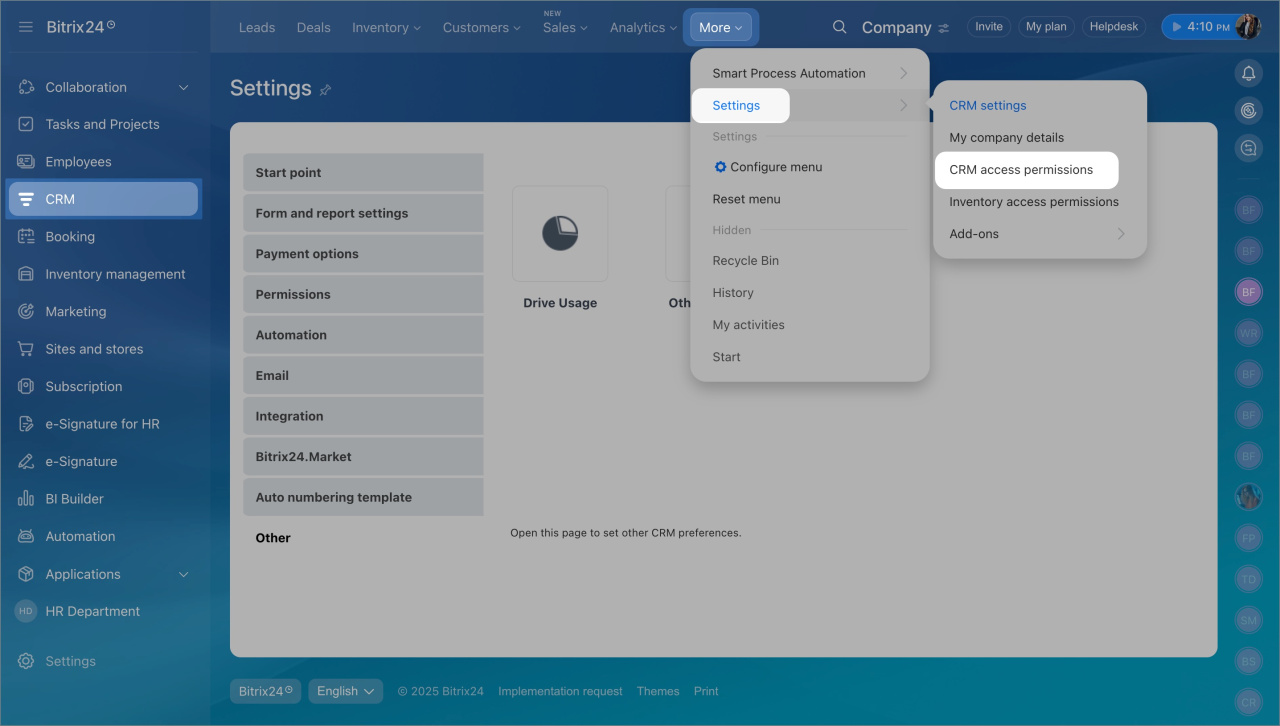
Go to CRM > Settings > Access permissions > CRM access permissions.
CRM permissions are not set. If CRM permissions are not configured, employees will see an error when they open the documents section. They won’t be able to work with Inventory management documents.
To fix this:
- Add access permissions for the employee.
- Assign the Manager or Administrator role.
Default roles include permissions for other CRM entities as well. After you assign a role, the employee can work with all Inventory management documents.
No permission to read orders. If a role does not include permission to read or create orders, users will see an error when they open the sales documents section.
To fix this:
- Check the role assigned to employees who work with Inventory management.
- Make sure Read and Add permissions for orders are enabled.
- Update the role if needed.



