


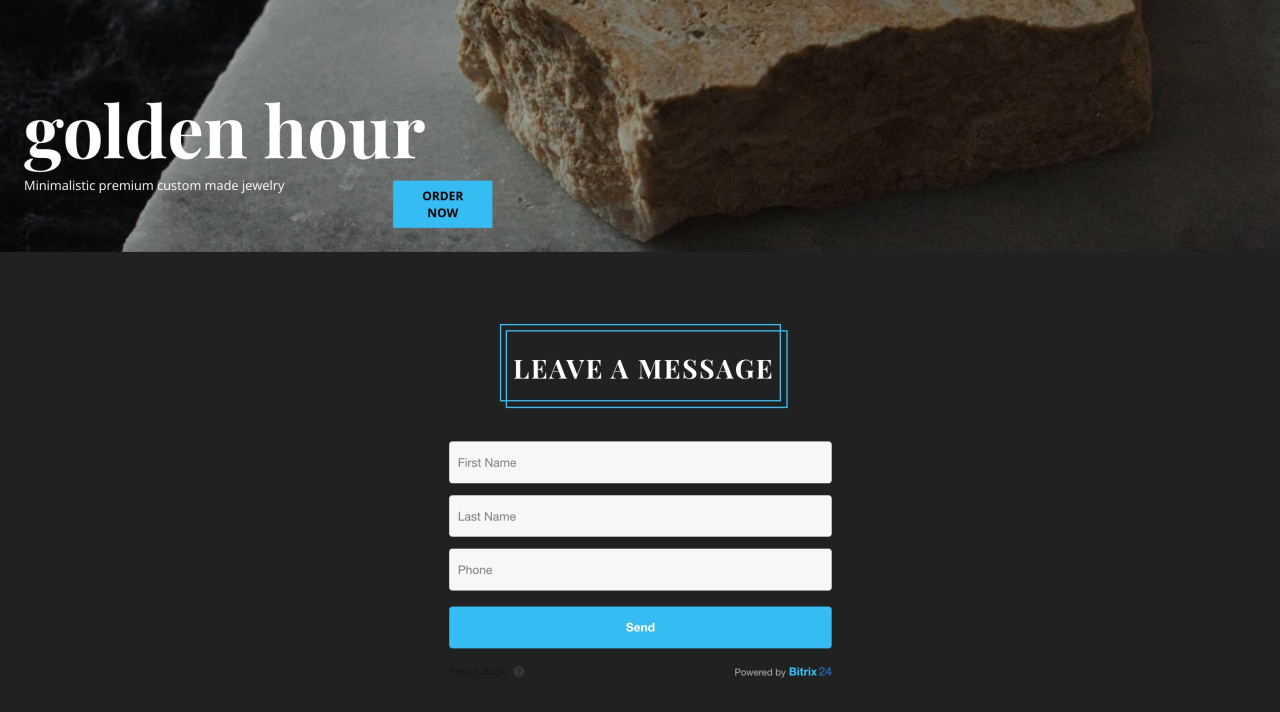
Create polished CRM forms faster with ready-made templates. Each template includes a full landing page layout, not just a form. Use them to present your services and capture requests in one place.
By default, a CRM form includes basic fields and a submit button. Templates expand this into a multi-block page. You can add images, text, and other sections around the form. This works well for ads, blogs, and email campaigns. Visitors see your offer first, then submit their details.
To apply a template to a CRM form:
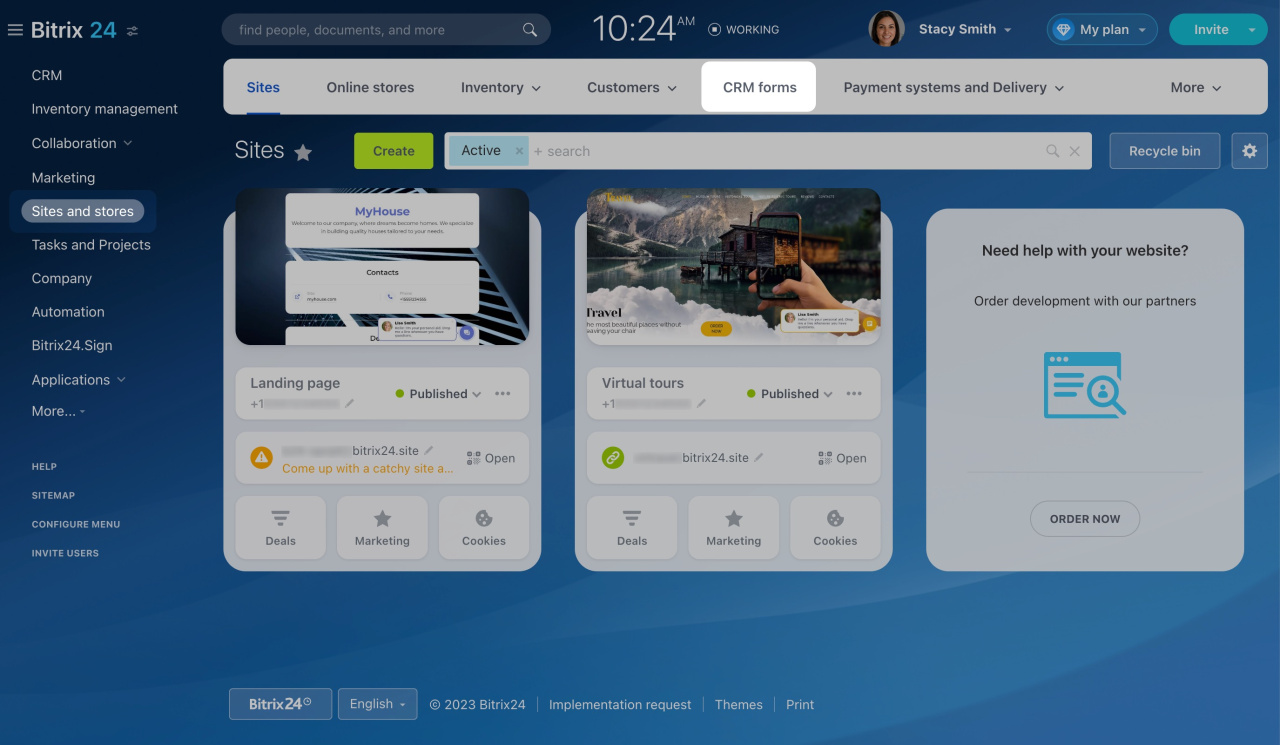
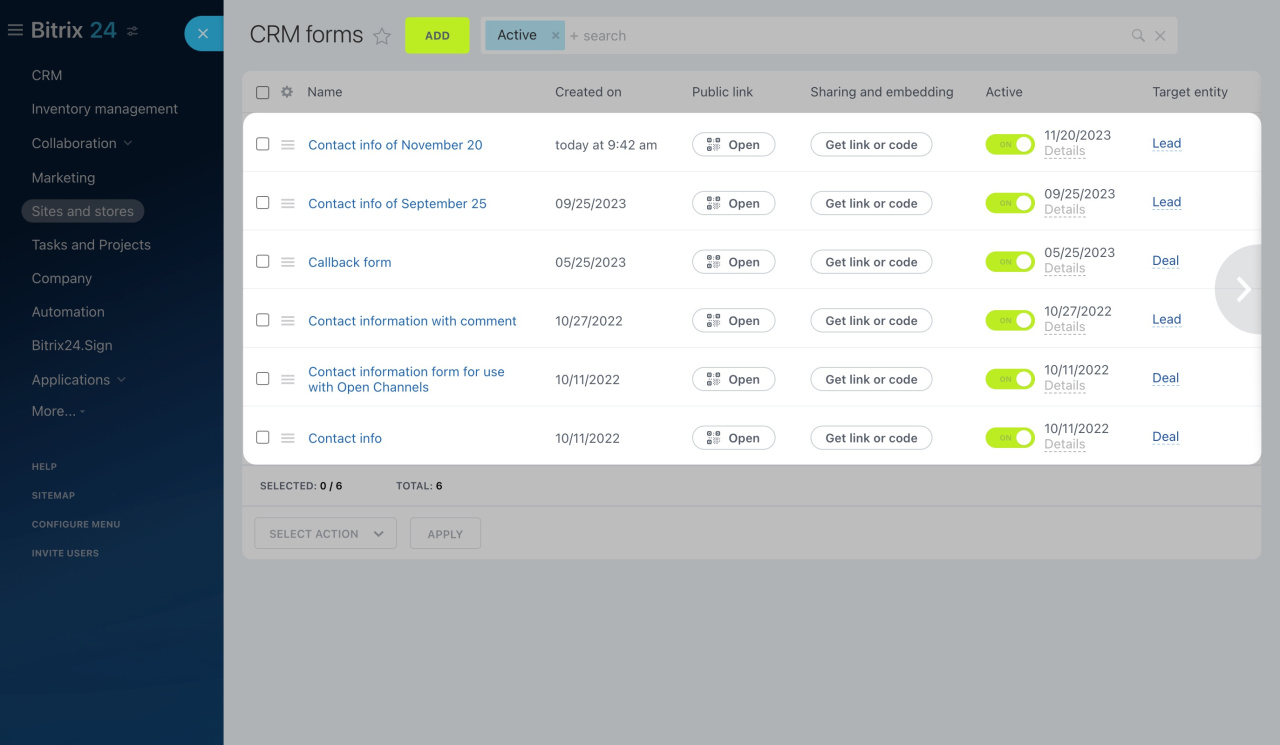
- Go to Sites and Stores and open the CRM Forms tab.
- Create a new form or select one from the list.
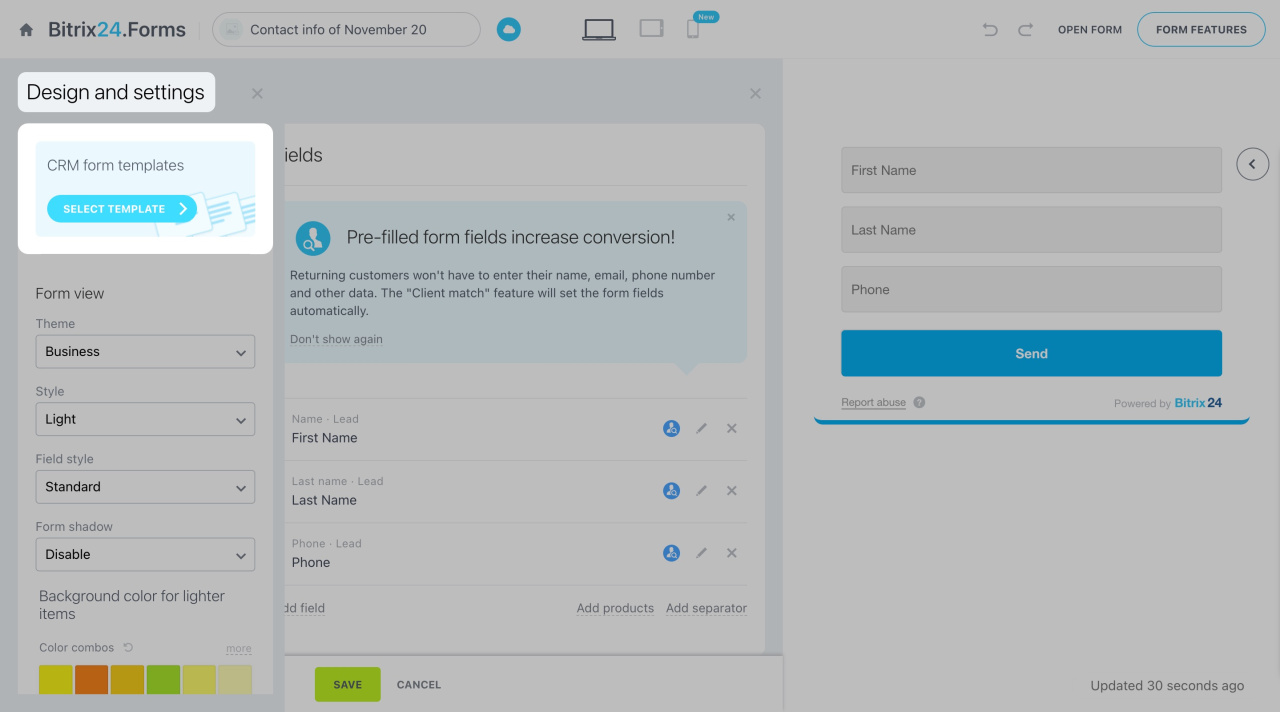
- Open the form editor and switch to the Design tab.
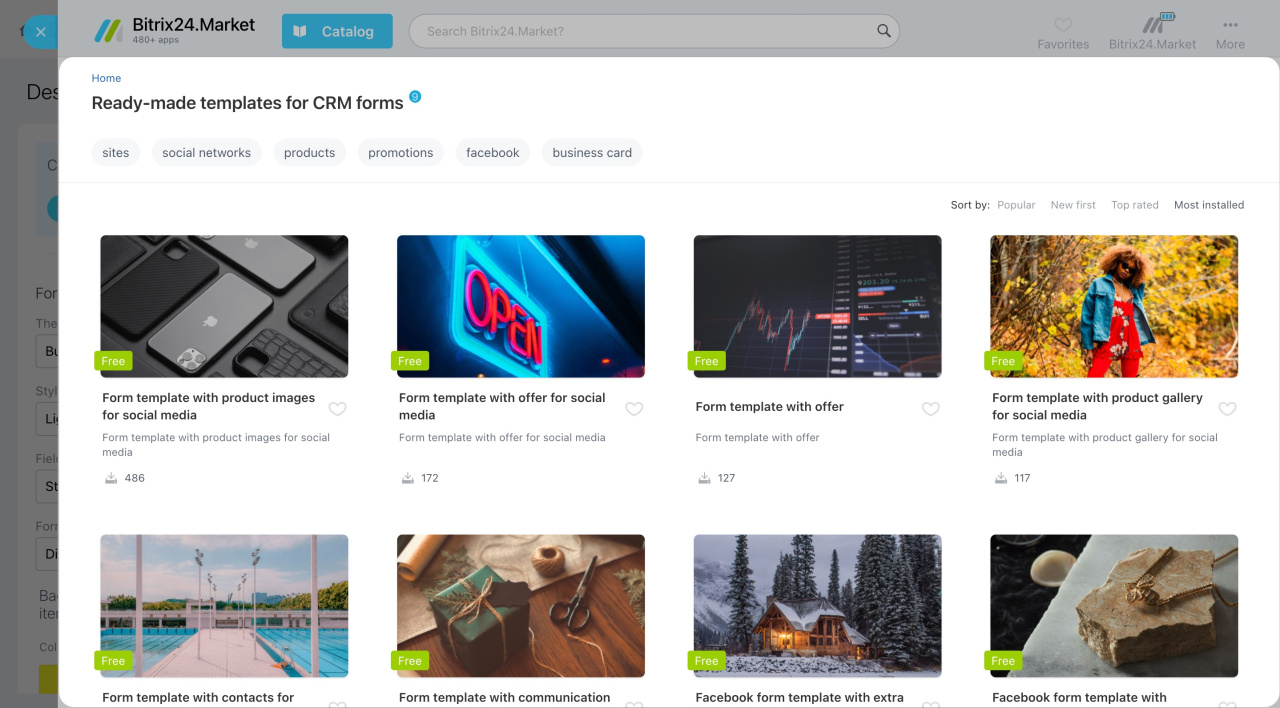
- Click Select template.
- Choose a template from the slider.
- Customize the template. Replace images and update the text.
- Click Apply template in the top-right corner.
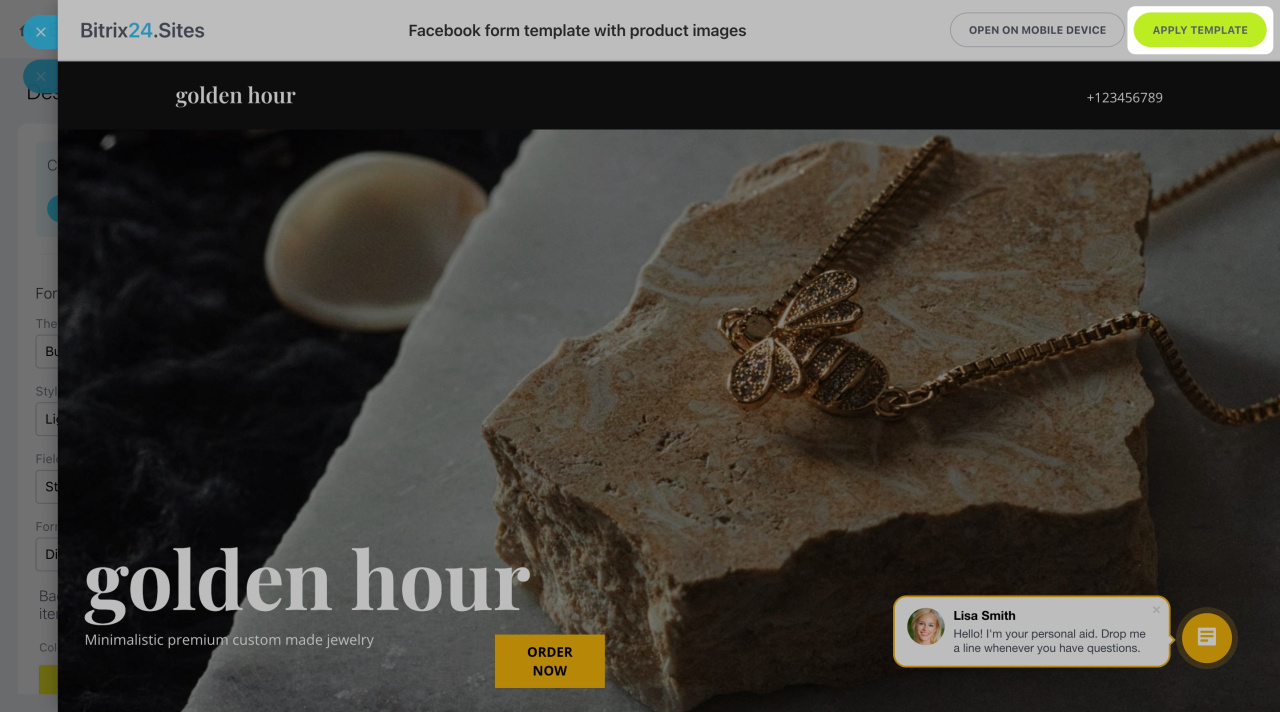
Your CRM form is ready. You can continue editing it and add more blocks as needed.
Add blocks



