
🚚 Miễn phí giao hàng toàn quốc

✅ Tặng Gói Hỗ trợ online trọn đời

✅ Giá cạnh tranh nhất thị trường

✅ Miễn phí tư vấn giải pháp

🚚 Miễn phí giao hàng toàn quốc

✅ Tặng Gói Hỗ trợ online trọn đời

✅ Giá cạnh tranh nhất thị trường

✅ Miễn phí tư vấn giải pháp

Hotline: 0943.199.449

Địa chỉ: Tầng 1, tòa nhà Deli, 75 Hoàng Văn Thụ, P. Cầu Kiệu

Bitrix24 Helpdesk

Login error in the Bitrix24 mobile app on Android

If the SSL certificate on your server is not configured correctly, Android users may see an authorization error when they try to sign in to the Bitrix24 mobile app.

If users cannot sign in, contact your server administrator to fix the issue.

If you see the error The application is trying to access a server with an untrusted certificate, check the server certificate chain configuration.

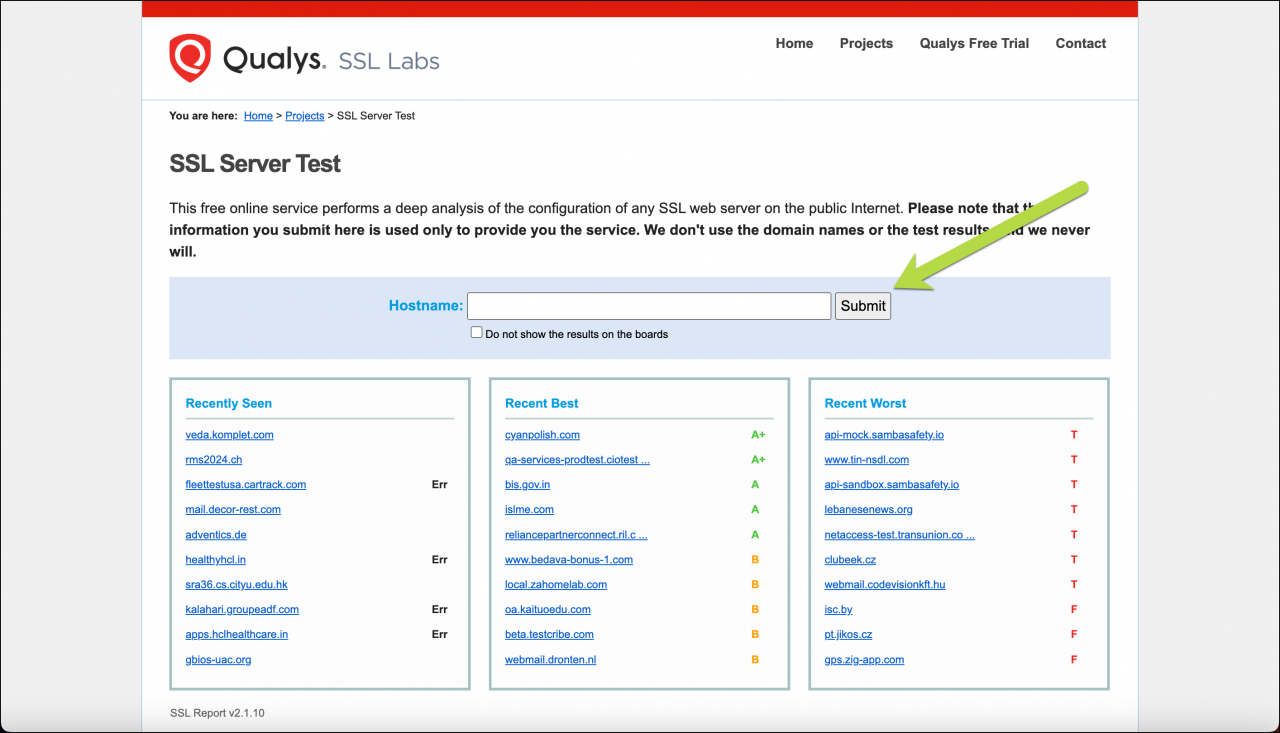
You can use an online SSL/TLS diagnostic tool, such as SSL Labs, to check the server configuration. Enter your server address and click Submit.
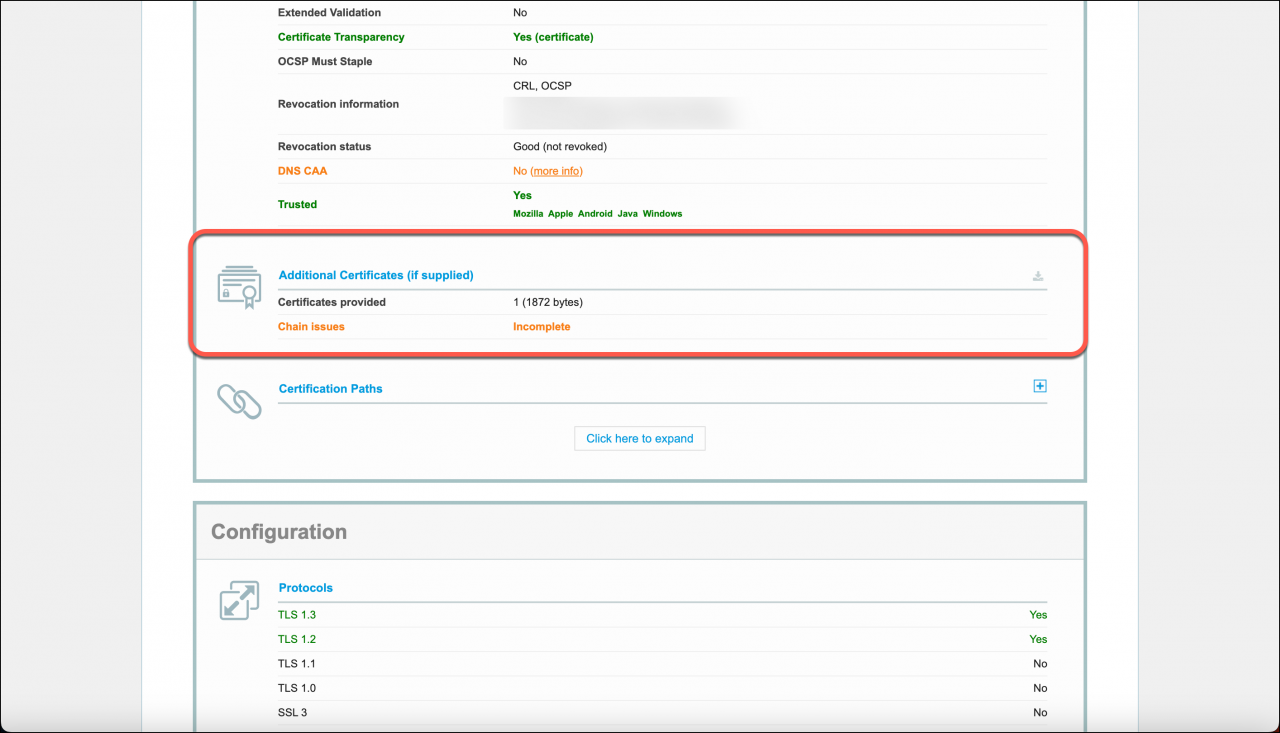
Check the Additional Certificates (if supplied) section. If you see the Chain issues warning, the server is missing an intermediate certificate in the certificate chain.
Most certificate authorities provide setup instructions for common web servers. For more information, contact your SSL certificate provider.

For more details about server certificate validation issues, see the official Android documentation.
Was this information helpful?
Thank you for your feedback.
Get Implementation Help from a Partner
That's not what I'm looking for
Complicated and incomprehensible text
The information is outdated
It's too short. I need more information
I don't like the way this tool works
Get your Bitrix24 set up by local professionals
FIND BITRIX24 PARTNER NEAR ME
implementation_helper_man
Go to Bitrix24
Don't have an account? Create for free
Related articles
Log in to Bitrix24 account via browser Log in to Bitrix24 with a QR code Log in to the Bitrix24 mobile app Log in to your Bitrix24 account Log in to the Bitrix24 mobile app with a QR code
Zalo
0943.199.449
