


Use the CardDAV protocol to sync Bitrix24 contacts with your mobile device. Apple devices (iPhone, iPad, and Mac) support CardDAV by default.
Synchronize users' contacts with iOS Contacts app
Enable CardDAV sync in Bitrix24
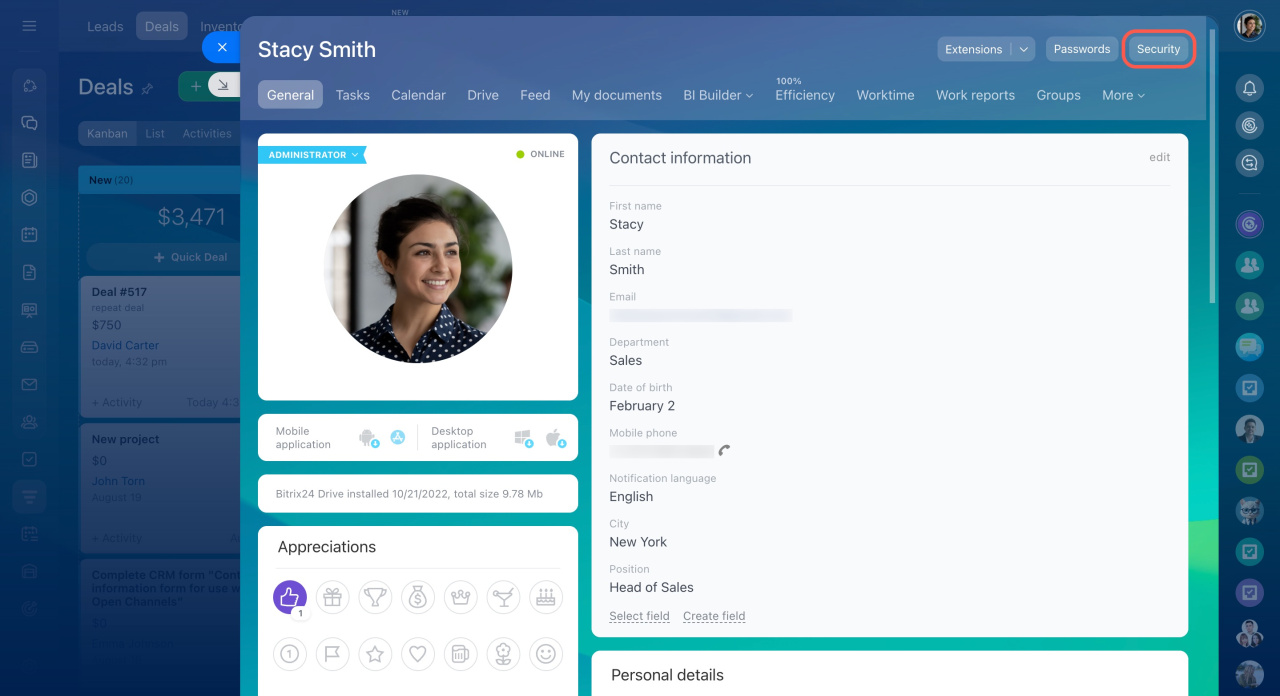
- Open your Profile page.
- Click Security.
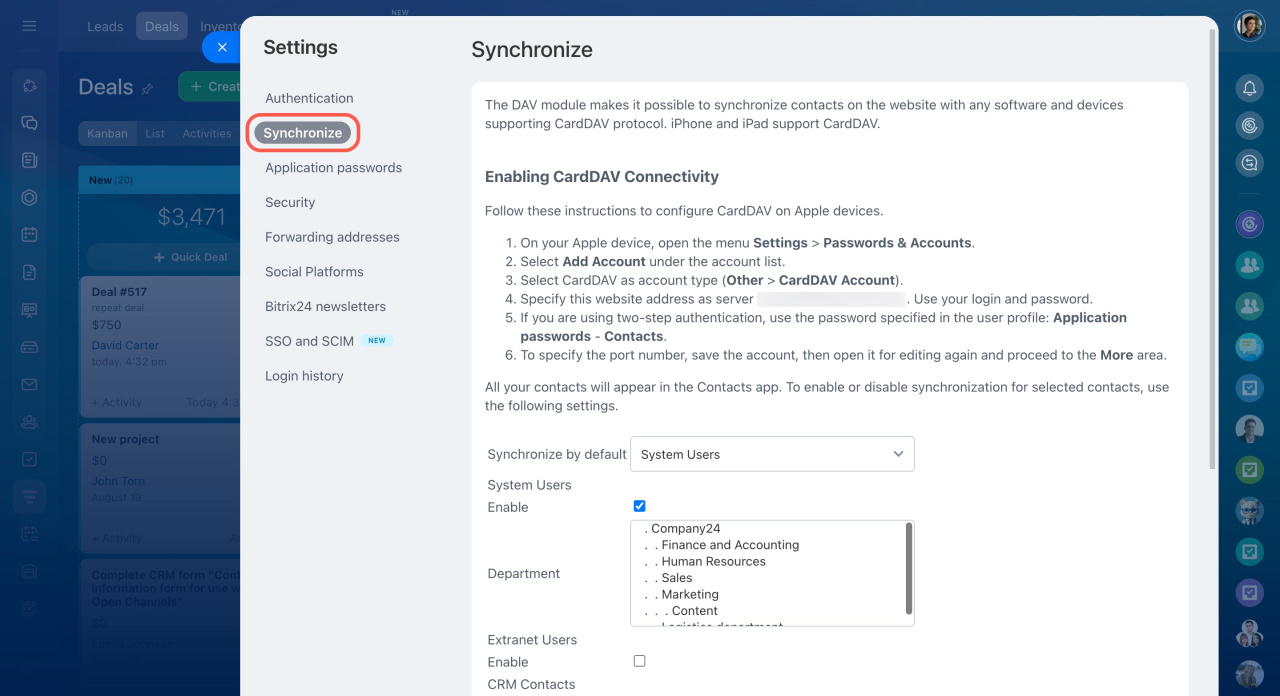
- Click Synchronize.
- Select the contact types you want to sync.
- Click Save.
Contact types
- System Users: Your coworkers and internal employees. To select multiple departments, hold Ctrl (Windows) or Command (Mac).
-
Extranet Users: External users invited to your Extranet workgroups.
Extranet users in Bitrix24 - CRM Contacts: Choose which CRM contacts to sync: All or Personal. You can also set a limit on the number of contacts.
- CRM Companies: Choose which company contact details to sync: All or Personal. You can also set a limit on the number of companies.
- Limit: Define how many contacts or companies to sync.
- Synchronize by default: Use this option for devices that request contacts without specifying a contact type.
Set up sync on your Apple device
Follow the instructions shown at the top of the page or in the Employees section to complete setup on your device.
Important
- These settings apply only to synchronization via the CardDAV protocol.
- Most Android devices require a third-party CardDAV app from Google Play.
- CardDAV sync is one-way: contacts sync from Bitrix24 to your device only.



