


You can customize the main menu for all employees in your Bitrix24 account. Show the tools your team uses most often and hide the ones they do not need. Employees cannot access hidden tools.
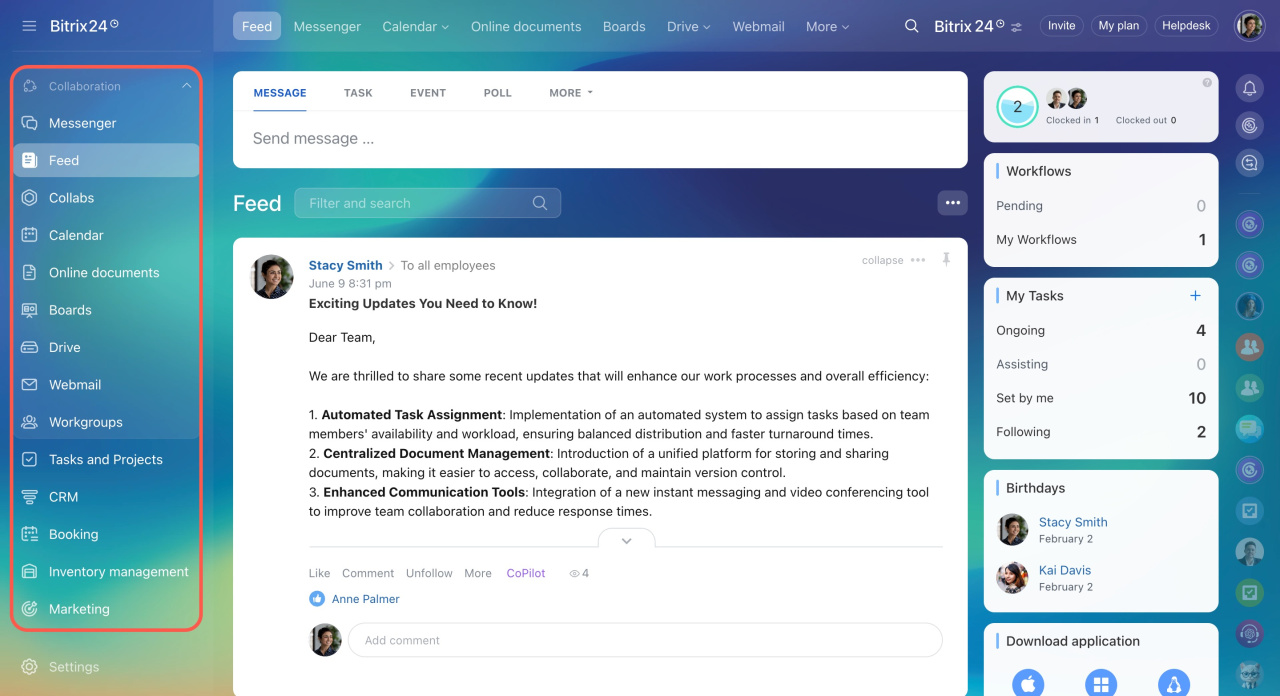
Check if this option is available on your plan.
Bitrix24 pricing page
Bitrix24 pricing page
Only Bitrix24 administrators can configure the company menu.
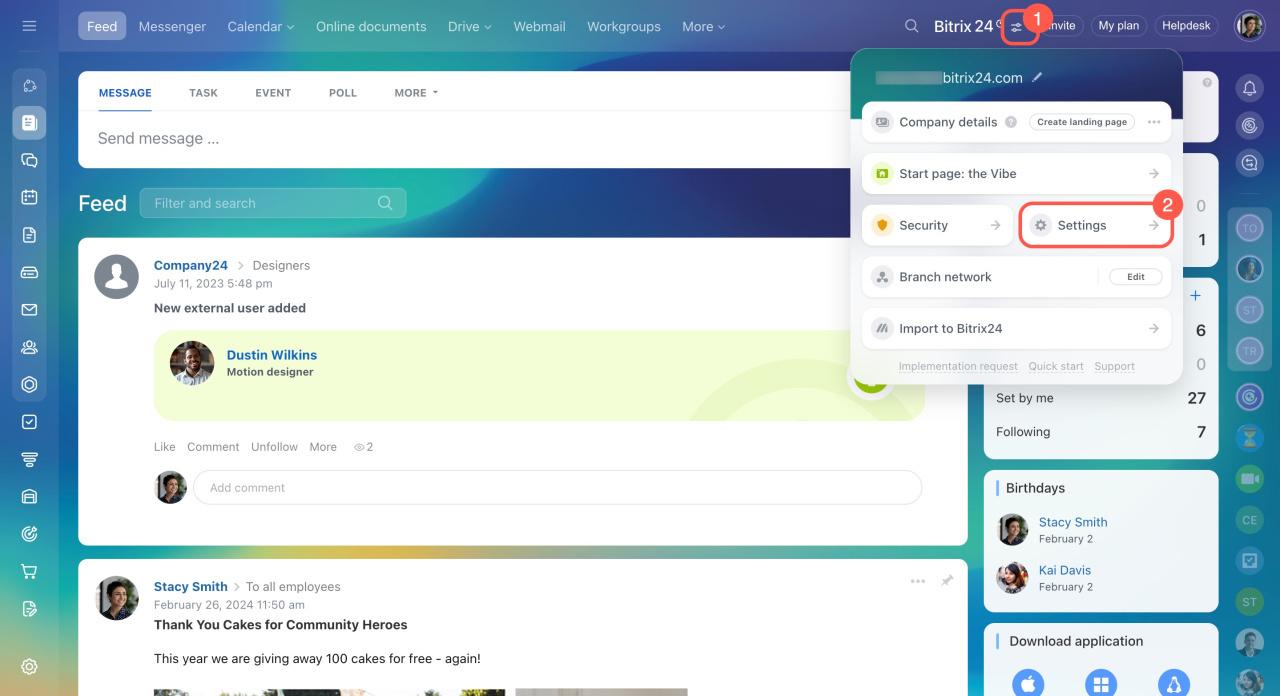
- Click the icon next to the company logo.
- Select Settings.
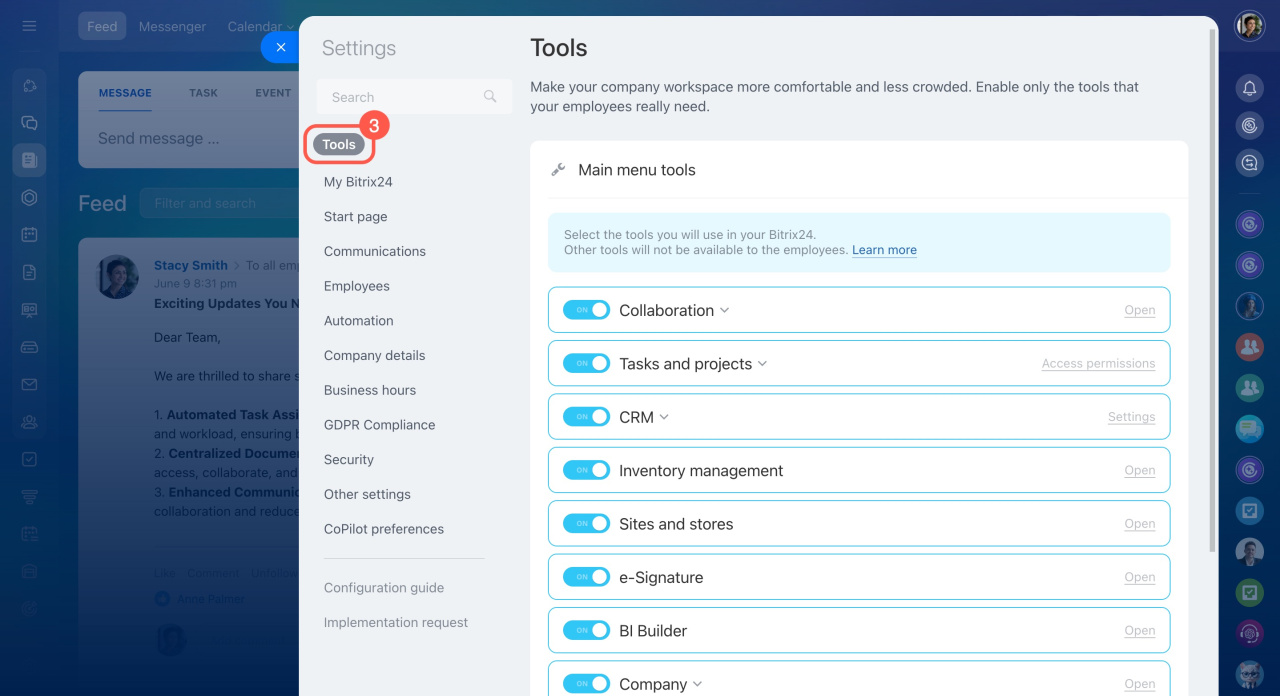
Open the Tools section to manage the main menu.
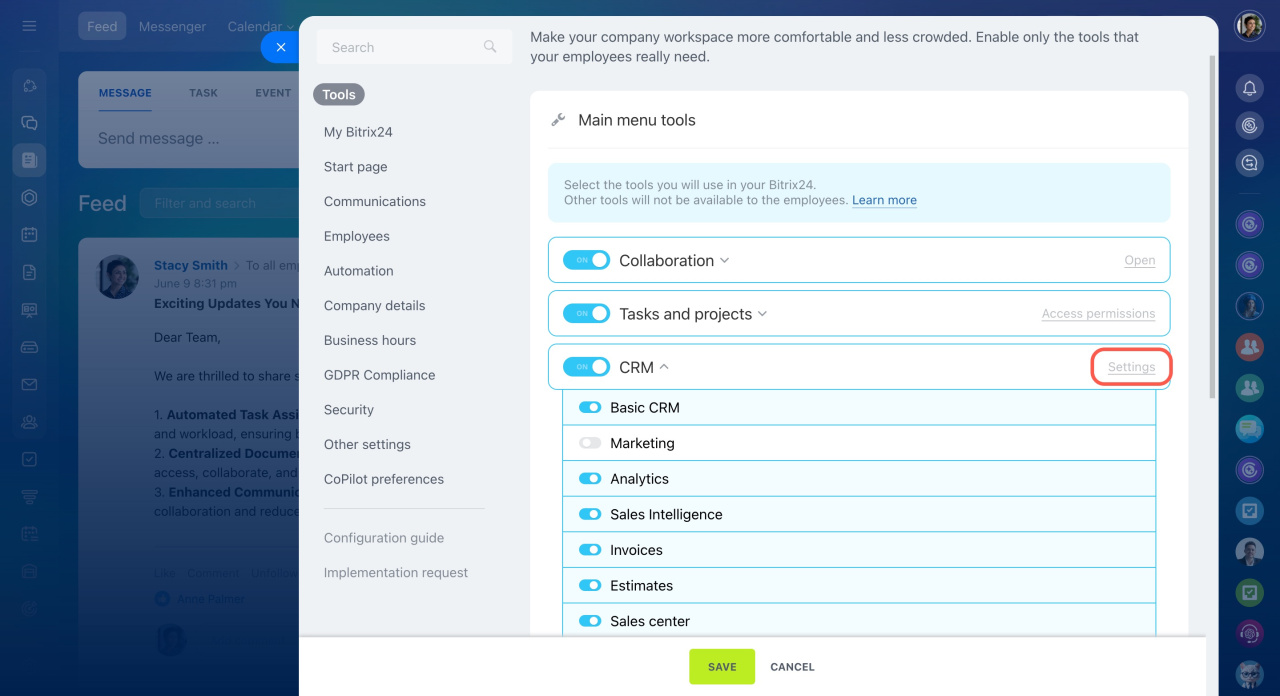
To show or hide a tool, use the switch next to the tool name. Then click Save.
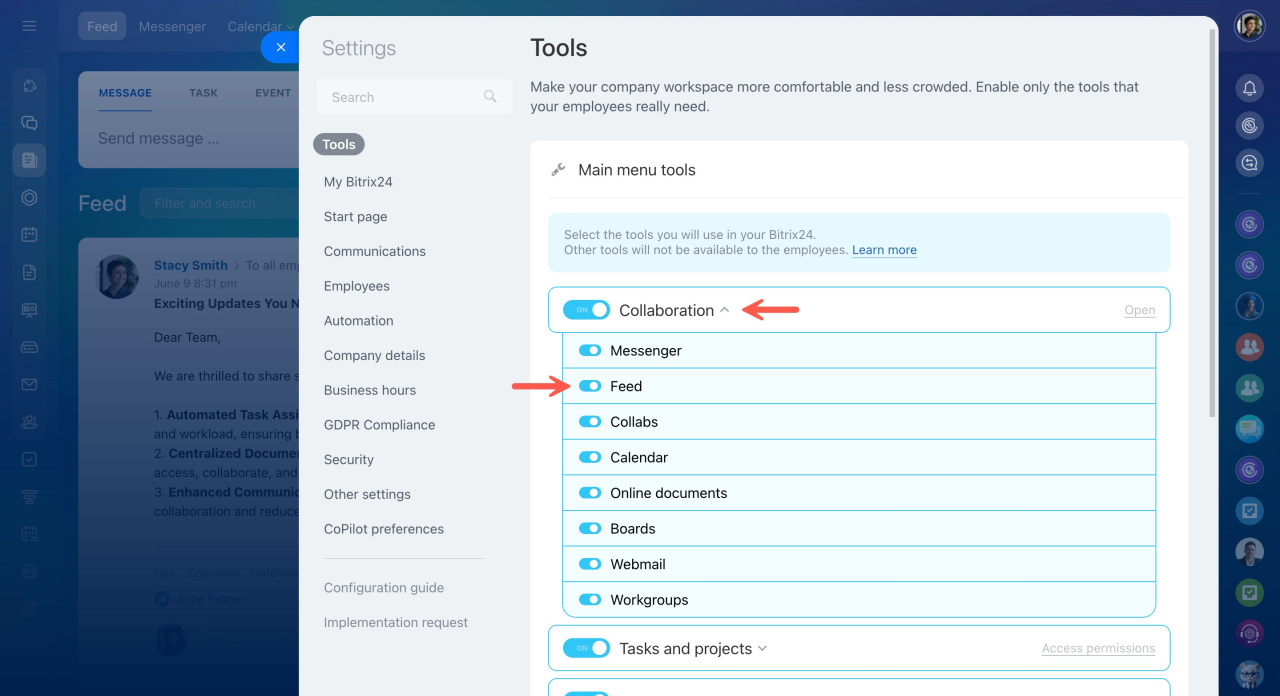
You can manage tools in these sections:
- Collaboration
- Tasks and Projects
- CRM
- Employees
- Automation
To change settings or access permissions for a tool, click the corresponding settings button.
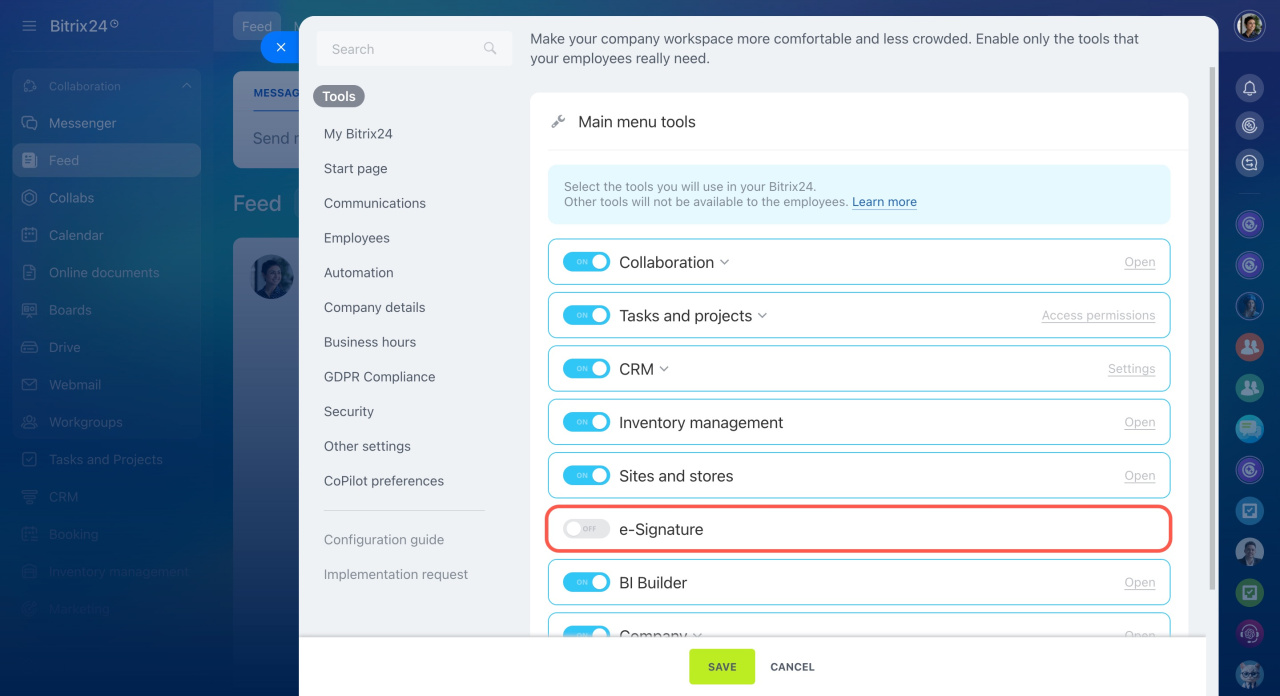
If needed, you can completely disable a tool in the Bitrix24 settings.
In brief
- You can customize the main menu for all employees.
- Show or hide tools and configure access permissions.
- Only Bitrix24 administrators can manage the company menu.



