


As your customer base grows, finding new clients becomes harder. That is why repeat sales matter. In Bitrix24, you can automate repeat sales for a group of customers.
Sales Boost is a tool that automatically creates repeat leads and deals. You can use it to send special offers to customers, such as birthday discounts.
Bitrix24 plans and pricing
How Sales Boost works
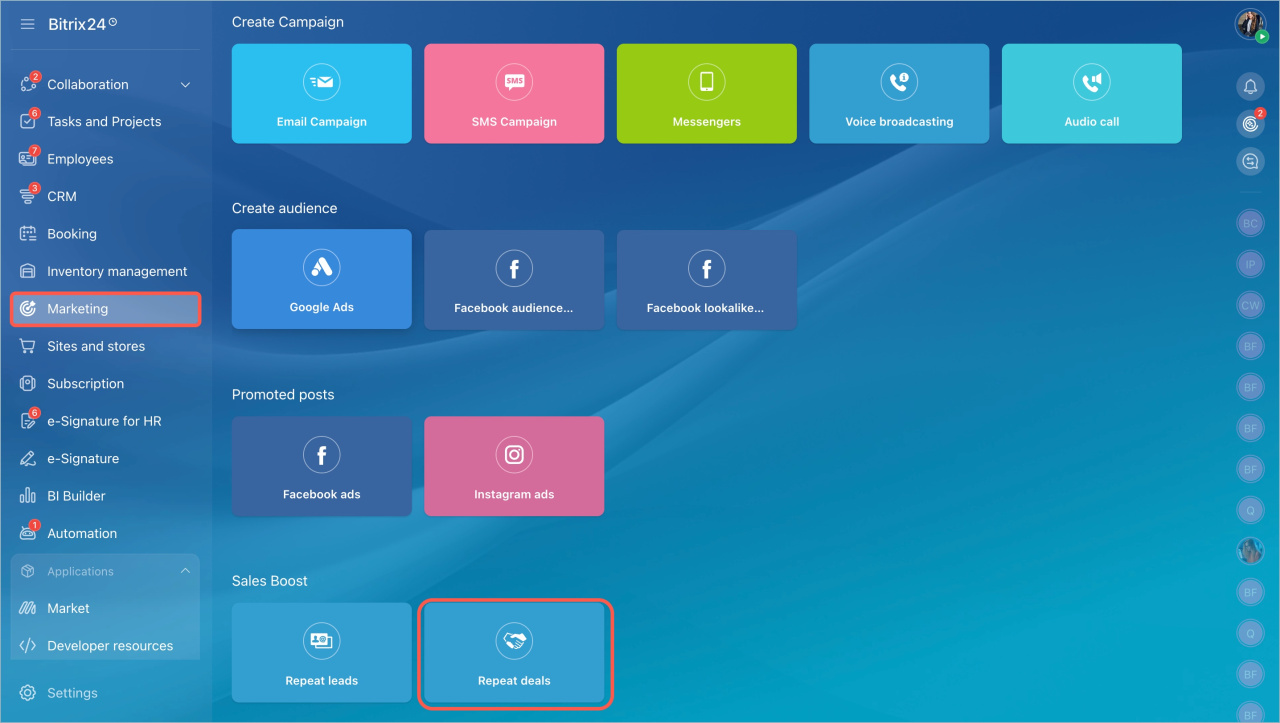
- Go to the Marketing section in the left menu.
- Select Repeat Deals.
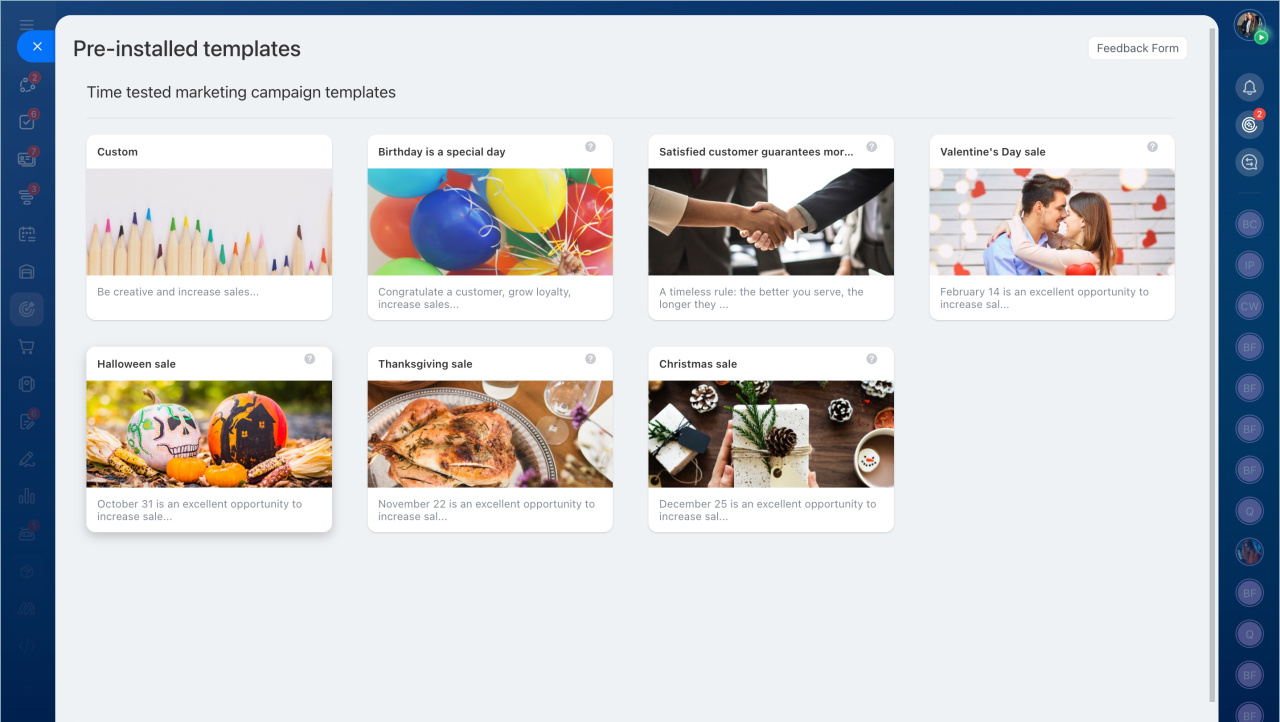
You can choose one of the prebuilt templates or create your own.
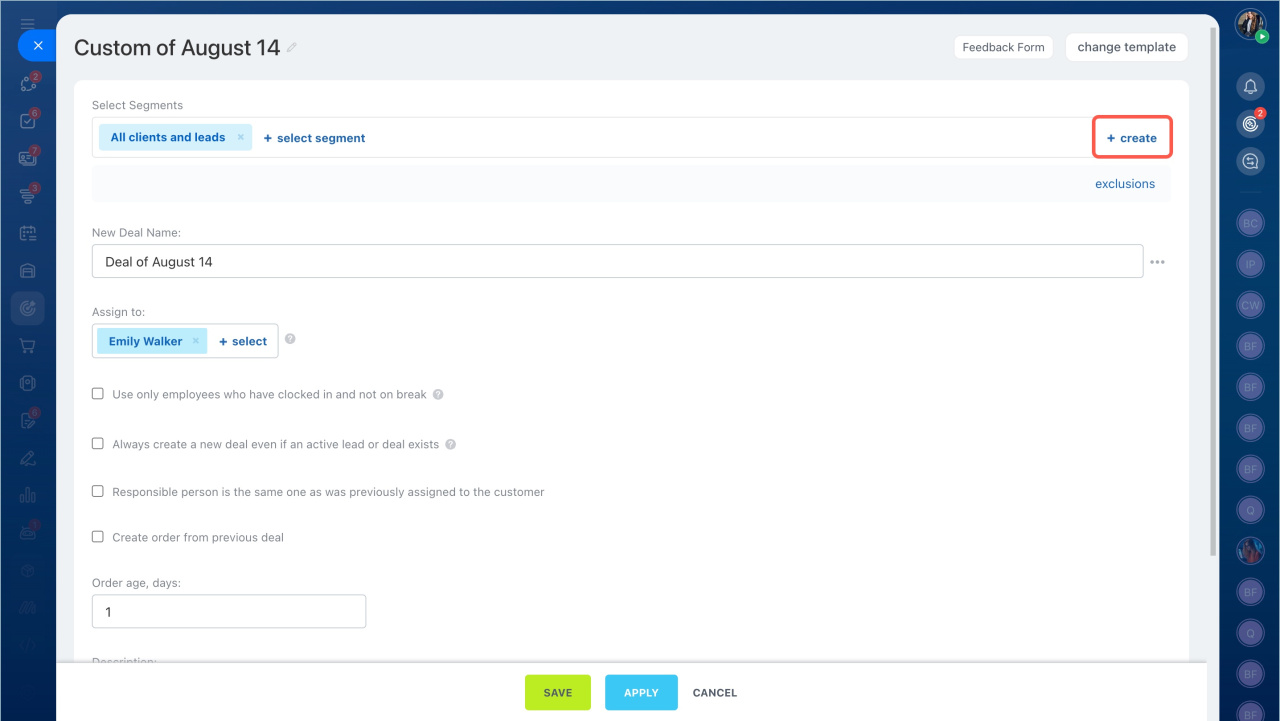
3. Create a new customer segment and specify the details.
4. Click Save and start the sales boost.
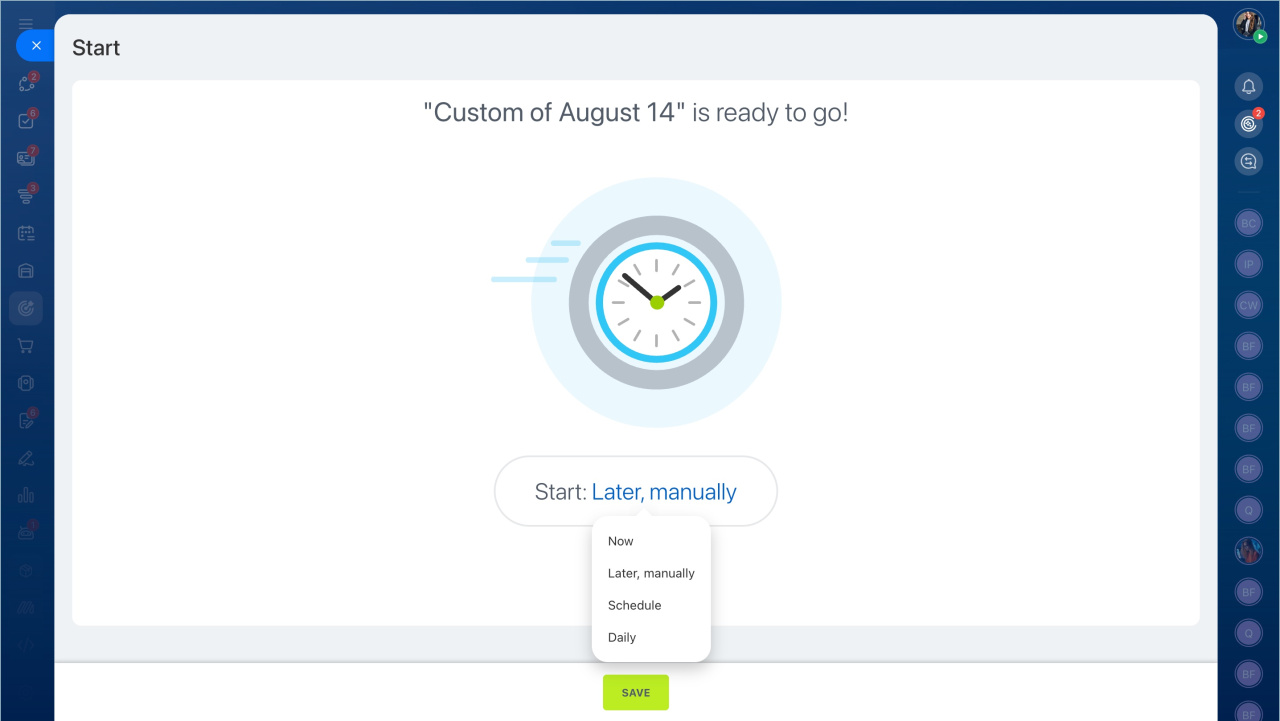
Bitrix24 will automatically create repeat deals and add comments for managers.
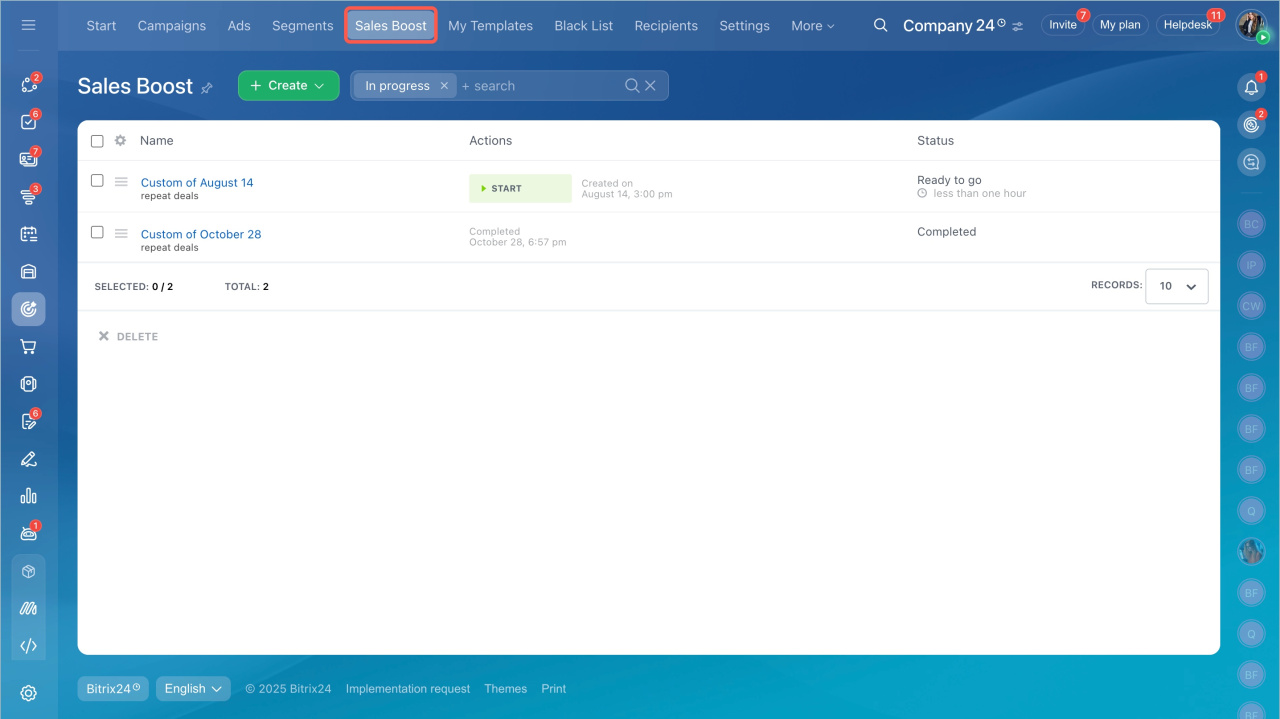
You can track the process status in Marketing > Sales Boost.
Prebuilt templates
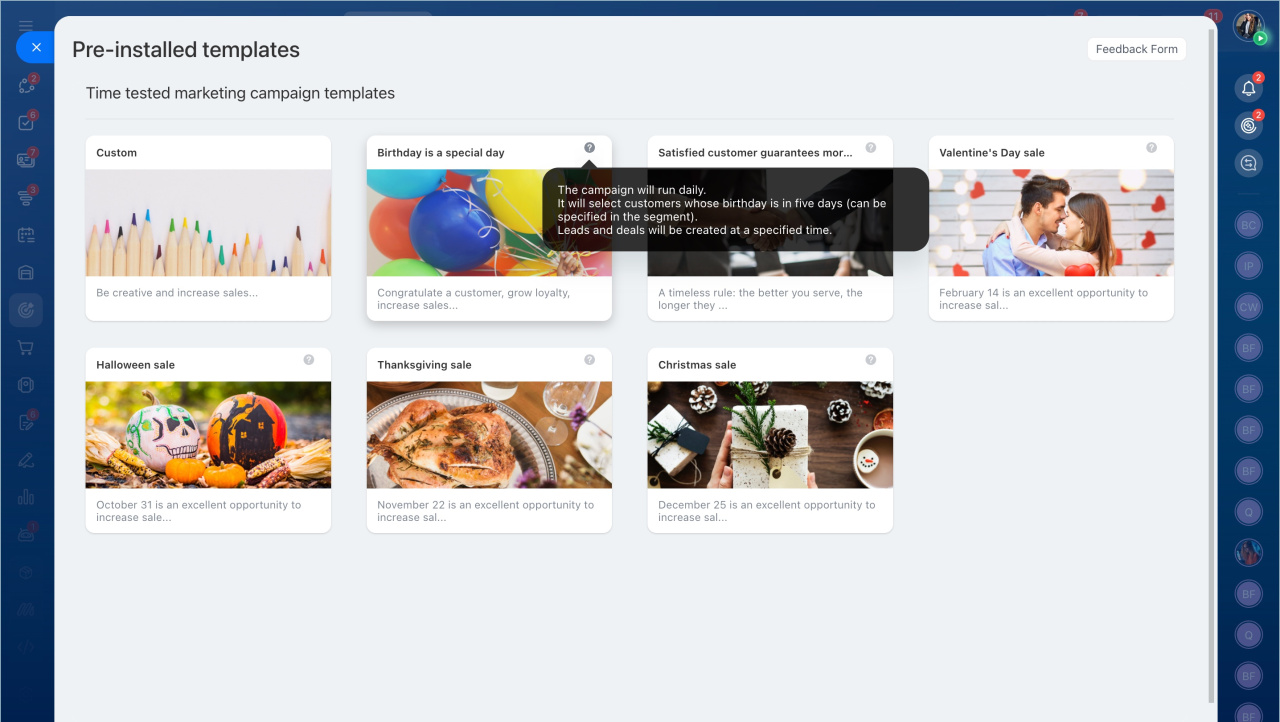
When you start Sales Boost, you can choose one of the prebuilt templates. Templates are available for birthdays, recent deals, and holidays.
Hover over the question mark icon to view campaign details.
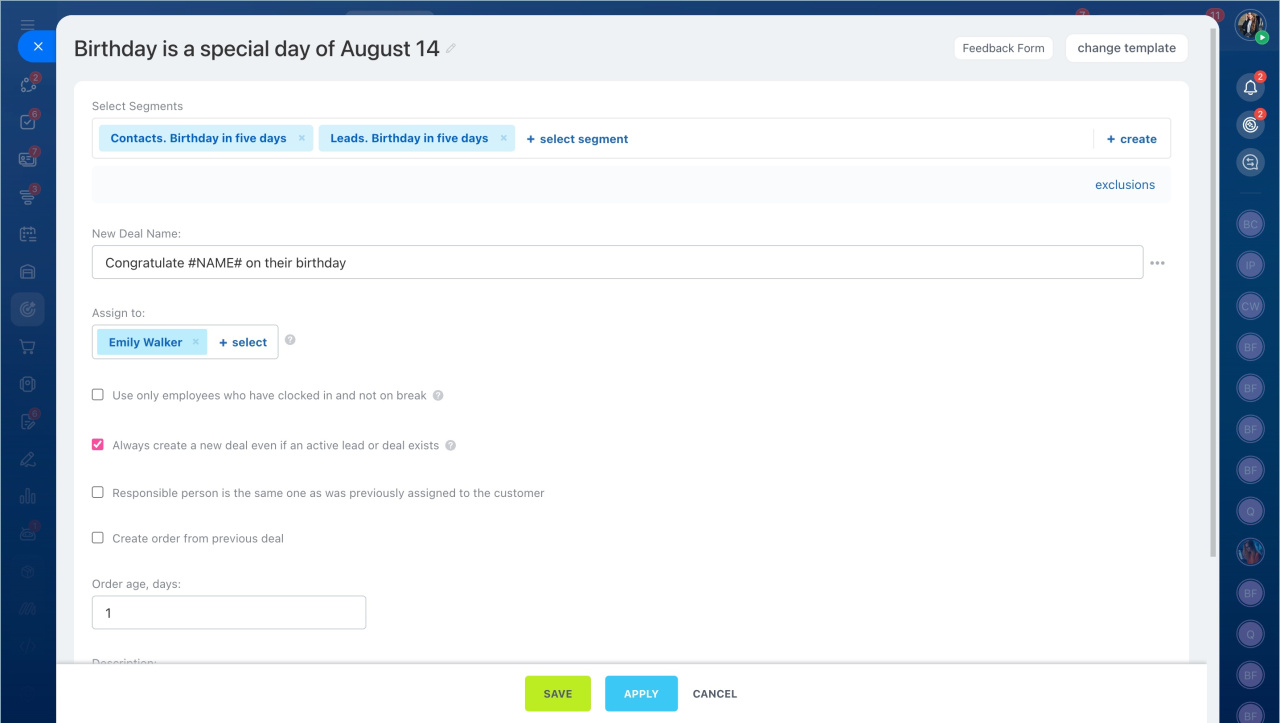
Templates also include ready-to-use conversation scripts for customer communication. Select a script and start working with repeat sales.
In brief
- Sales Boost automatically creates repeat leads and deals. You can use Sales Boost to run special offers, such as birthday discounts.
- Open Marketing > Repeat Deals.
- Choose a prebuilt template or create a custom campaign.
- Bitrix24 automatically creates repeat deals and adds comments for managers.
- You can track campaign progress in Marketing > Sales Boost.



