🚚 Miễn phí giao hàng toàn quốc

✅ Tặng Gói Hỗ trợ online trọn đời

✅ Giá cạnh tranh nhất thị trường

✅ Miễn phí tư vấn giải pháp

🚚 Miễn phí giao hàng toàn quốc

✅ Tặng Gói Hỗ trợ online trọn đời

✅ Giá cạnh tranh nhất thị trường

✅ Miễn phí tư vấn giải pháp

Hotline: 0943.199.449

Địa chỉ: Tầng 1, tòa nhà Deli, 75 Hoàng Văn Thụ, P. Cầu Kiệu

Bitrix24 Helpdesk

Update products by importing CSV file

Streamline product updates in Bitrix24 by importing an updated CSV file. This is useful when you need to prepare for a sale, change prices, or update many products at once.


Export your product list

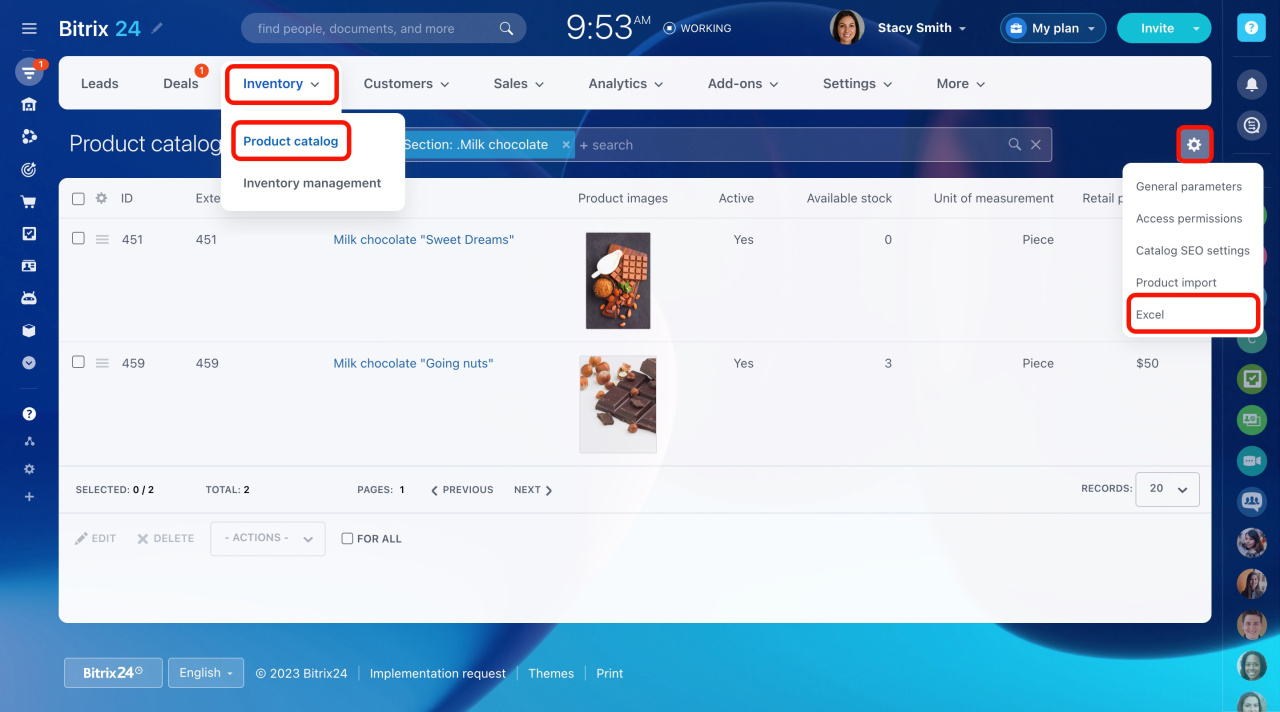
  1. Go to CRM > Inventory > Products.

  2. Select the section you need.

  3. Click the gear button and select Excel.

Update products in the file

Open the downloaded file, make your changes, and save it.

Before you import the file, note the following:
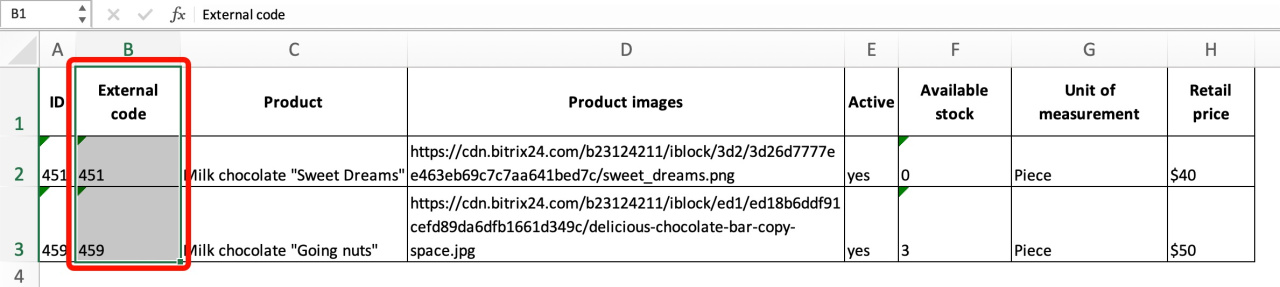
  • Bitrix24 checks for duplicates by the External code (ID) field. If the product already exists, Bitrix24 updates it with the imported data. If it does not exist, Bitrix24 creates a new product.
  • You cannot undo the import results.

  • If you change a product price in the file, the price will not update automatically in deals or other items. To apply the new price, remove the product from the item and add it again.

  • The file must be in CSV format. If you edit the exported file, save it as a CSV file after making changes.
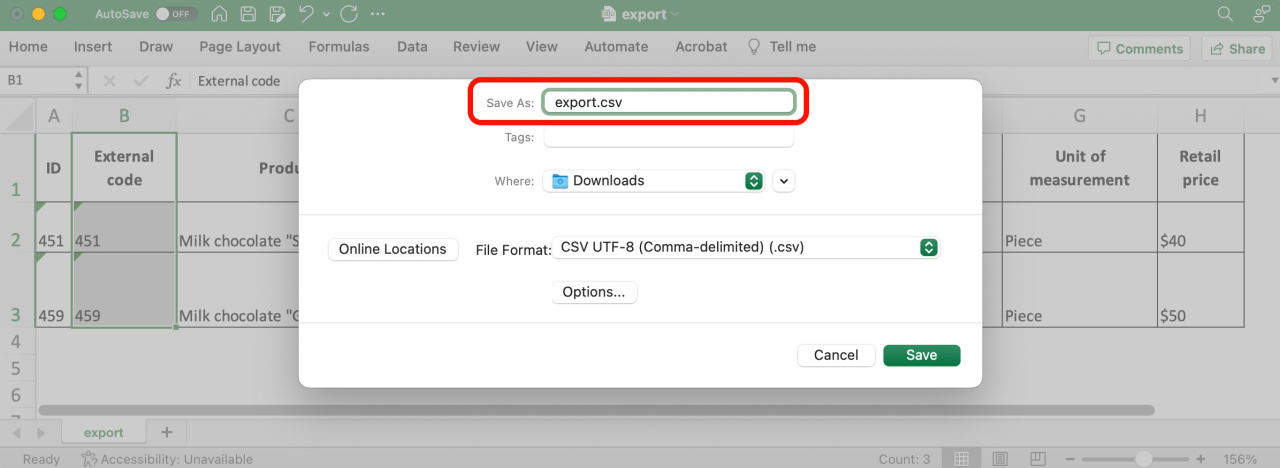

Import the updated file

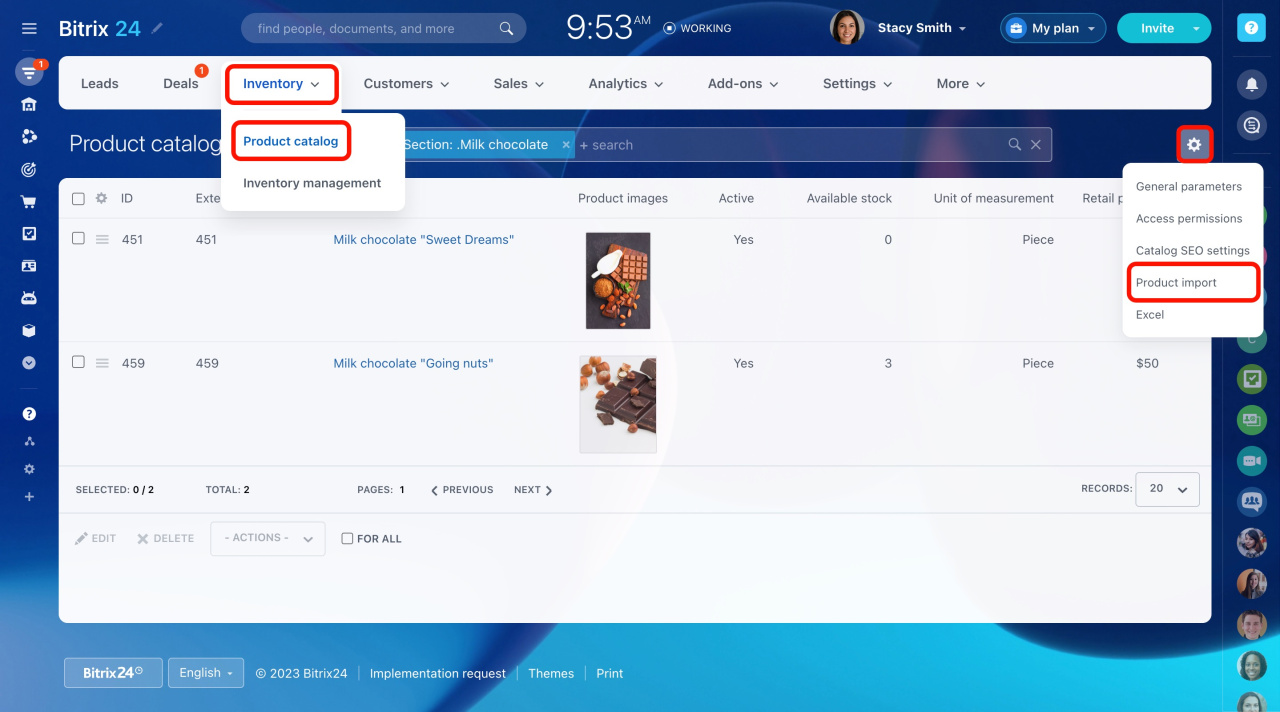
  1. Go to CRM > Inventory > Products.

  2. Click the gear button and select Product import.

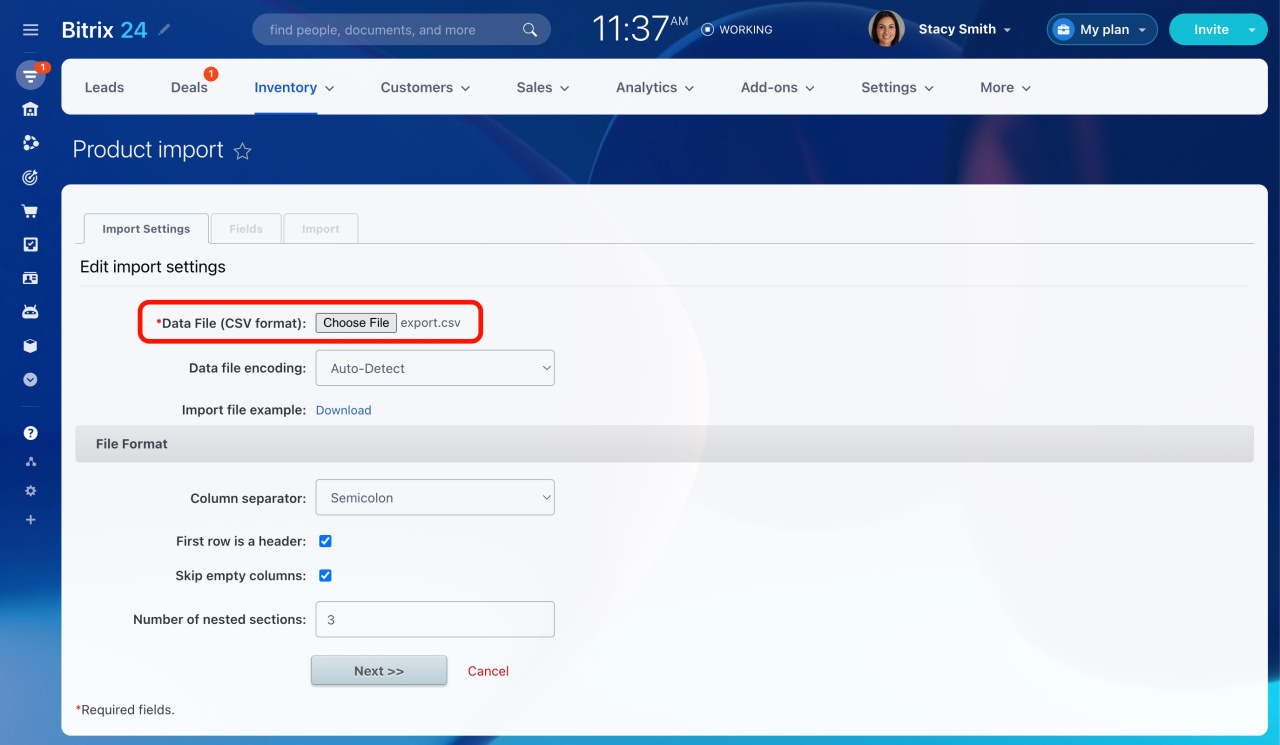
  3. Upload your file and configure the import settings.

  4. Map the required fields:

    Field in the exported file Standard field to map
    Product Name
    External code External ID
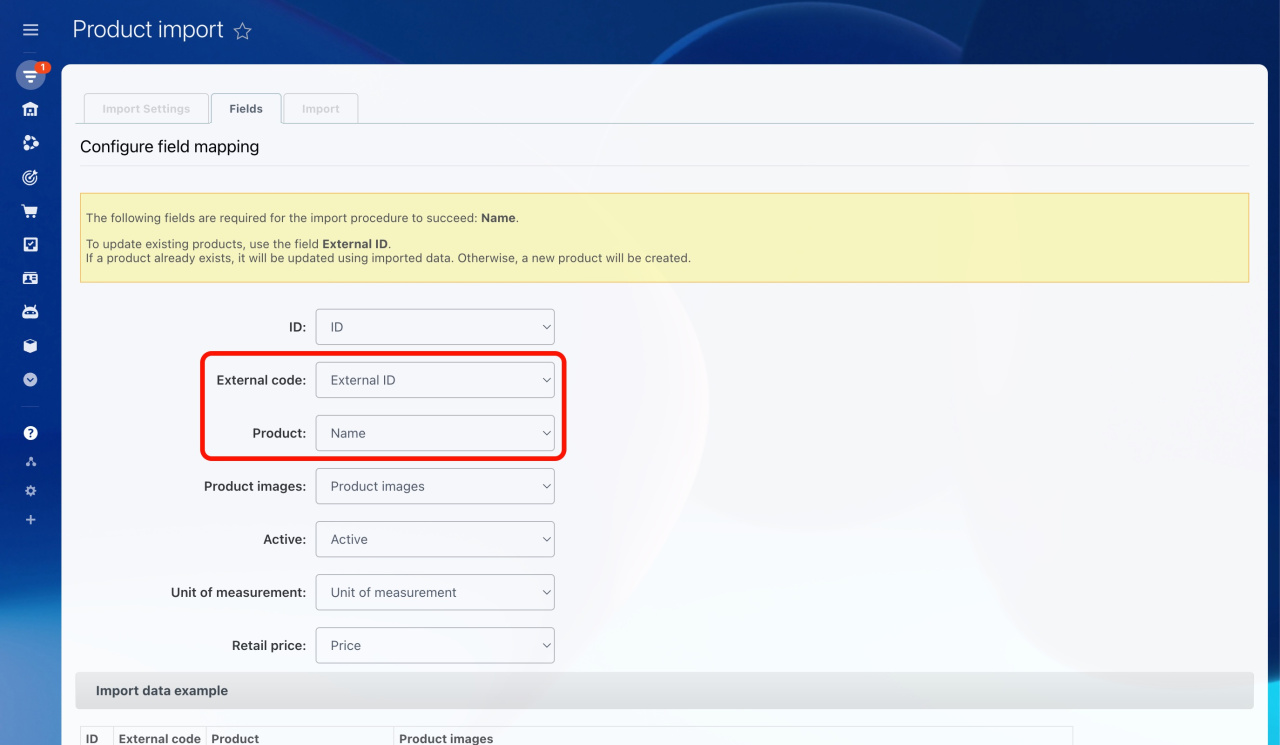
Was this information helpful?
Thank you for your feedback.
Get Implementation Help from a Partner
That's not what I'm looking for
Complicated and incomprehensible text
The information is outdated
It's too short. I need more information
I don't like the way this tool works
Get your Bitrix24 set up by local professionals
FIND BITRIX24 PARTNER NEAR ME
implementation_helper_man
Go to Bitrix24
Don't have an account? Create for free
Related articles
Working with product variants Product and variant properties Bulk edit products in the catalog Units of measurement for services Product catalog Product selection in CRM Add product to the catalog Availability field in service form Product import Custom product fields in the deal form
Zalo
0943.199.449