
🚚 Miễn phí giao hàng toàn quốc

✅ Tặng Gói Hỗ trợ online trọn đời

✅ Giá cạnh tranh nhất thị trường

✅ Miễn phí tư vấn giải pháp

🚚 Miễn phí giao hàng toàn quốc

✅ Tặng Gói Hỗ trợ online trọn đời

✅ Giá cạnh tranh nhất thị trường

✅ Miễn phí tư vấn giải pháp

Hotline: 0943.199.449

Địa chỉ: Tầng 1, tòa nhà Deli, 75 Hoàng Văn Thụ, P. Cầu Kiệu

Bitrix24 Helpdesk

Use Task list view

List view displays tasks with key details, such as name, deadline, and activity. You can quickly find a task, sort the list, or take action without opening each task.


Open List view

1. Open the Tasks section.
2. Tap Three dots (...) in the top-right corner.
3. Select Task view.
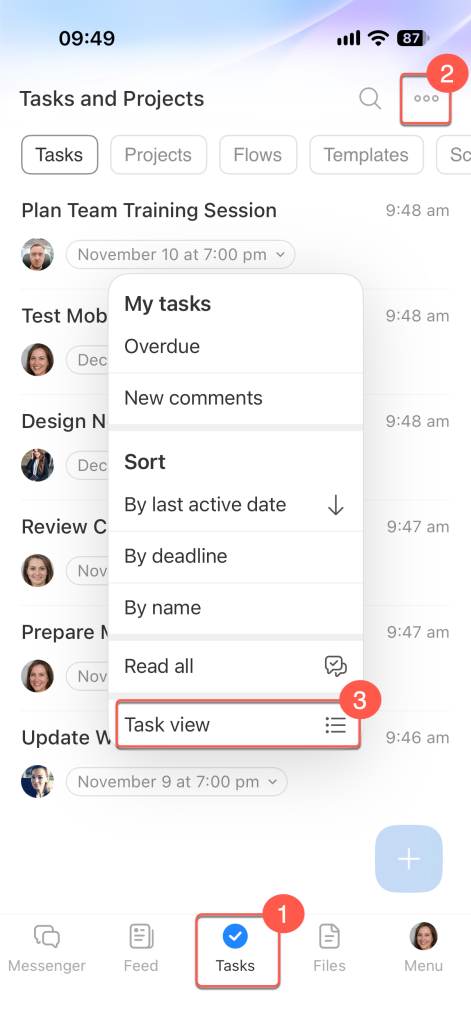
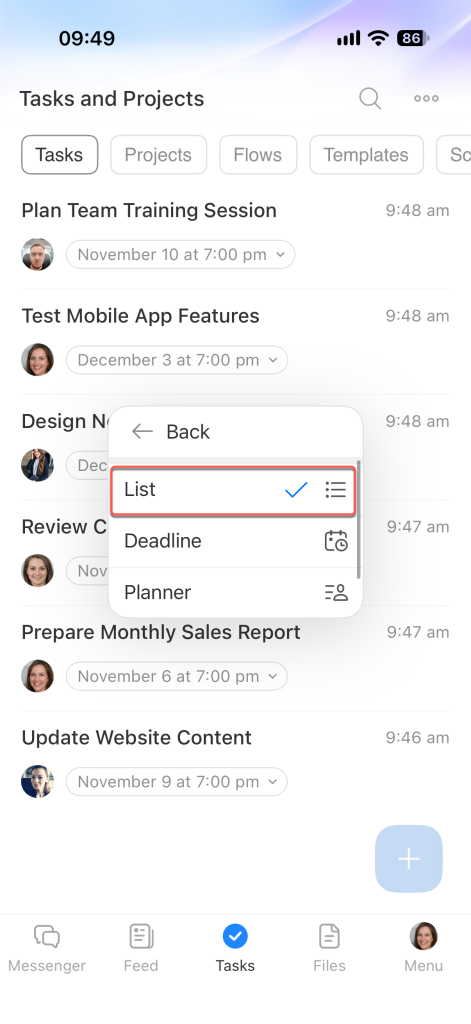
In the menu that opens, select List.

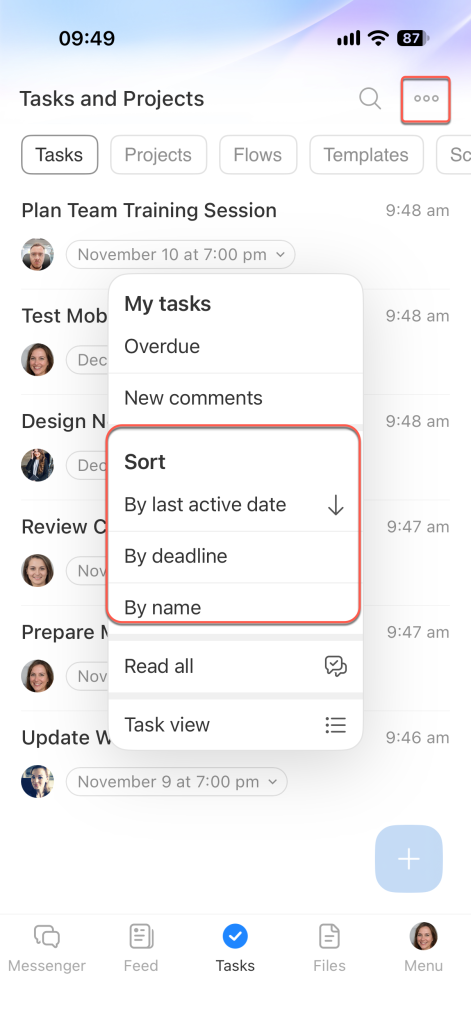
Sort tasks

By default, tasks are sorted by activity, with the most recently updated tasks first. To change the order, tap Three dots (...) and select By deadline or By name.

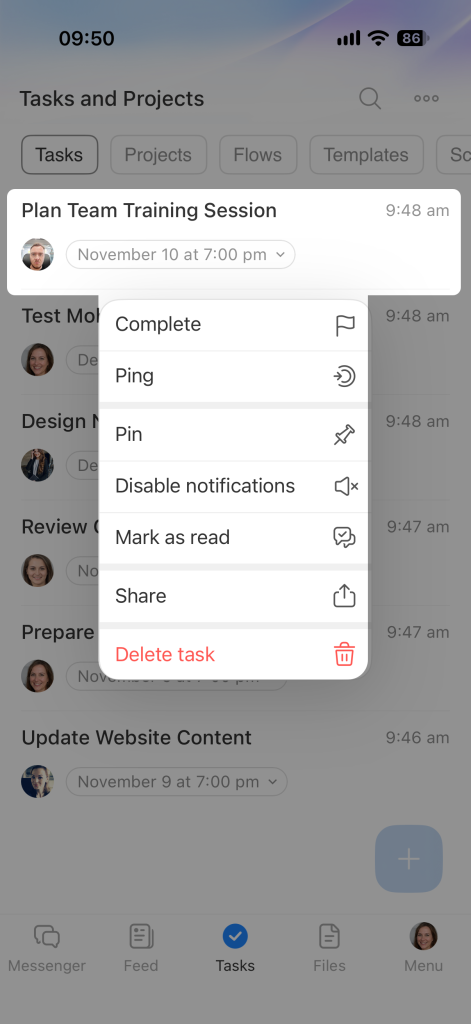
Perform an action on a task

Press and hold a task to open the context menu. Select an action.
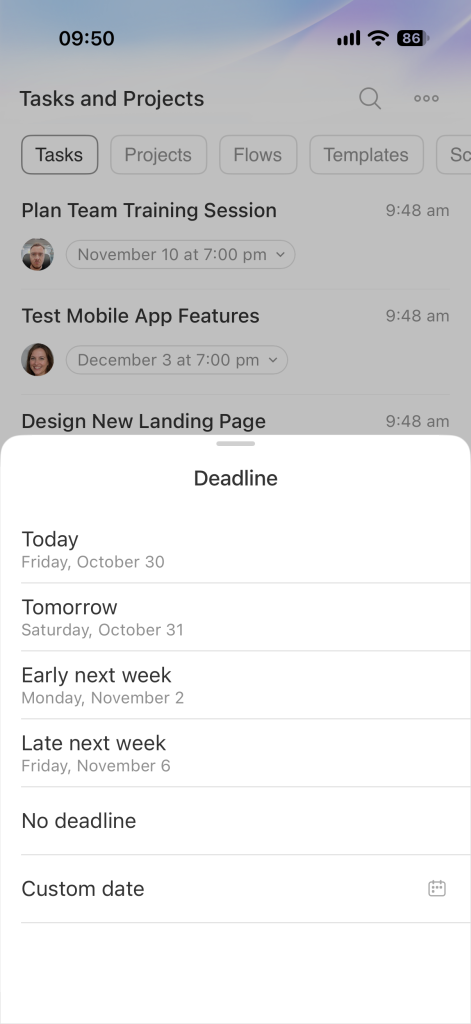
To change the deadline without opening the task, tap the date.
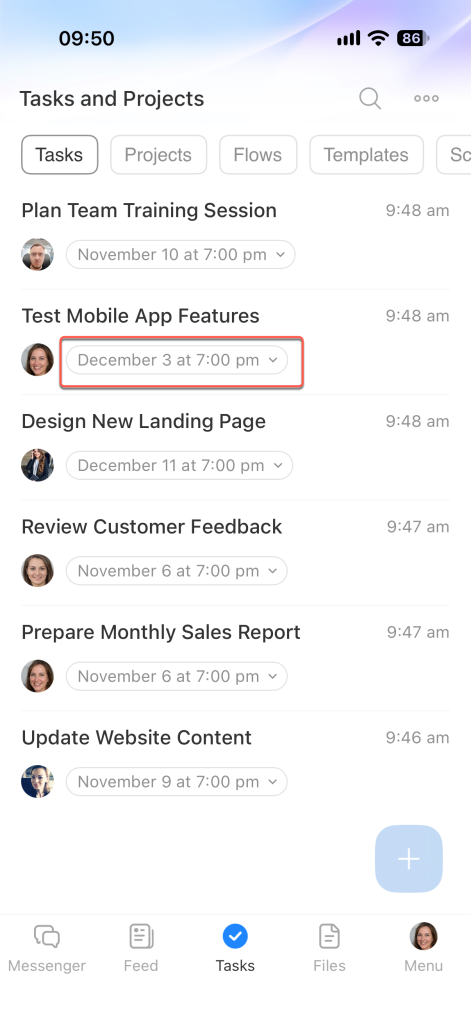
Select a new deadline.

Was this information helpful?
Thank you for your feedback.
Get Implementation Help from a Partner
That's not what I'm looking for
Complicated and incomprehensible text
The information is outdated
It's too short. I need more information
I don't like the way this tool works
Get your Bitrix24 set up by local professionals
FIND BITRIX24 PARTNER NEAR ME
implementation_helper_man
Go to Bitrix24
Don't have an account? Create for free
Zalo
0943.199.449
