In the Bitrix24 mobile app, you can sync your Bitrix24 and Google calendars so that events appear in both services. For example, when you create a meeting in Google Calendar, it automatically appears in Bitrix24. Your colleagues can check your availability and schedule meetings.
In this article:
Connect Google Calendar
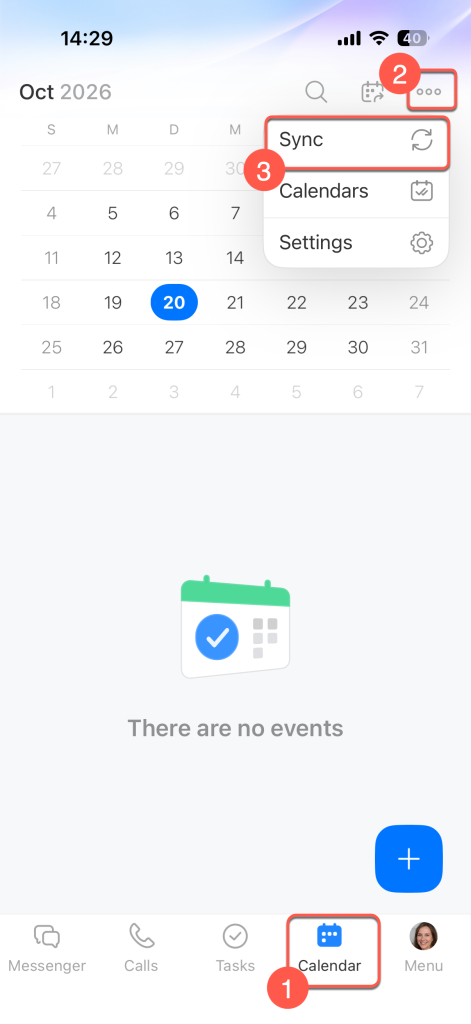
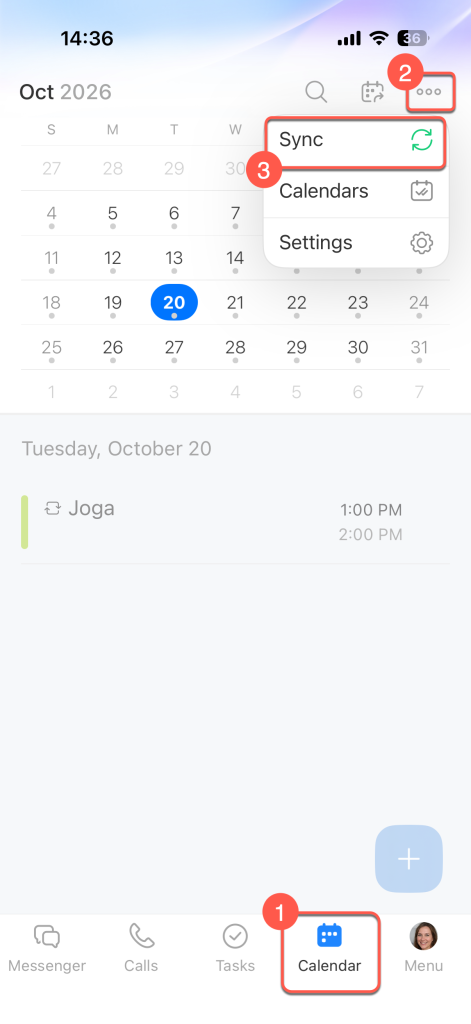
Open the Calendar section. You can find it in the bottom navigation bar or under Menu. Tap Three dots (...) in the upper-right corner and select Sync.
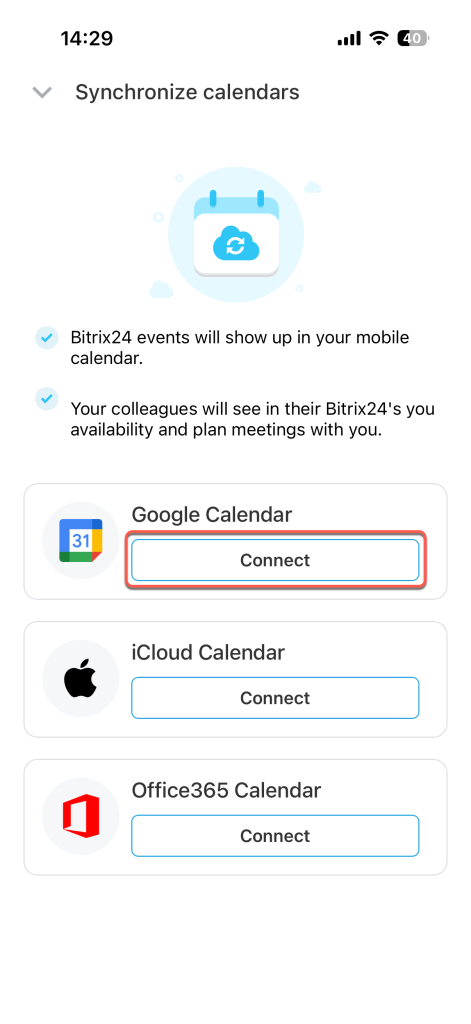
Tap Connect next to Google Calendar.
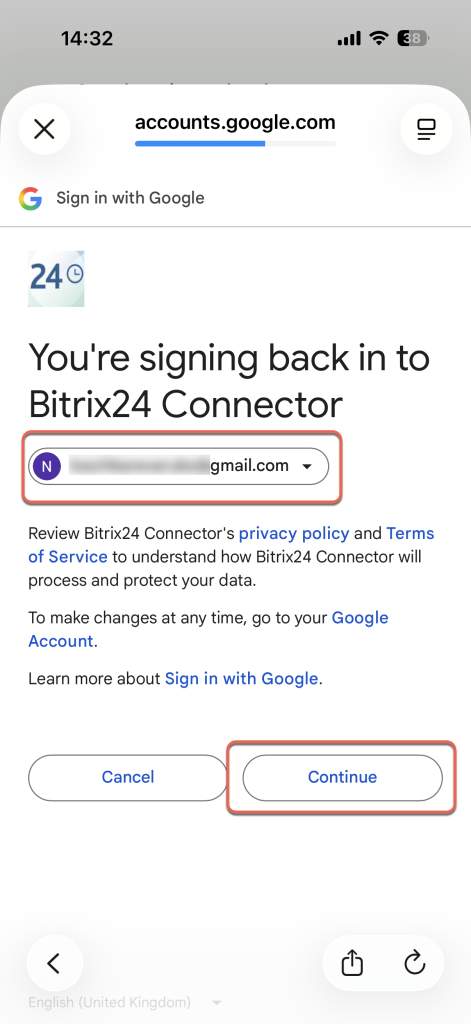
Sign in to your Google account or select an account already added to your device. Tap Next. Follow the on-screen instructions to sign in to the Bitrix24 Connector app and grant it permission to access your Google account.
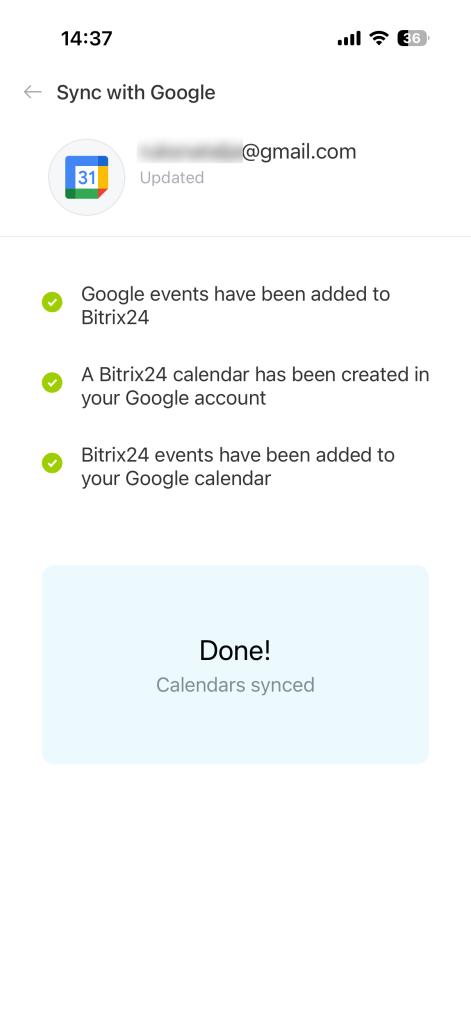
Wait for synchronization to complete. Google Calendar events will appear in Bitrix24, and Bitrix24 events will appear in Google Calendar. A Bitrix24 calendar with work events will be created in your Google account.
Set up and disable synchronization
Open the Calendar section. Tap Three dots (...) in the upper-right corner and select Sync.
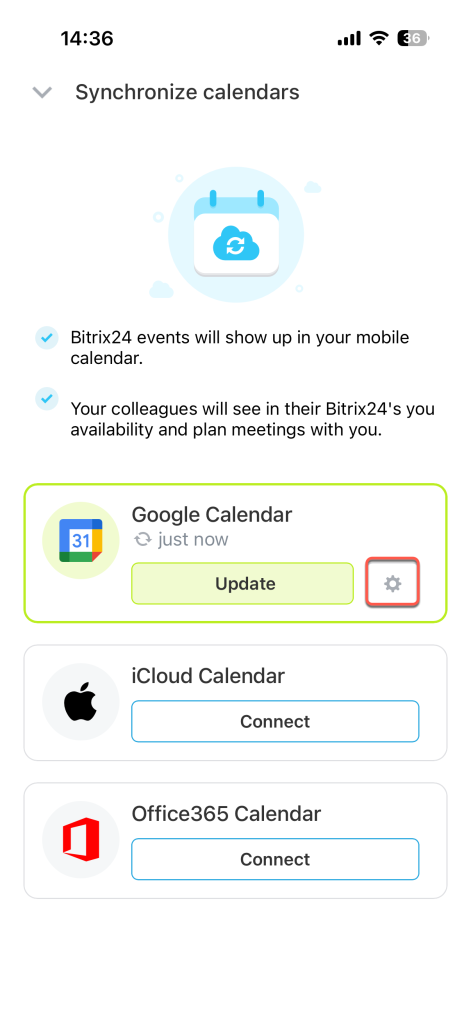
Tap Settings (⚙️) next to Google Calendar. The Calendar settings section opens.
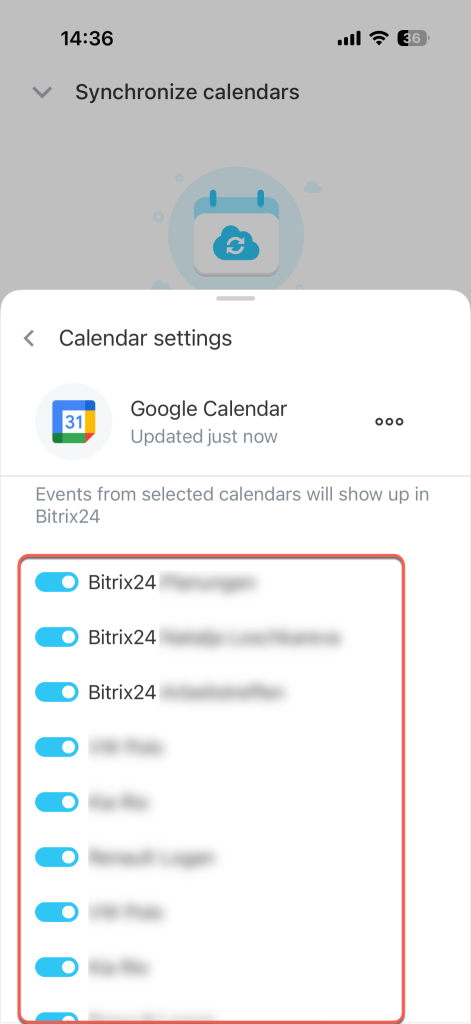
Choose which calendars to display. Select the calendars whose events you want to view in Bitrix24. By default, all Google calendars are connected, including your personal and holiday calendars.
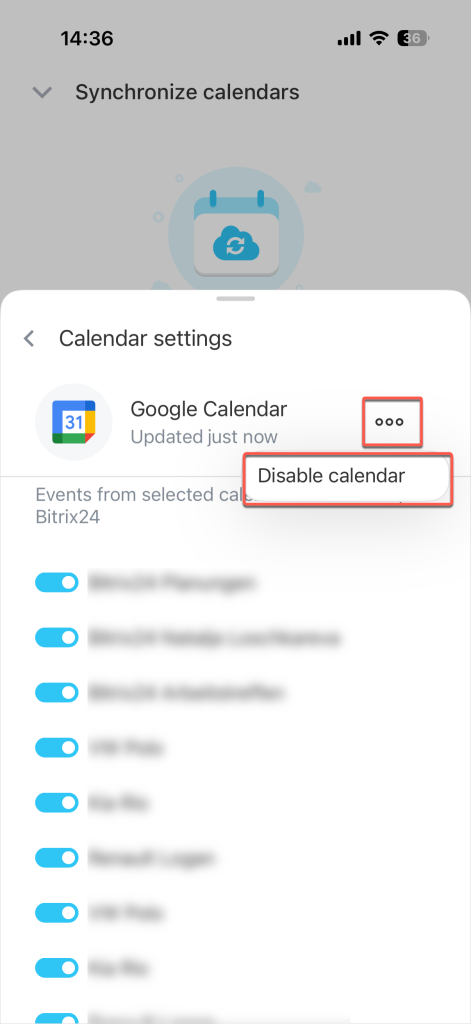
Disable synchronization. Tap Three dots (...) next to Google Calendar and select Disable calendar.
Google Calendar events will no longer appear in Bitrix24. The Bitrix24 calendar created during synchronization will remain in your Google account. You can delete it manually without affecting data in Bitrix24.